
AI Review Summary and AI Review Tags
Overview
The AI Review Summary feature uses AI to automatically summarize your product reviews into a short, meaningful paragraph — helping shoppers quickly understand what customers love (or don’t love) about your products without reading every single review.
Together with AI Review Tags, this feature enhances the shopping experience, increases trust, and helps drive faster buying decisions.
What Are AI Review Summary and AI Review Tags?
AI Review Summary
The AI Review Summary is a short, auto-generated paragraph that highlights the key takeaways from all product reviews. It summarizes the most common customer feedback, such as product quality, performance, or satisfaction, giving shoppers a clear and concise overview of what others think.
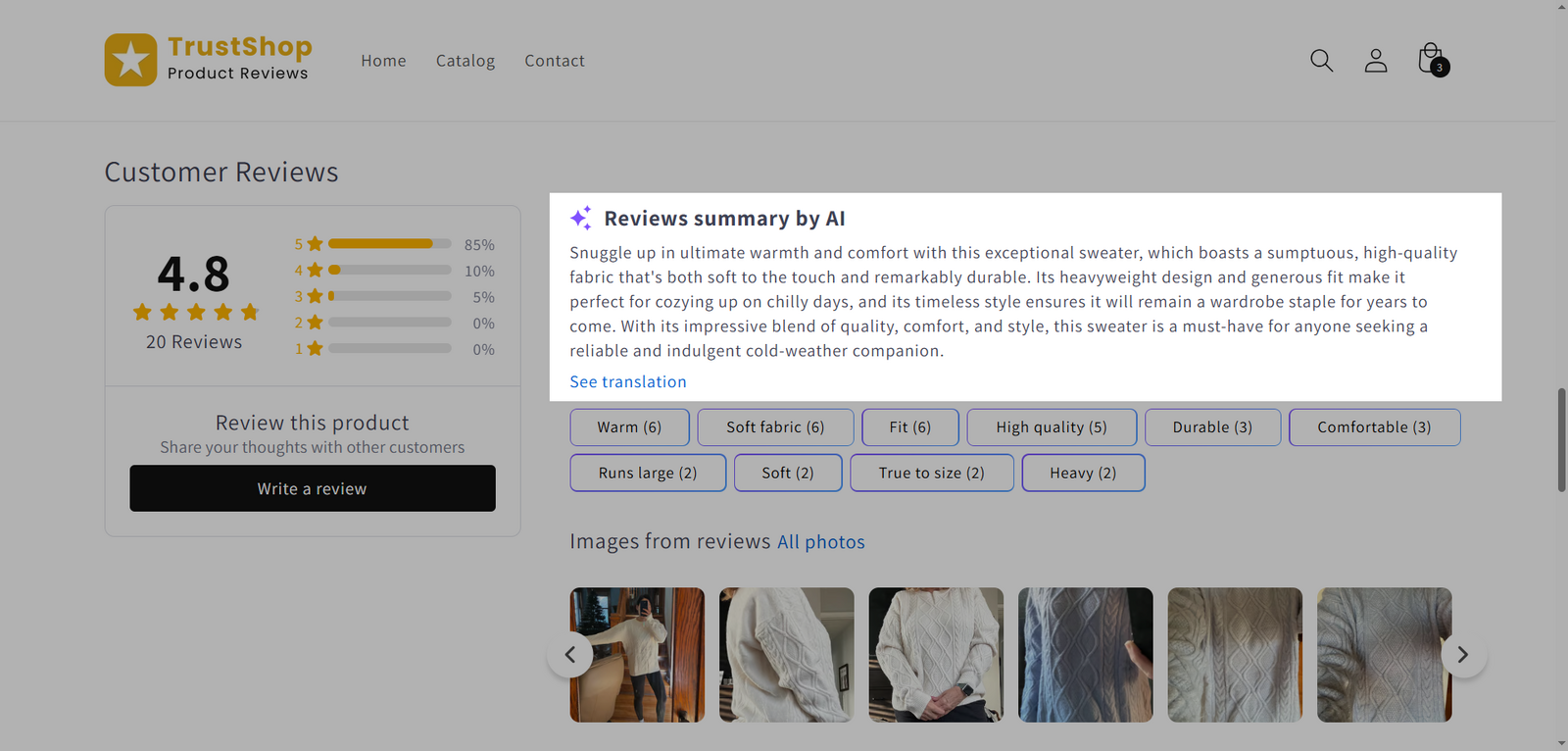
AI Review Tags
AI Review Tags are small clickable labels displayed under the AI Review Summary. These tags represent frequently mentioned topics — such as material, durability, fit, or delivery — allowing shoppers to easily filter and find reviews that matter most to them.
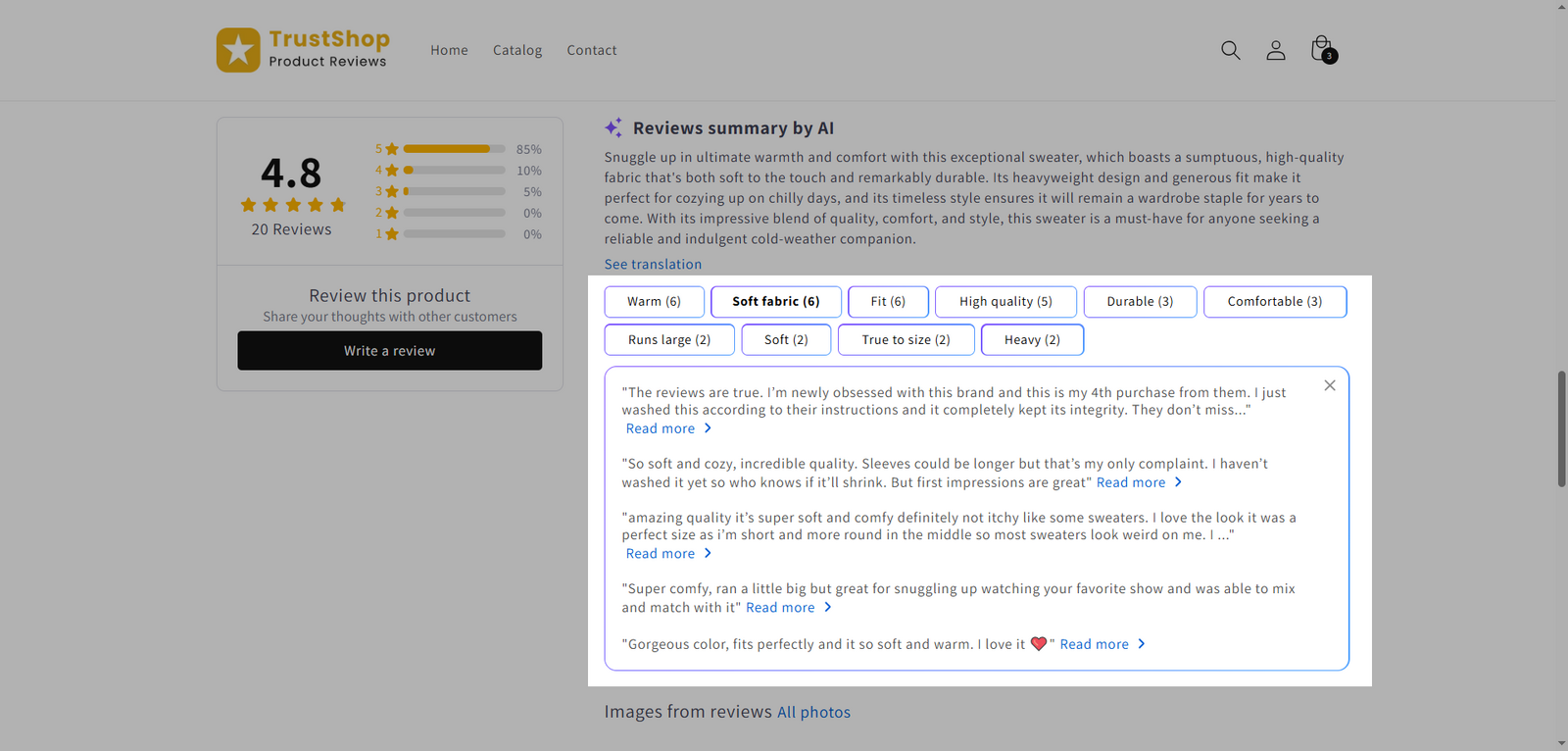
How AI Review Summaries and Tags Are Generated
TrustShop’s AI automatically analyzes all review text for each product to identify common themes, evaluate sentiment, and extract insights.
From there, it:
- Summarizes the key feedback into one short, clear paragraph
- Generates relevant AI Review Tags based on frequently mentioned topics
- Valid reviews are those that are relevant, detailed enough, and free from spam content.
- When there are sufficient changes in your published reviews (e.g., new reviews added or old ones removed), the summaries and tags will automatically update to reflect the latest feedback.
How to Add AI Review Summaries and Tags to Your Store
You can display AI Review Summaries and Tags in two widgets: Review Display and Review Snippet.
Add AI Review Summary to the Review Display Widget
- Go to Settings → Show reviews → Widgets
- Under Review Display, click Customize
- Scroll to Information display and tick AI Review Summary. The summary will appear next to the overall rating section.
- (Optional) Tick AI Review Tags to show tags under the summary
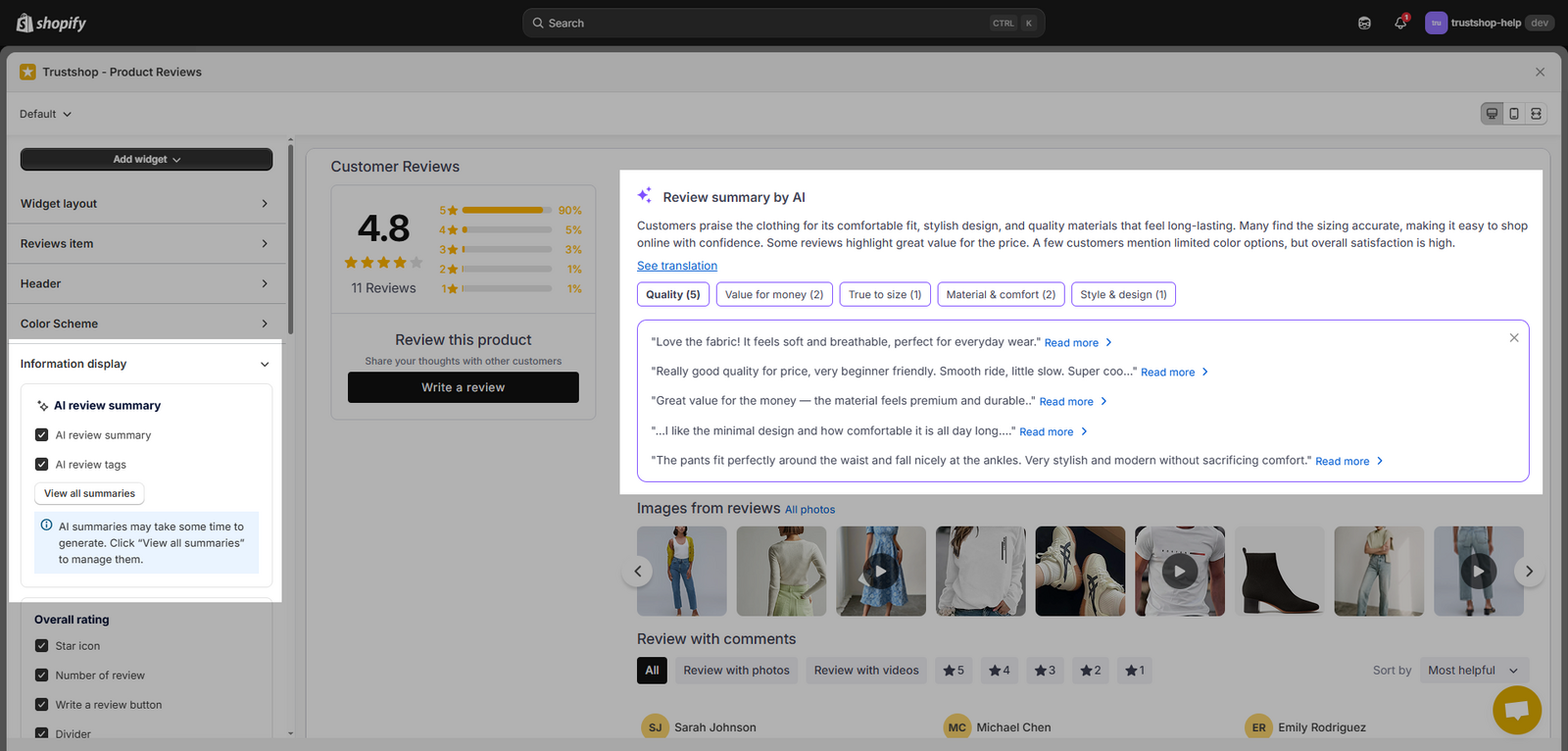
Add AI Review Summary to the Review Snippet Widget
- Go to Settings → Show reviews → Widgets
- Under Review Snippet, click Customize
- Scroll to Information display and tick AI Review Summary. The summary will appear as the first card of the review snippets.
Note: AI Review Tags are not available in the Review Snippet widget
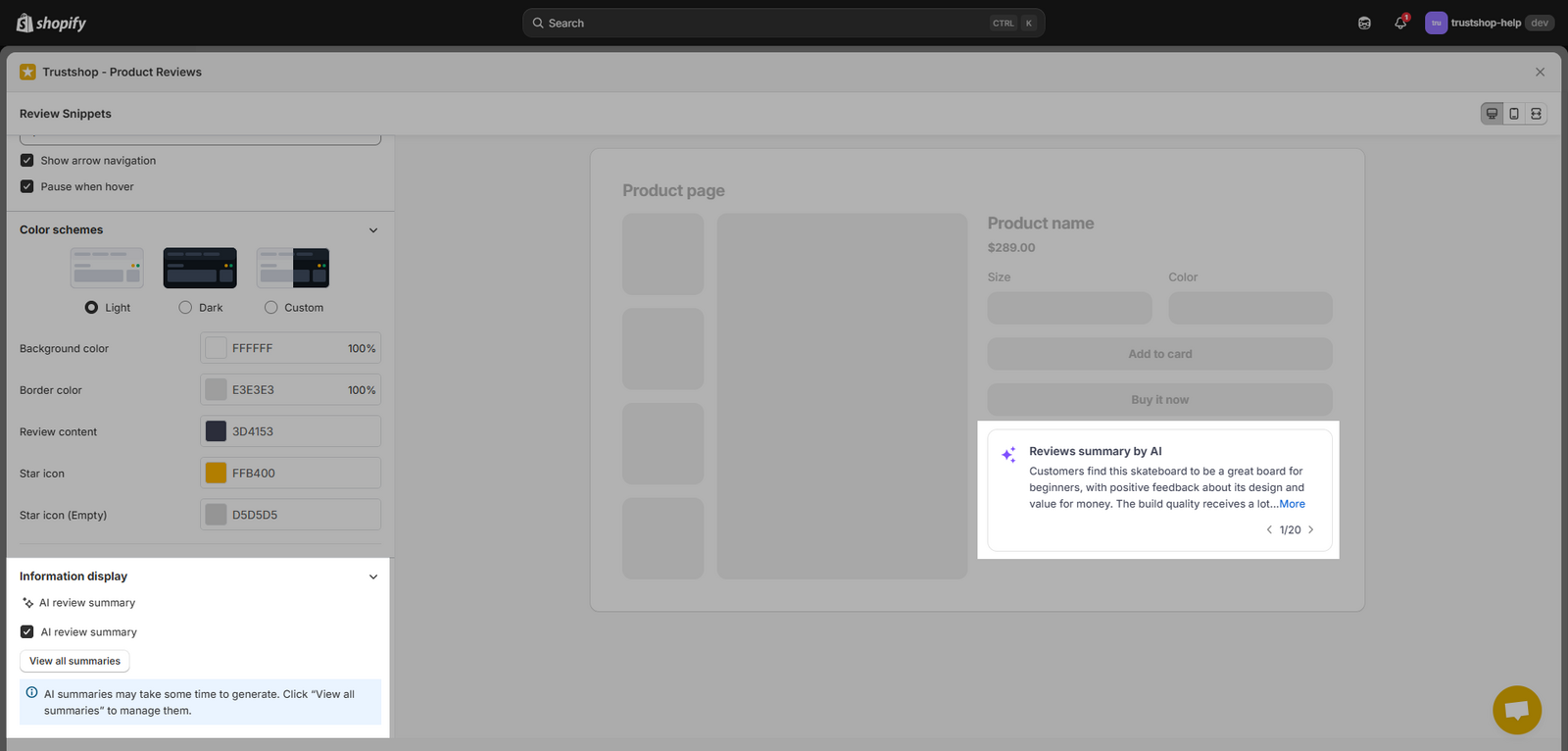
- You can click “View all summaries” to check or manage them. See the next section below.
Manage AI Summaries
To manage all generated summaries:
- Go to Settings → AI Features
- In the AI Review Summary section, click “View all summaries”
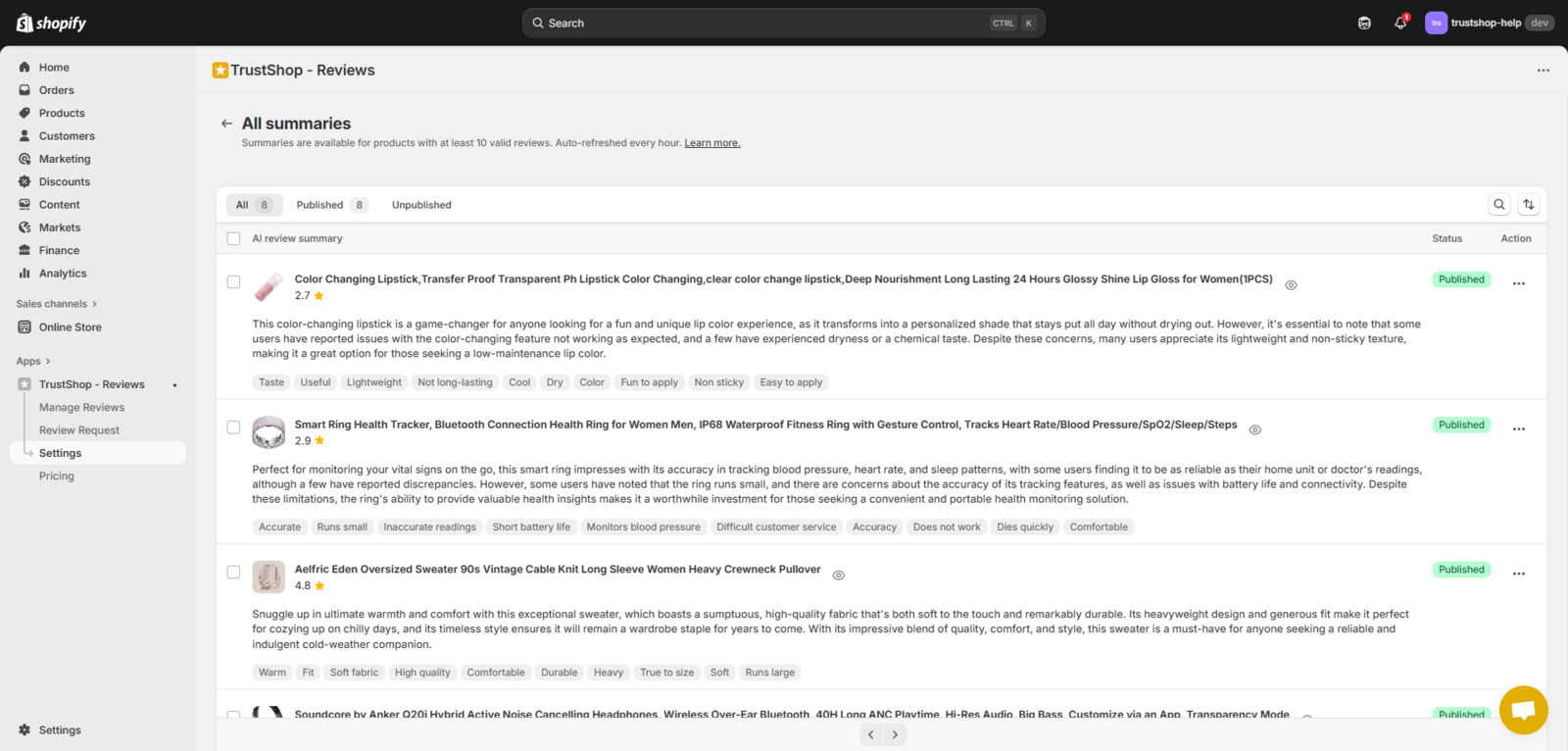
From here, you can:
- Preview all generated summaries across products
- Search summaries by product name
- Sort summaries by product name or rating
- Publish or unpublish specific summaries from your store
Note: When you set up AI Review Summary for the first time:
- If AI Review Summary is turned on in your widget, all summaries will be automatically published on your store.
- If AI Review Summary is turned off, all summaries will be set to unpublished by default.
Important Notes
- AI Review Summaries and Tags are generated in English by default.
To generate summaries in another language, go to Settings → AI Features → AI Review Summary, then select your preferred language from the dropdown.
- AI-generated content may not be perfect.
If you notice inaccurate summaries or tags, please report them to our team so we can review and improve.
Updated on: 21/08/2026