
How to get Collaborator code on Shopify admin?
Introduction
Collaborating on a Shopify store can significantly enhance your business operations by allowing experts to manage specific tasks such as design, development, and marketing. Shopify's collaborator accounts facilitate this by giving third-party users access to your store without sharing your main account credentials. Here’s a step-by-step guide on how to get a collaborator code on Shopify admin.
What is a Collaborator Account?
A collaborator account is a special type of Shopify account that allows partners, such as developers, designers, and marketers, to access your store's admin. They can help manage different aspects of your store, such as theme customization, app installation, or SEO optimization, while maintaining the security of your main account.
Step-by-Step Guide to Getting a Collaborator Code
Step 1: Log into Your Shopify Admin
Step 2: Navigate to the Collaborators Section
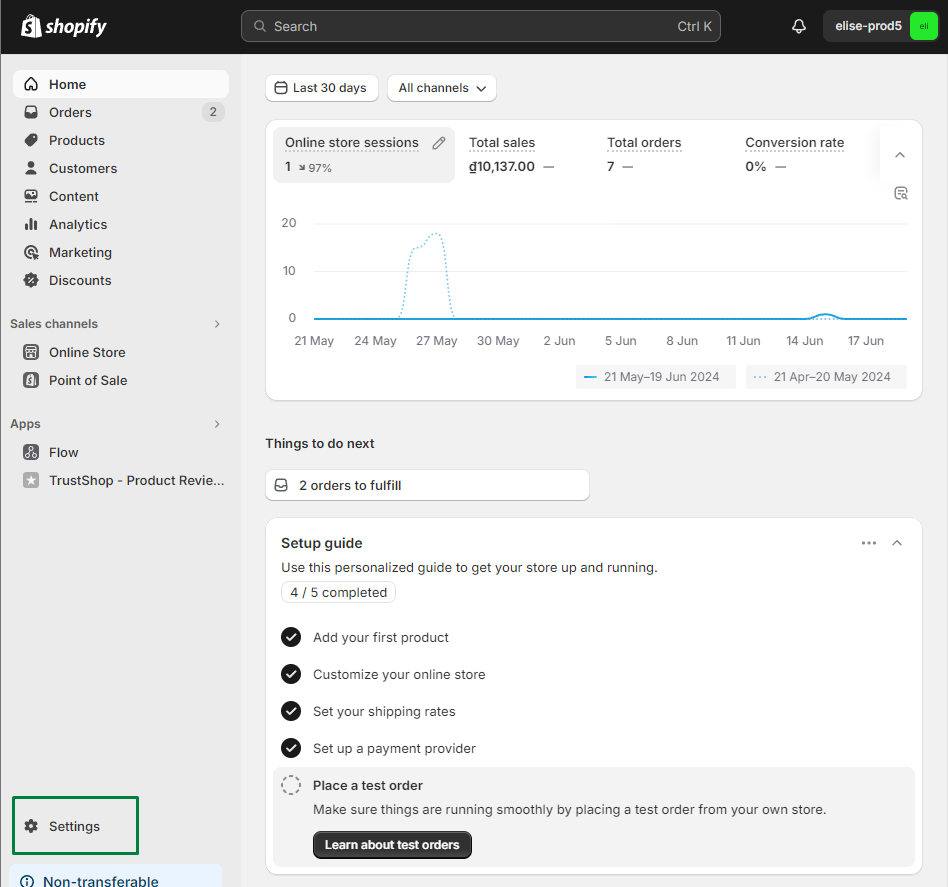
- In the Shopify admin, click on Settings located at the bottom left corner of the screen.
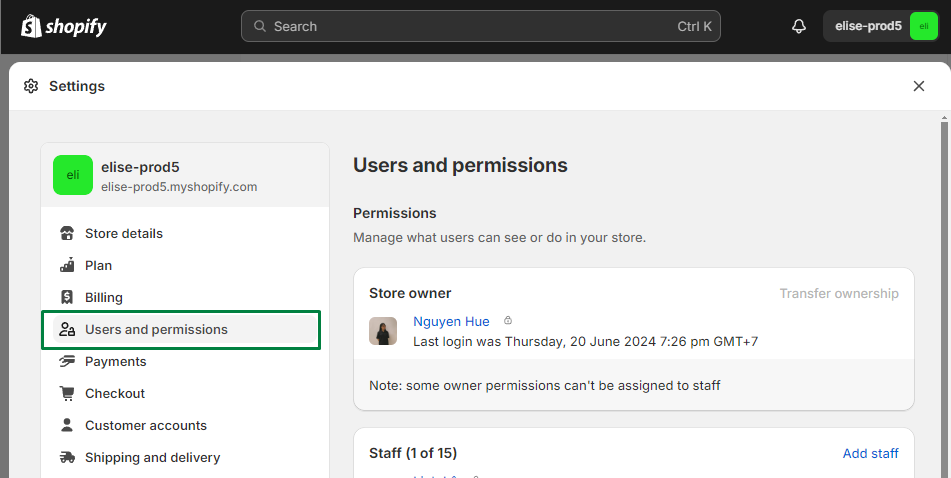
- From the Settings menu, select Users and permissions.
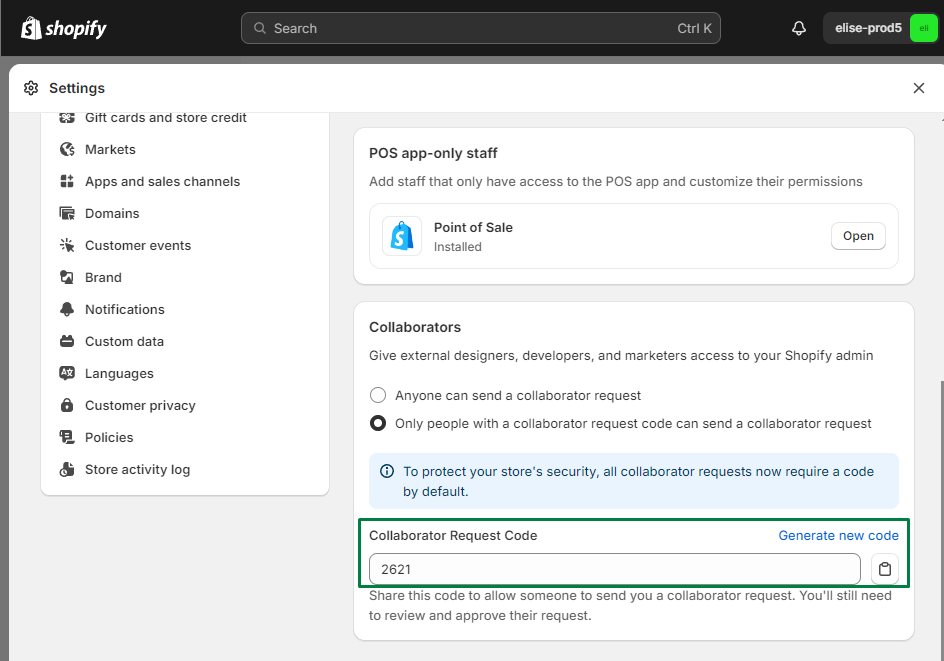
Step 3: Copy the Collaborator Code
Step 4: Share the Collaborator Code
- Once you have copied the collaborator code, share it with the collaborator (such as your developer or designer).
- They will use this code to request access to your store. The request will then appear in the Collaborator requests section, where you can approve or deny the request.
Step 5: Approve the Collaborator Request
- After your collaborator submits the request using the provided code, you will receive a notification.
- Go back to the Users and permissions section and click on Collaborators.
- You will see the pending request in the Collaborator requests section. Click Review request.
- Review the permissions requested and adjust if necessary.
- Click Approve to grant access.
Tips for Managing Collaborator Accounts
- Set Appropriate Permissions: Be specific about the permissions you grant. Only provide access to the sections of your store that are necessary for the collaborator to perform their tasks.
- Monitor Activities: Regularly review the activities of your collaborators to ensure everything is running smoothly.
- Revoke Access When Done: Once the collaborator’s task is complete, remember to revoke their access to maintain the security of your store.
Conclusion
Using collaborator accounts in Shopify is a secure and efficient way to manage third-party access to your store. By following the steps outlined above, you can easily generate and share a collaborator code, ensuring that your collaborators have the necessary access to help you grow your business without compromising security. Always manage permissions carefully and monitor the activities of your collaborators to maintain control over your store. Happy selling!
References
Link from Shopify: https://help.shopify.com/en/manual/your-account/staff-accounts/collaborator-accounts
Updated on: 21/03/2026