
Referrals: Getting Started Guide
Referrals: Turn happy customers into your cheapest acquisition channel
TrustShop Help Center · Referrals · Last updated: October 2026
1. Overview
What is a referral program in ecommerce?
A referral program rewards your existing customers for bringing their friends to your store:
- The friend gets a discount on their first order.
- The customer who referred them — we call them an advocate — earns a reward from you.
It's word-of-mouth, made measurable. Instead of hoping customers recommend you, you give them a personal link to share, a reason to share it, and you see exactly which orders came from it.
What it does for your store
- New customers at a cost you control. You only pay (one reward + one discount) when a new customer actually places an order. No ad budget burned on people who never buy.
- Higher-trust traffic. A referred shopper arrives with a friend's recommendation — the strongest form of social proof. Referred customers typically convert better and stay longer.
- A channel that compounds. Every new customer is a potential new advocate. The more orders you get, the more advocates you can recruit — without increasing spend.
Referrals works best when: you have happy repeat customers; your products are naturally shareable (home decor, fashion, gifts, hobby gear); or you're looking for an alternative to rising ad costs.
The TrustShop concept: reviews and referrals are one engine
Most referral apps ask every visitor to refer. TrustShop starts somewhere smarter: the moment a customer leaves a positive review.
Someone who just wrote a 5-star review is at their happiest point with your brand — that's exactly when we invite them to share a discount with friends. Reviews find your fans; Referrals puts them to work:
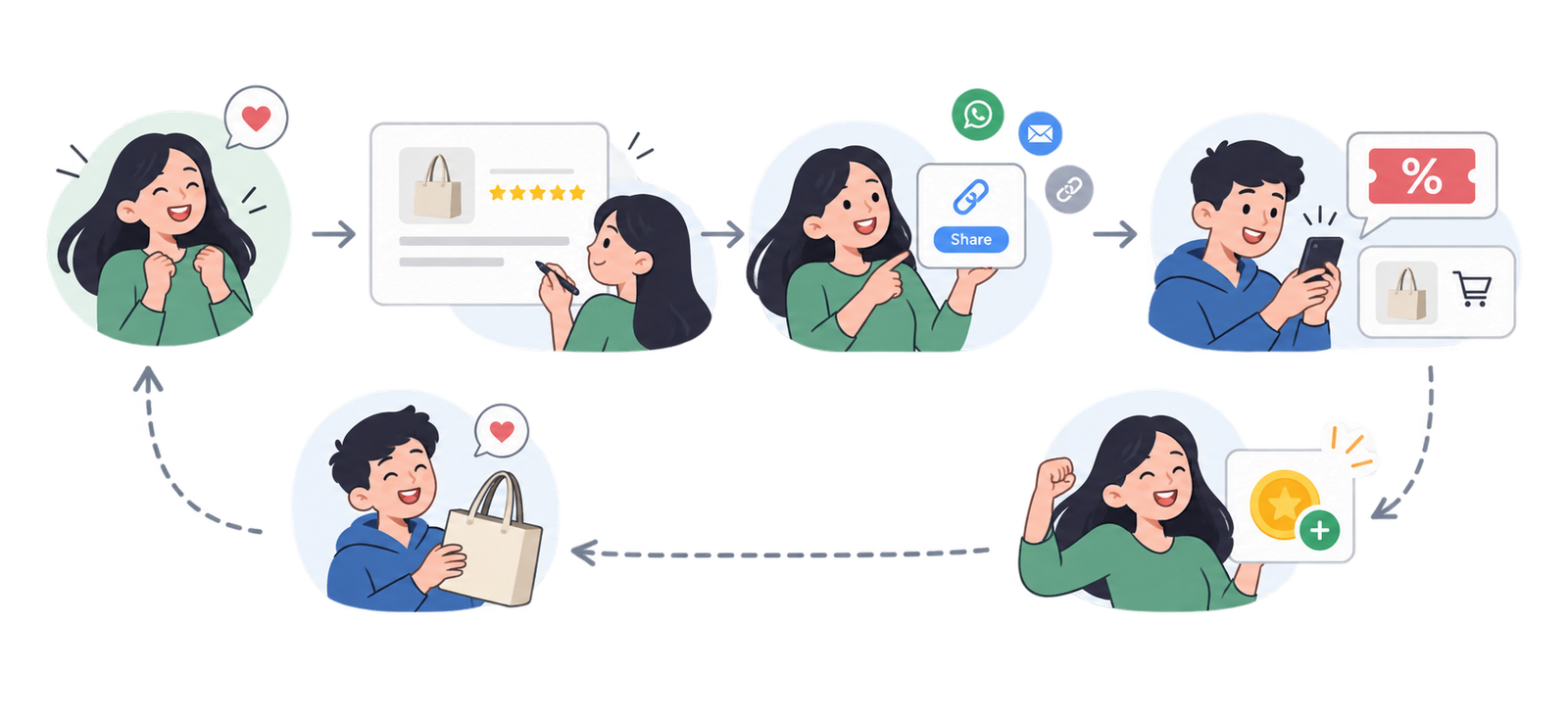 Three principles behind how the module works:
- One referral = one new customer. An advocate earns one reward per friend, for that friend's first order. Repeat orders from the same friend don't pay again — referrals win new customers, they're not commissions on old ones. There's no limit on how many friends an advocate can bring (unless you set one).
- The friend is never punished. Whatever happens on the advocate's side — fraud checks, limits, blocks — a genuine shopper's discount keeps working.
- Everything is transparent. Advocates get their own dashboard; you get a full activity log for every advocate. No mystery math.
2. Setting up, step by step
2.1 Set up your offer
Go to Referrals → Referral offer. This is the economic heart of your program — what friends get, and what advocates earn.
Friend gets
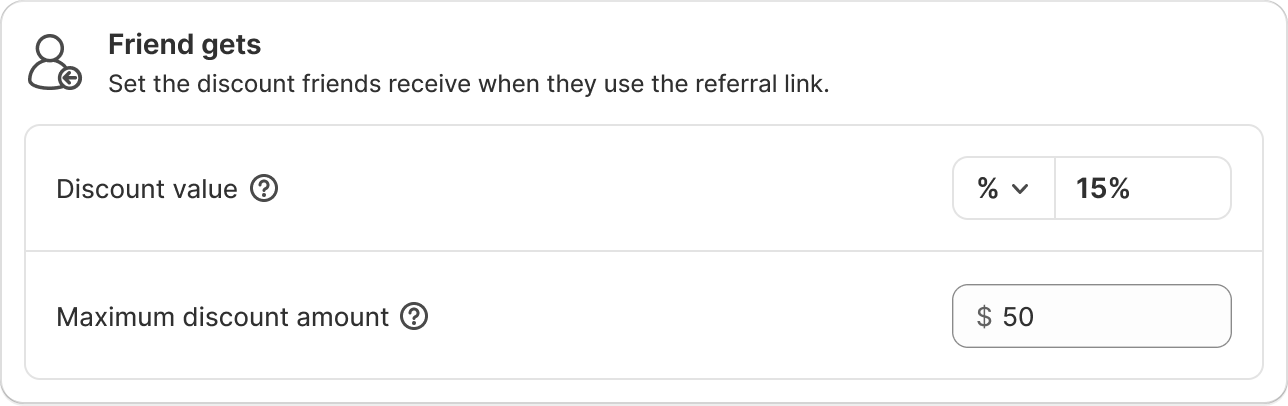
Field | What it does | Recommended setup |
|---|---|---|
Discount value | The discount on the friend's first order. Percentage or fixed amount. | 10% is the proven sweet spot — enough to act on, not enough to train bargain-hunting |
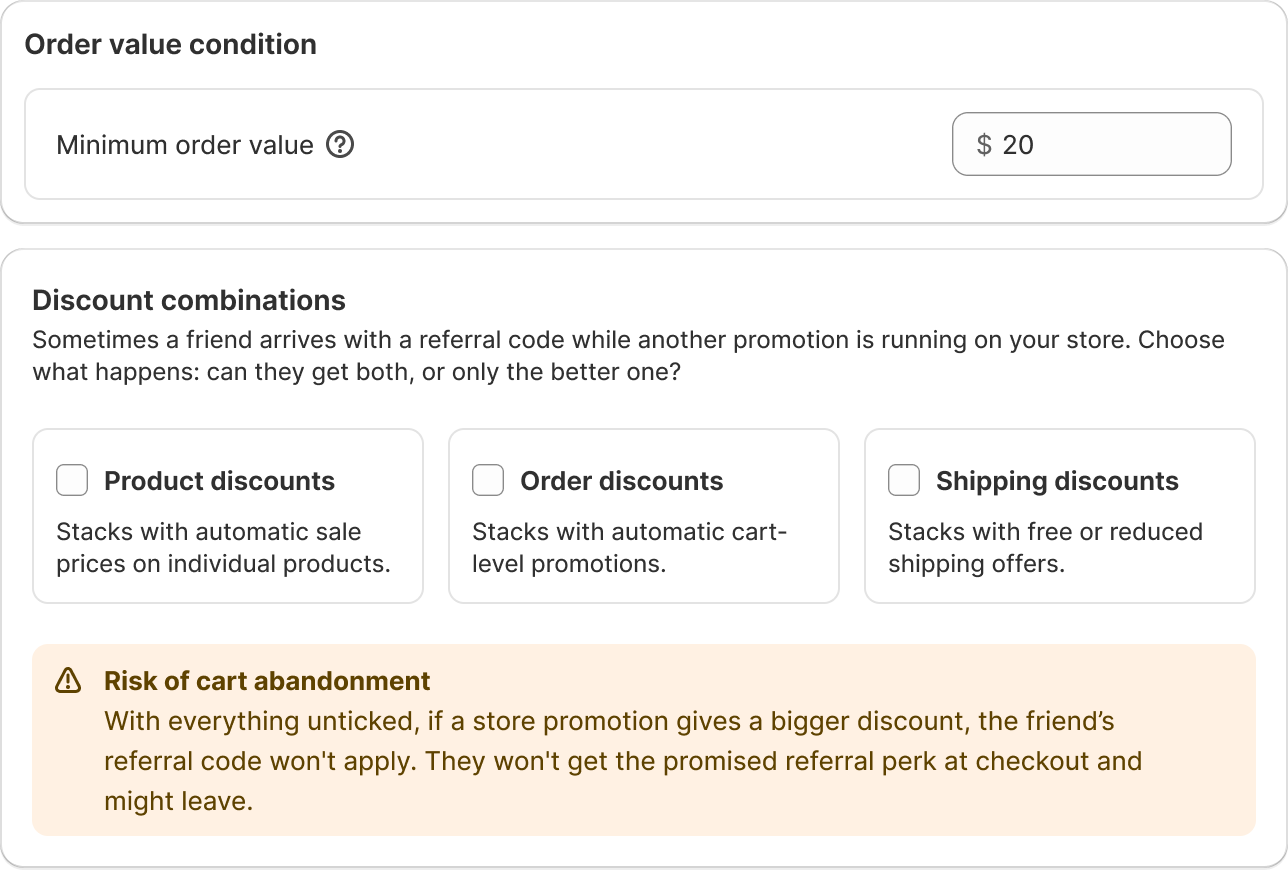
Minimum order value | The smallest order that counts as a referral. | Set it above the friend discount — so a referral can never cost more than the order is worth. E.g. 10% off, min order $20. |
Discount combinations | Whether the referral discount can stack with your other product/order/shipping discounts. Includes a live checkout preview. | Leave stacking off unless you have a reason — the preview shows exactly what happens at checkout either way. |
Advocate gets
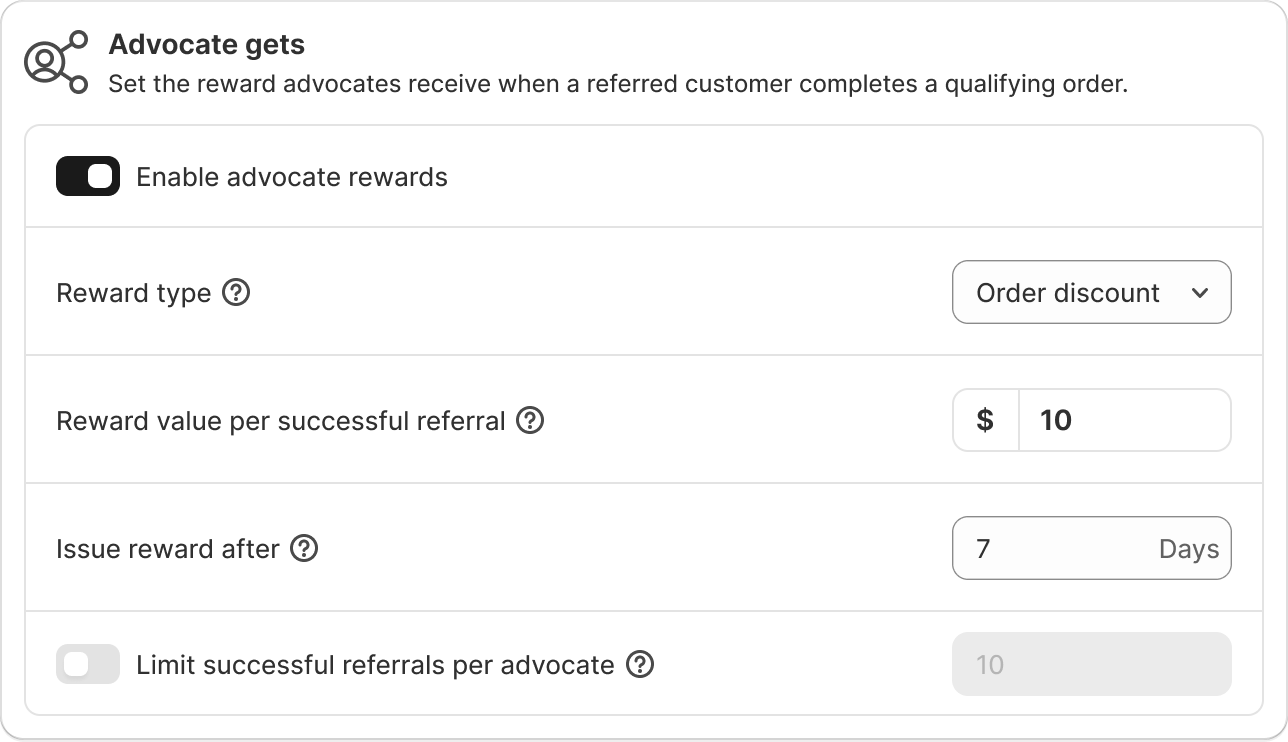
Field | What it does | Recommended setup |
|---|---|---|
Reward type | Store credit — money added to the advocate's store balance; applies itself at checkout, nothing to enter. Order discount — one personal code per advocate whose value grows with every successful referral ($10 → $20 → $30…). | Store credit — it's spendable in parts, can't leak to coupon sites, and needs no codes. (Requires customer accounts enabled; the app shows a checklist if anything's missing.) |
Reward value | What they earn per successful referral — per friend's first order. | $10 (or ~your average order's profit margin). High enough to motivate, low enough to stay profitable. |
Issue reward after | A waiting period after the friend's order is paid, before the reward is issued. | Longer than your return window (e.g. 7–14 days). Orders that come back never pay out. |
Limit successful referrals per advocate | Optional cap on how many friends one advocate can earn from. Their link keeps working after the cap — they just stop earning. | Leave unlimited to start. Add a cap only if your margins need it. |
2.2 Add widgets
Widgets are where customers join your program. Every widget uses the same offer — configure the offer once, then turn on any mix.
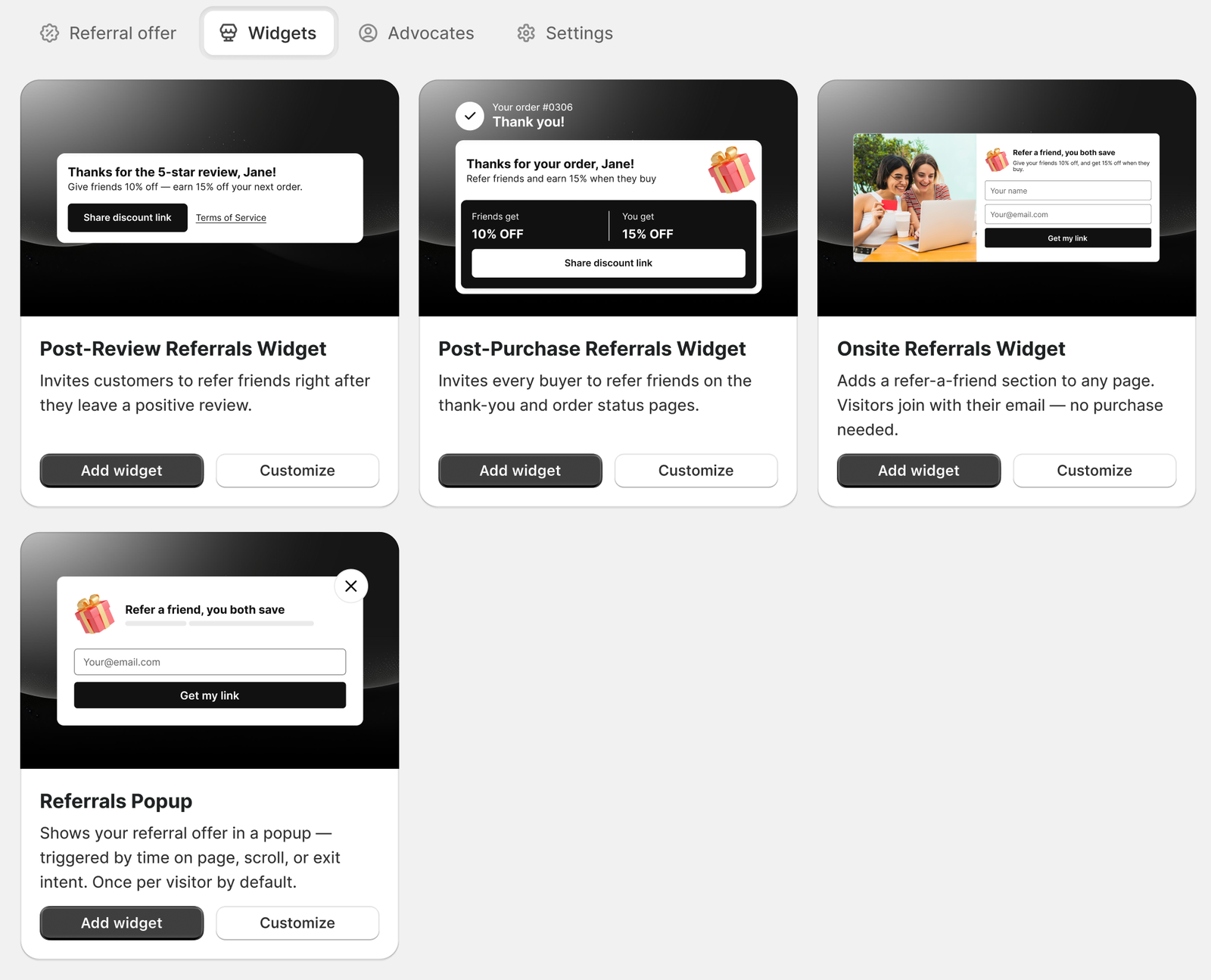
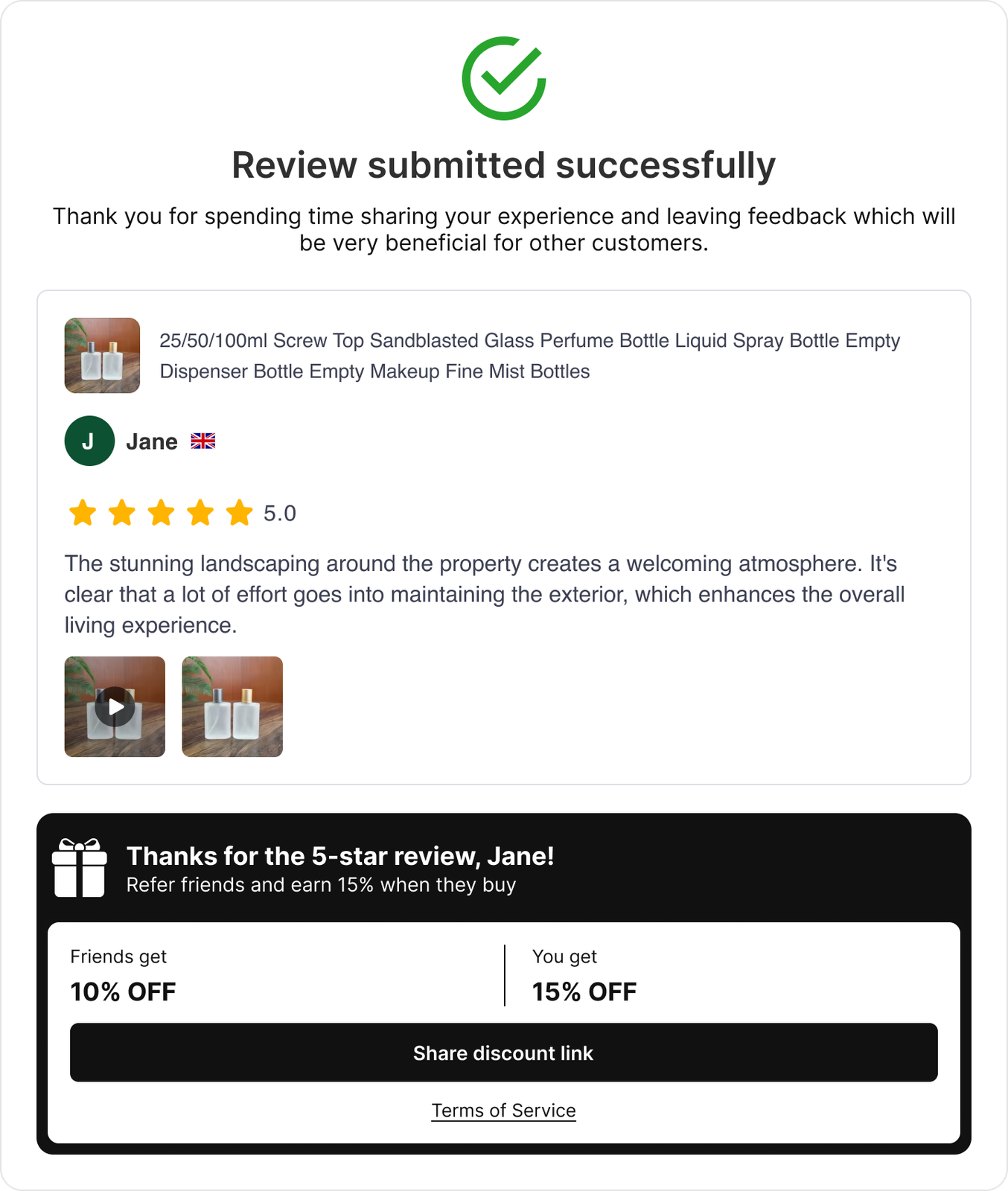
The flagship: Post-Review Referrals Widget
Appears right after a customer leaves a positive review — from your review-request email, on your storefront, or through a shared review link. This is the moment they love you most, and it's a moment only TrustShop owns, because your reviews and referrals live in the same app. Start here; it's consistently the strongest recruiter.
Four more widgets to spread the word
Widget | Where it appears | When to use it |
|---|---|---|
Post-Purchase Referrals Widget | The thank-you page right after checkout, and the order status page | Invite every buyer, not just reviewers — while the purchase glow is fresh. |
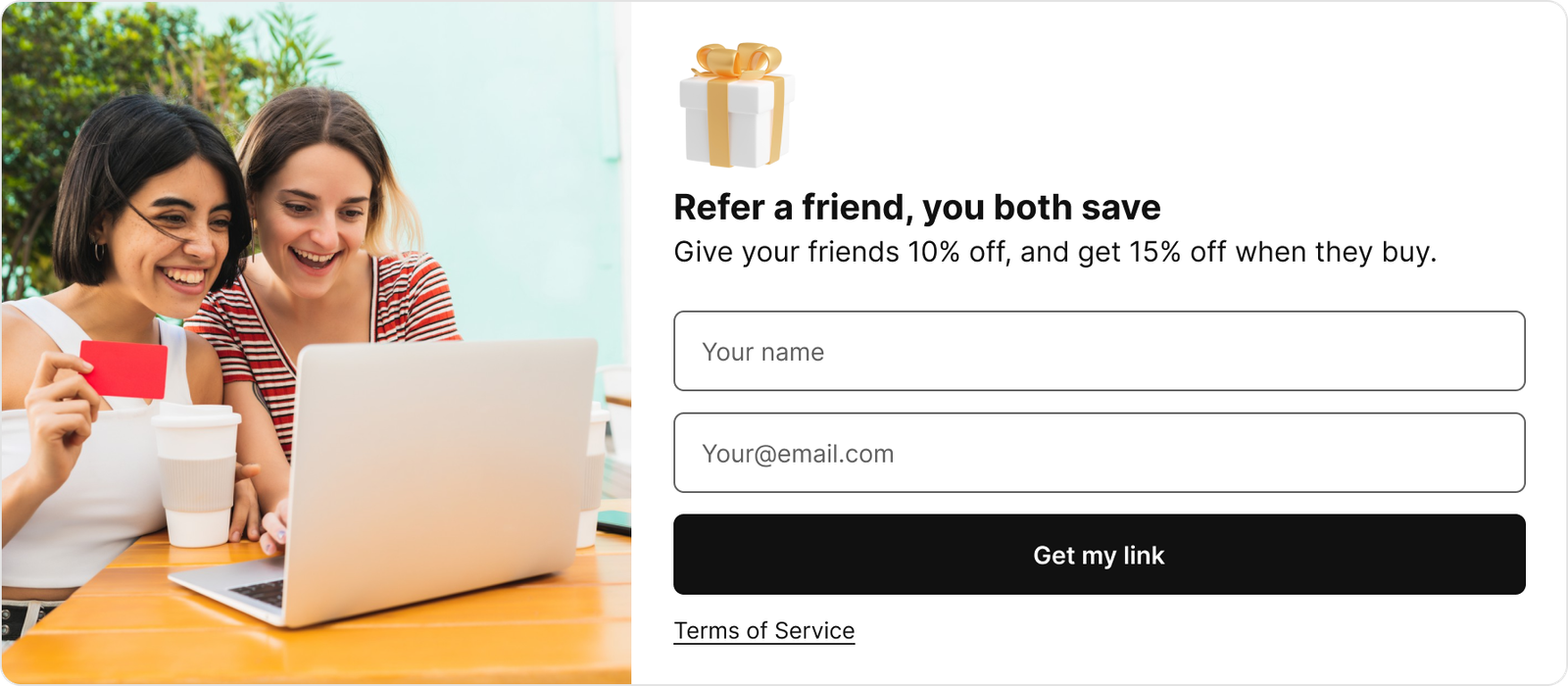
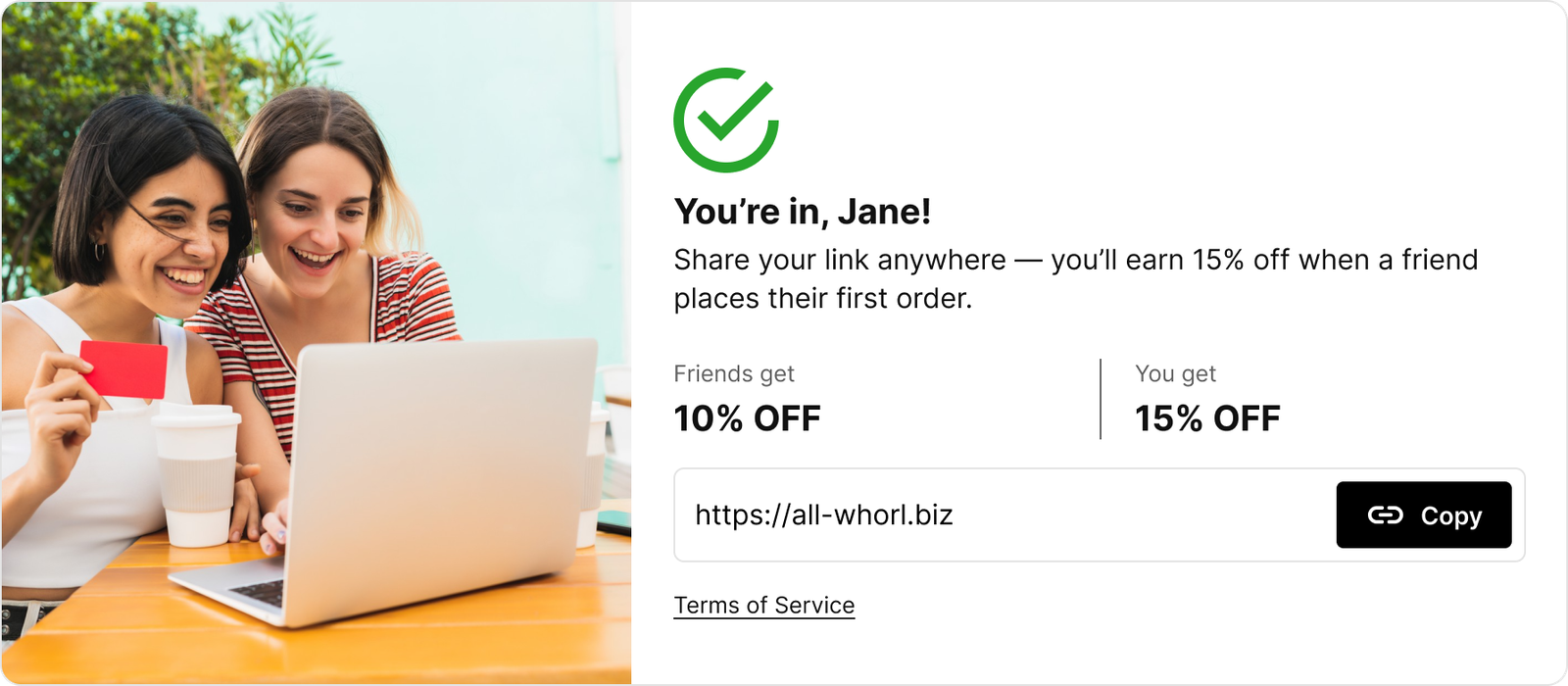
Onsite Referrals Widget | A section you can place anywhere on your storefront — visitors join with just their email, no purchase needed | Perfect for a dedicated referral landing page ("Give 10%, get $10") you promote in campaigns, or your homepage. |
Referrals Popup | A popup over any page — opened automatically (time on page, scroll depth) or by a floating "Refer & save" launcher tab | Promote the program store-wide without touching your theme layout. You control which pages, how often, and it never shows in checkout. |
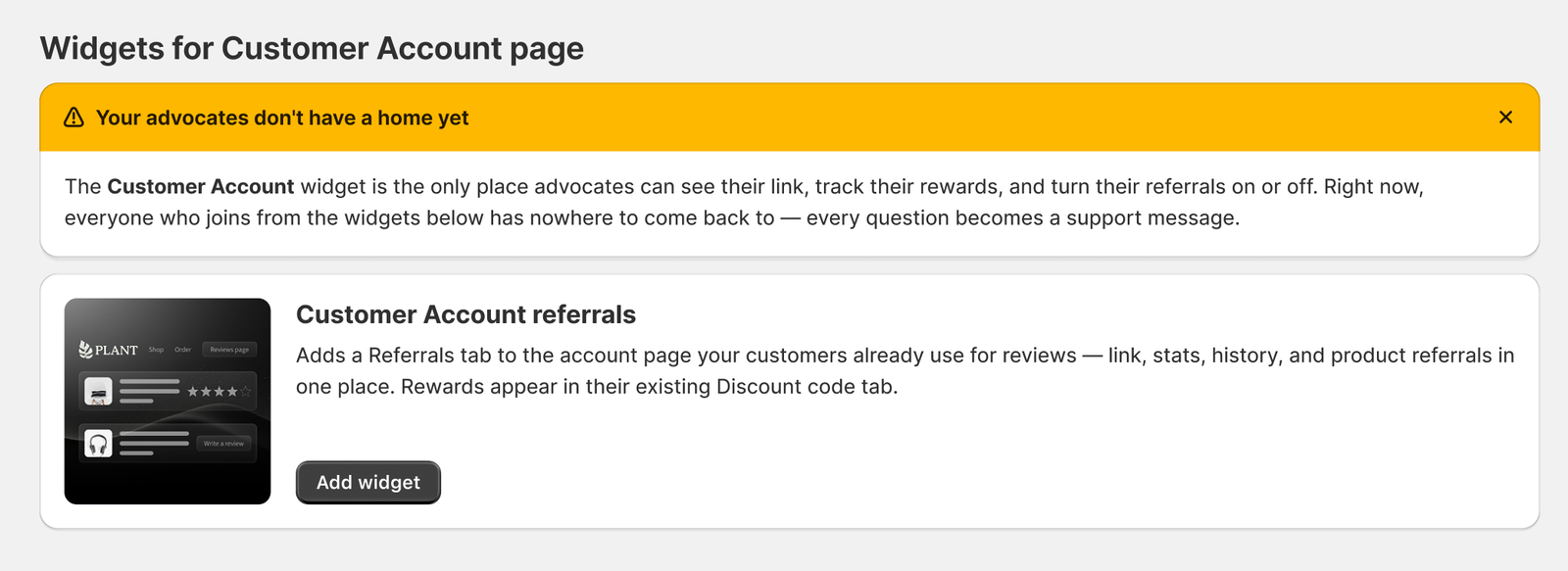
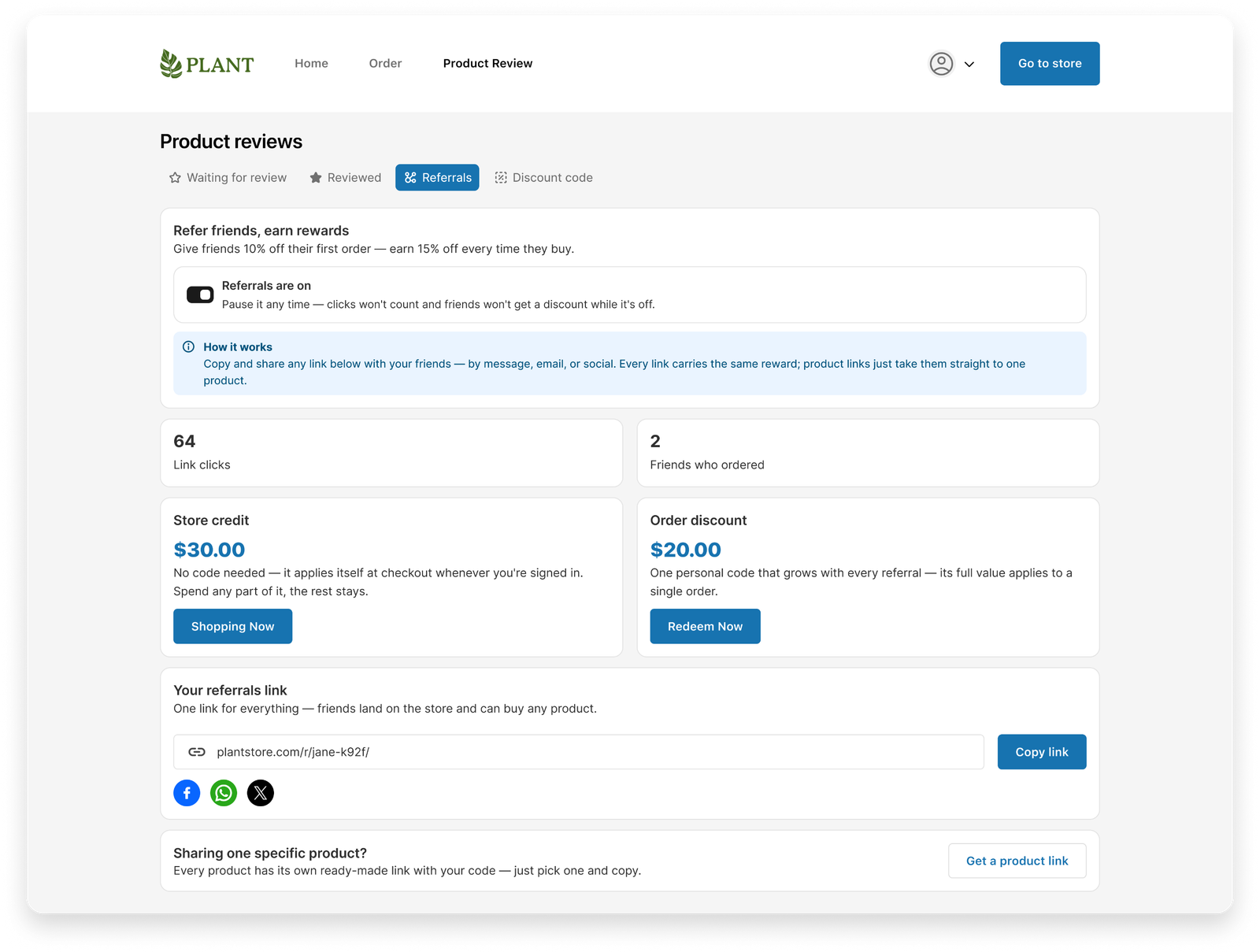
Customer Account referrals | A Referrals tab inside the customer account page your customers already use for reviews | The advocate's home — the only place they can see their link, track their rewards and results, and turn their referrals on or off. |
Post-Purchase Referrals Widget
Onsite Referrals Widget
2.3 Manage advocates
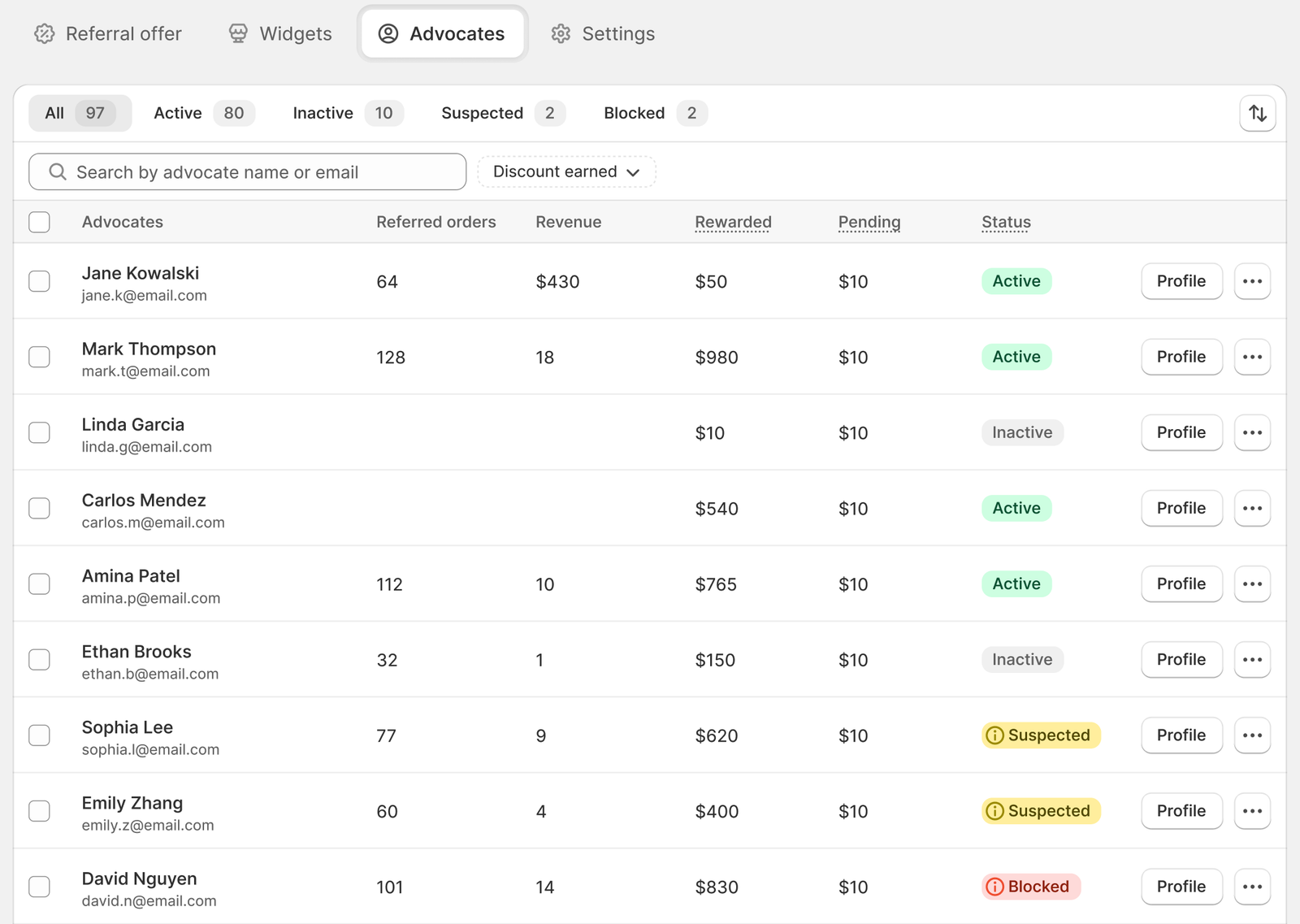
Referrals → Advocates is your control room: everyone in the program, with their referred orders, revenue, rewards paid, pending rewards, and a status.
Status | Meaning |
|---|---|
Active | Everything working normally. |
Inactive | The advocate turned their own referrals off. They can turn back on anytime. |
⚠ Suspected | Fraud checks flagged signals (see section 3). Everything still works — this is a heads-up, not a penalty |
⛔ Blocked | You removed them — links dead, credit locked, held rewards revoked. Friends they referred keep their discounts. |
Click any advocate to open their profile: their links and performance, plus a complete activity log in three tabs — Rewards (every dollar in and out), Operations (joins, links, and every action you took), Alerts (every signal the system raised).
If you've set suspicious rewards to be held (recommended — see below), the Held rewards page lists every case waiting for your decision, with the signals that triggered it. Approve or reject one by one, or in bulk.
2.4 Settings
Referrals → Settings holds the program-wide rules:
Setting | What it does | Recommended |
|---|---|---|
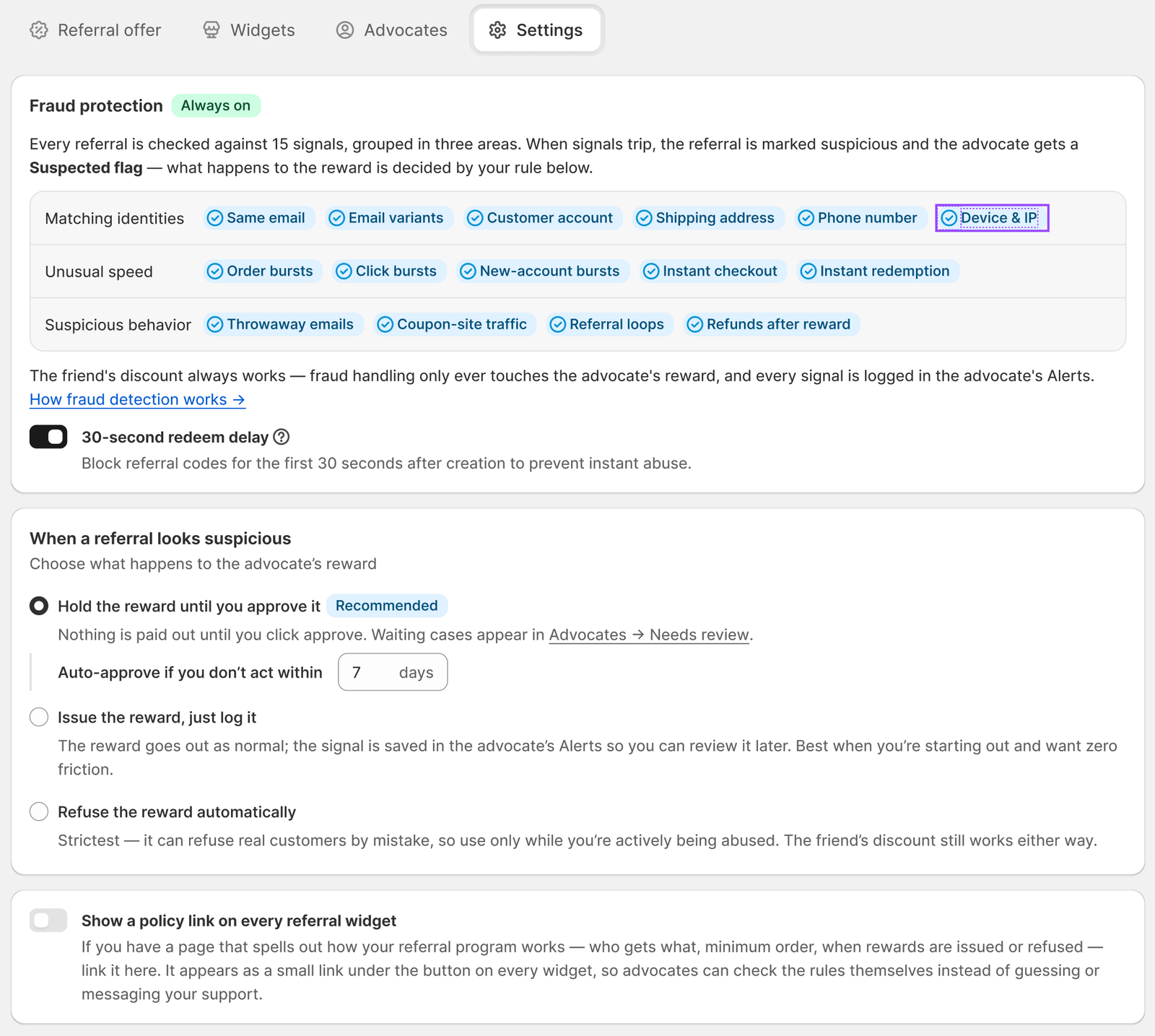
Fraud detection (always on) | Every referral is checked against 15 signals (section 3). Not configurable — always protecting you. | — |
When a referral looks suspicious | What happens to the advocate's reward when signals trip: Hold until you approve (cases wait in Held rewards; auto-approve after N days so honest advocates never wait forever) · Issue, just log · Refuse automatically. | Hold, with 7-day auto-approve. |
30-second redeem delay | Referral codes can't be used in the first 30 seconds after creation. Bots redeem instantly; real customers never notice. | Keep on |
Policy link | Shows a small link on every widget to your referral-terms page — who gets what, minimum order, when rewards are issued or refused. | Turn on once you have the page. Clear rules up front mean fewer disputes later. |
3. How fraud detection works
Referral fraud is real: people refer themselves with a second email, links leak onto coupon sites, bots farm rewards. TrustShop watches every referral, automatically, always — you don't configure the detection, only what happens when it triggers (section 2.4).
The 15 signals we check
Signals are grouped in three areas. One signal alone is often innocent; several together usually aren't. That's why signals mark a referral as suspicious instead of punishing anyone automatically.
🪞 Matching identities — is the "friend" actually the advocate?
- Same email — the friend's email is identical to the advocate's. Almost certainly a self-referral.
- Email variants — technically different, practically the same inbox (
[email protected]vs[email protected]or[email protected]). A common self-referral trick. - Same customer account — the friend checked out using the advocate's own store account.
- Same shipping address — could be one person, could be family under one roof. We treat this as a caution, not a verdict.
- Same phone number — real friends rarely share a phone number. A strong signal.
- Same device & IP — often innocent on its own (shared home Wi-Fi looks identical); it matters when it stacks with other signals.
⚡ Unusual speed — real word-of-mouth doesn't arrive in bursts.
- Order bursts — far more referred orders in a short window than this advocate's normal pace.
- Click bursts — a sudden spike of clicks on one link, usually meaning it was posted publicly or hit by bots.
- New-account bursts — a wave of brand-new customer accounts converting through one link.
- Instant checkout — an order placed almost immediately after the link was clicked. Real shoppers browse first.
- Instant redemption — a reward spent within moments of being issued. A pattern of deliberate reward farming.
🎭 Suspicious behavior — patterns that don't look like friends helping friends.
- Throwaway emails — the friend used a disposable email service. These exist to create accounts in bulk.
- Coupon-site traffic — the referral link arrived from a public coupon site. Those aren't friend-to-friend referrals anymore.
- Referral loops — advocates referring each other in a closed circle to farm rewards, with no new customers actually joining.
- Refund after reward — the friend's order was refunded after the advocate's reward was issued. The order that earned the reward no longer exists.
We don't publish the exact thresholds behind these checks — that would be a how-to guide for the people we're protecting you from. What you'll always see is which signals fired, on which order, in the advocate's Alerts log.
What happens when signals trip
Two things, on two separate levels:
1. The advocate is marked ⚠ Suspected — a visible heads-up in your Advocates list, with the signals shown in their profile. Nothing stops working. You decide: Dismiss suspicion or Block if the evidence is clear.
2. The reward follows your rule from Settings — held for your approval (recommended), issued and logged, or refused automatically.
In every case, the friend's discount still works. Fraud handling only ever touches the advocate's reward — your reputation with real customers is never collateral damage.
Quick-start checklist
- Referral offer — friends get 10% (min order $20), advocates earn $10 store credit, issued 7 days after fulfillment.
- Turn on the Post-Review widget — your flagship recruiter — plus Post-Purchase.
- Add the Customer Account widget — give advocates their home.
- Settings — leave the defaults: detection always-on, suspicious rewards held with 7-day auto-approve, 30-second delay on.
- Optional: publish a short referral-terms page and link it under Settings → Policy link.
Pricing
Referrals is free to use during early access while we build it out. We'll give you at least 15 days' notice before pricing starts.
Not finding what you are looking for? Chat with us or send us an email at [email protected].
Updated on: 15/10/2026