
Exporting and Deleting all Reviews
At TrustShop, we understand the importance of managing your reviews effectively. Whether you want to back up your customer feedback or clean up your review section, we’ve made the process simple. Below is a step-by-step guide on how to export and delete all reviews from your TrustShop account.
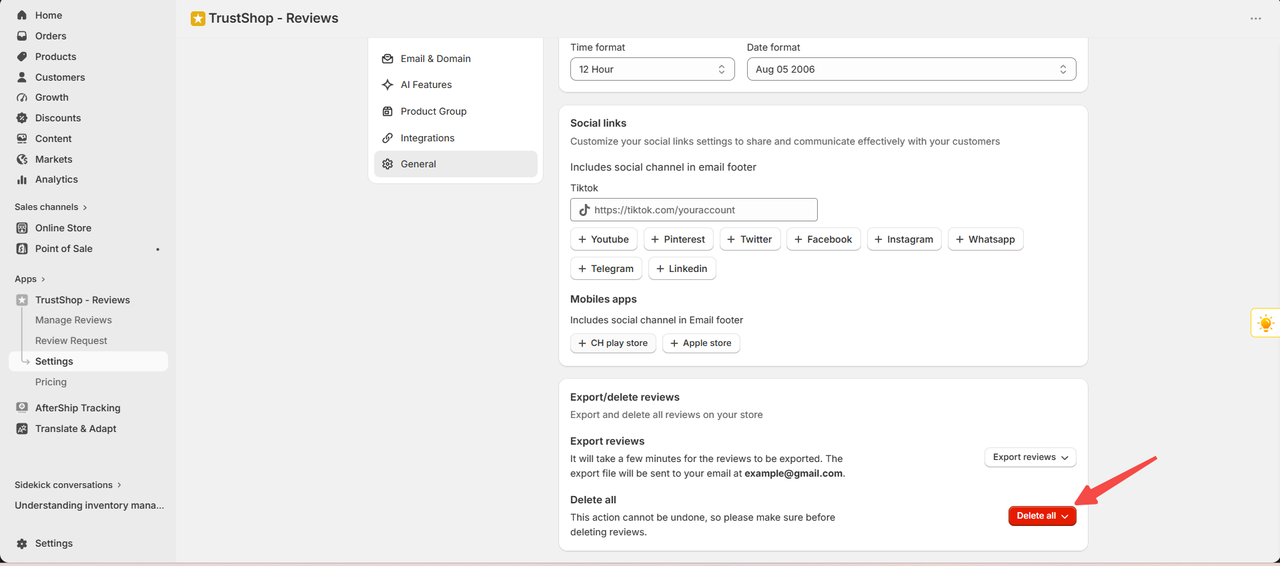
Go to the general settings, scroll down to see "Export reviews"
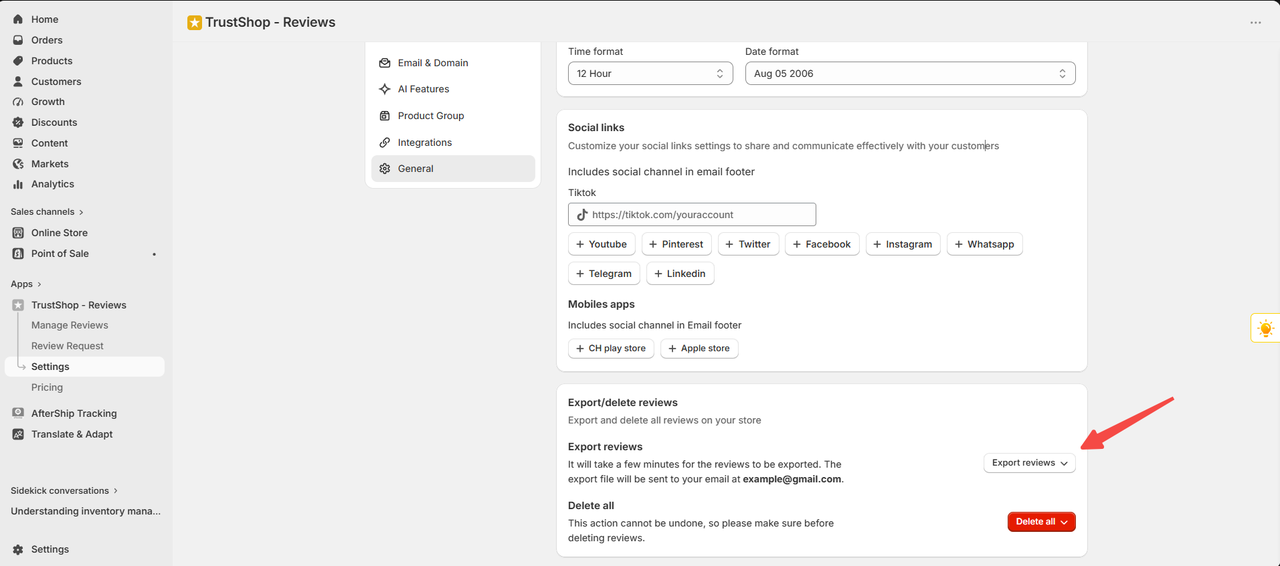
Exporting Reviews
Review export customization gives you the flexiblity to download your review in different categories.You have 4 options:
All reviews: Export all reviews that come from your customers including reviews that are pending approval, reviews that have been published, and reviews that have not been declared
Pending reviews: Export reviews that are in the pending status section.
Approved reviews: Export approved reviews and publish them on your store page.
Unpublished reviews: Export reviews that are not public.
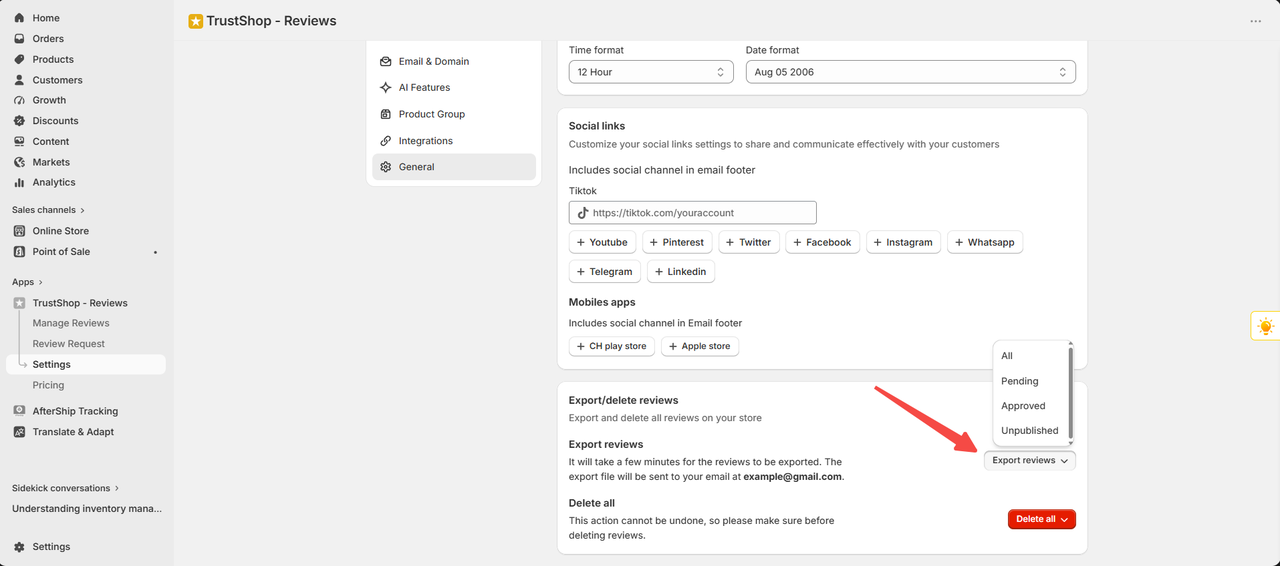
After exporting the evaluation select the category to export, the file will be sent to your email
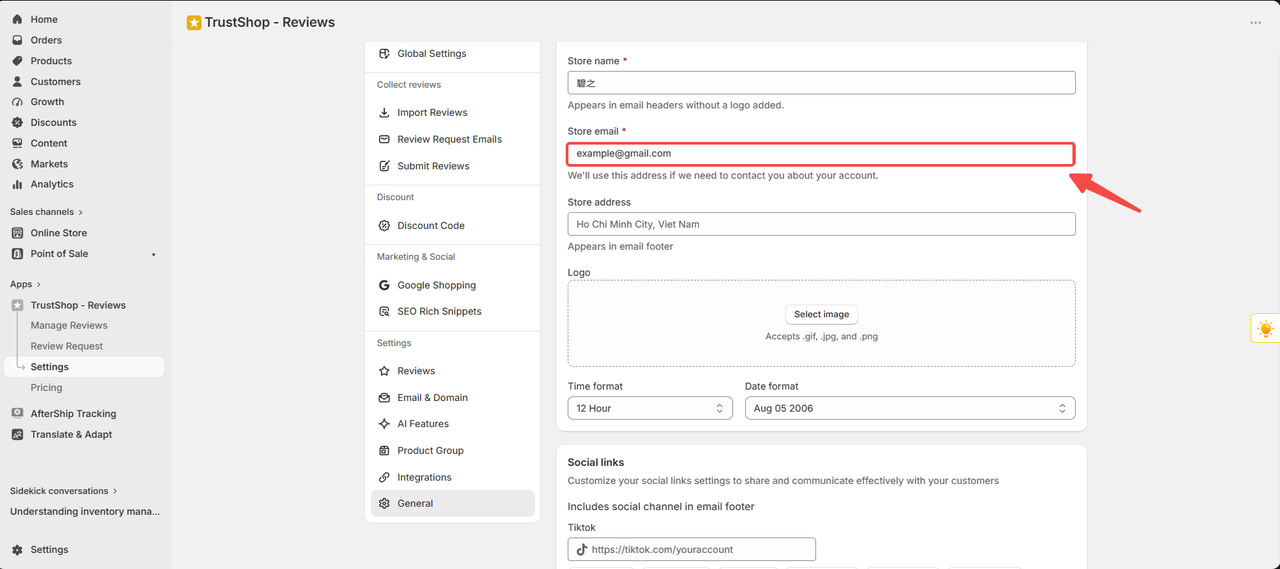
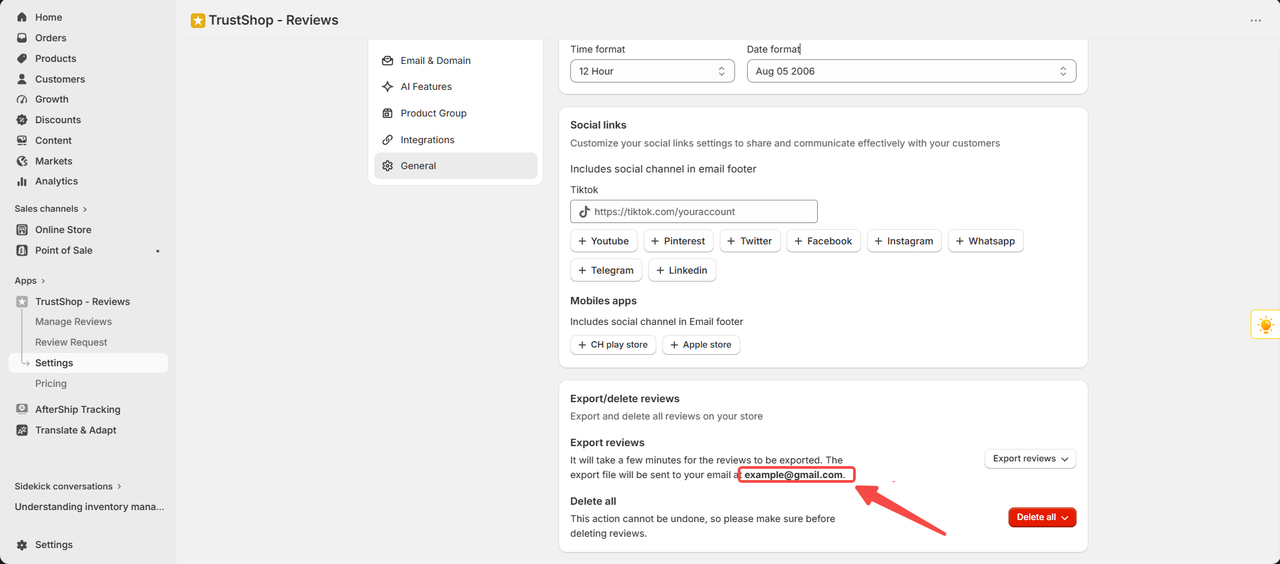
Deleting All Reviews
The option allows you to permanently delete all customer reviews from your Trustshop account. Be aware wwhen using this function, because deleting will allow you to delete all reviews that you get, including reviews that are pending approval, reviews that have been published, even reviews that are not public, and this action cannot be completed. Make sure that you have backed up all the data that you need before proceeding.
Need Help?
If you have any questions or need assistance with exporting or deleting reviews, don't hesitate to reach out to our support team. We’re here to help and ensure your experience with TrustShop is smooth and seamless.
Updated on: 29/06/2026