
Setting Automatic Review Publication
Step 1:
In the Settings, select the Reviews tab. Choose Auto-publish reviews
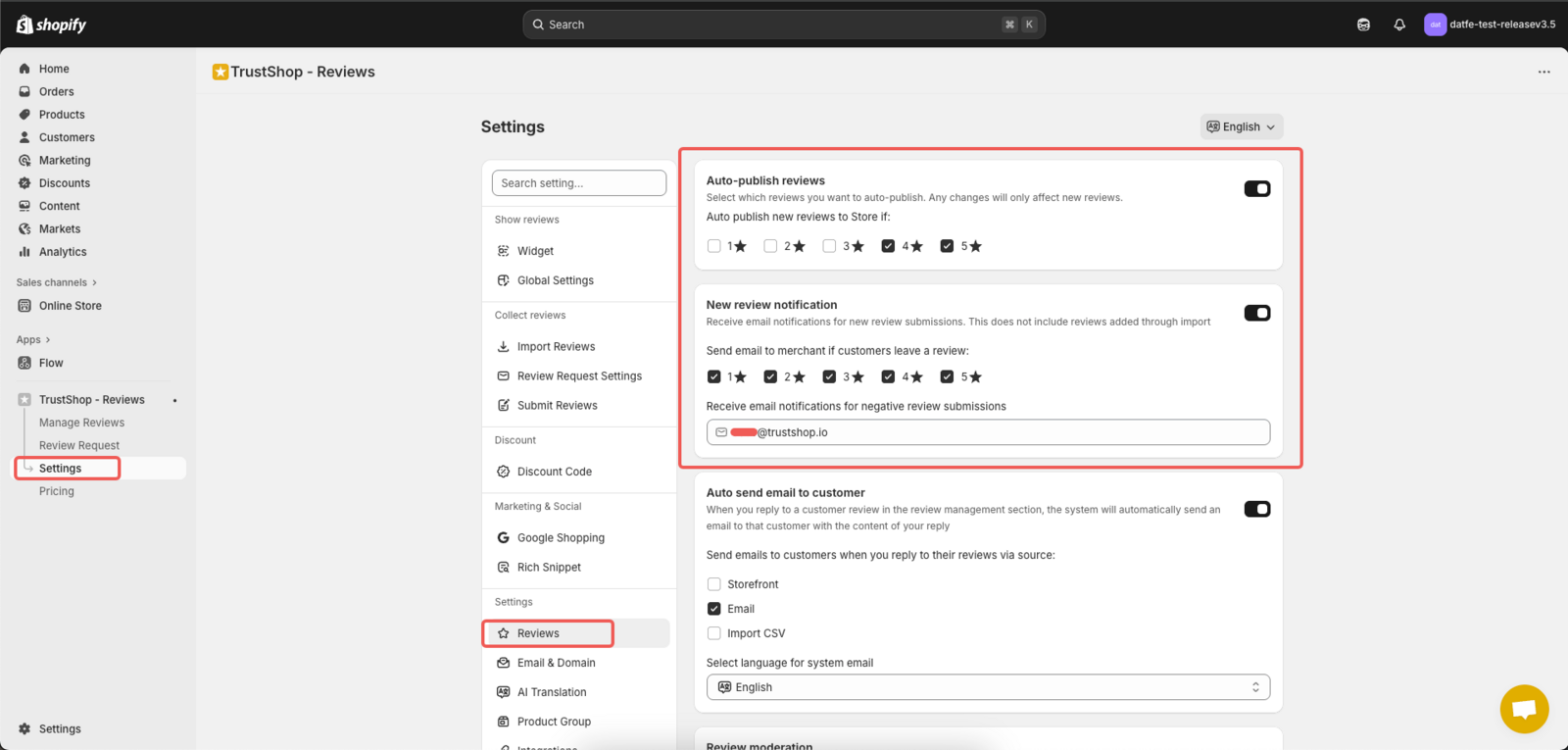
Step 2:
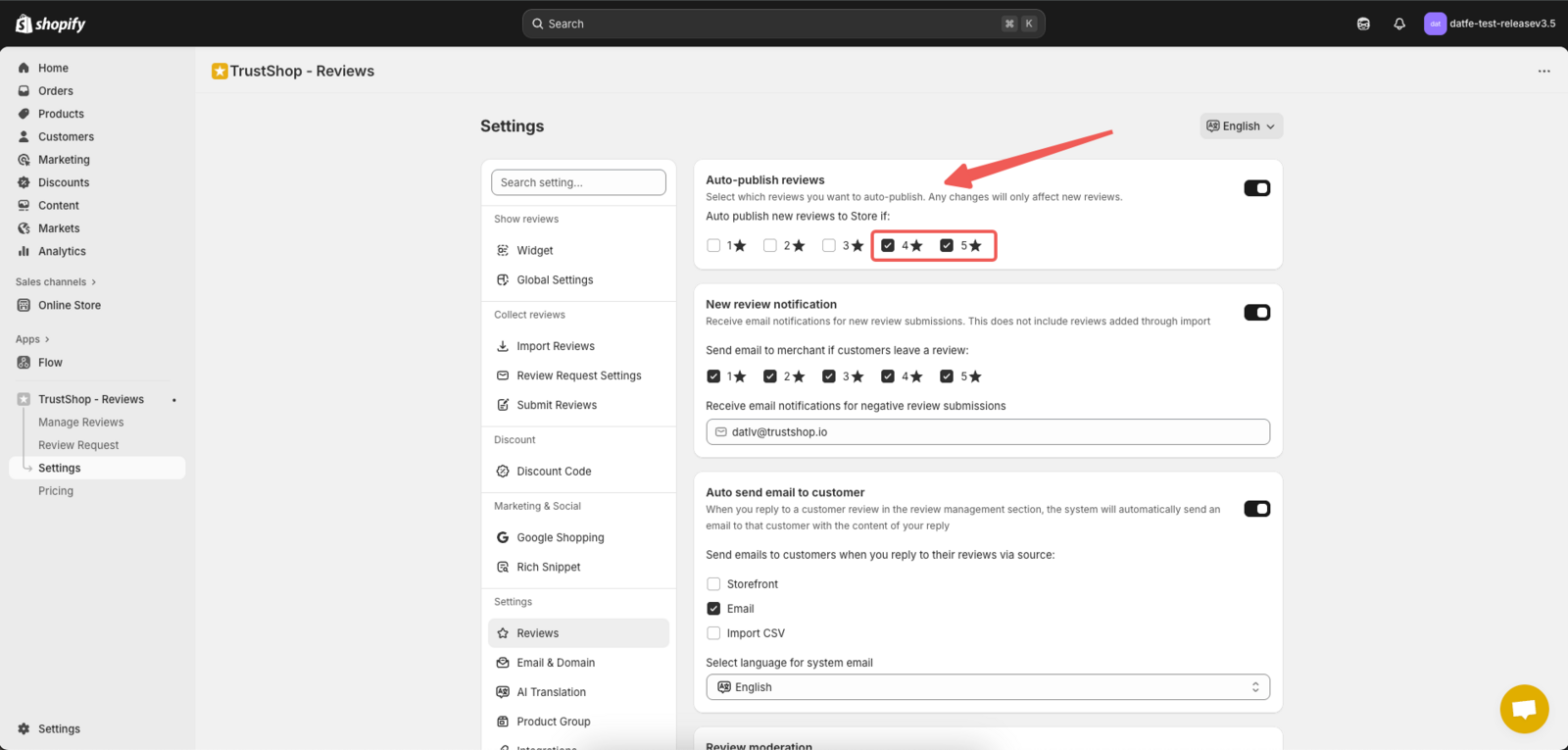
Here, select the star ratings (from 1 to 5) for which you want reviews to be automatically published. For example, if you select 4 and 5 stars , reviews with those ratings will be automatically published.
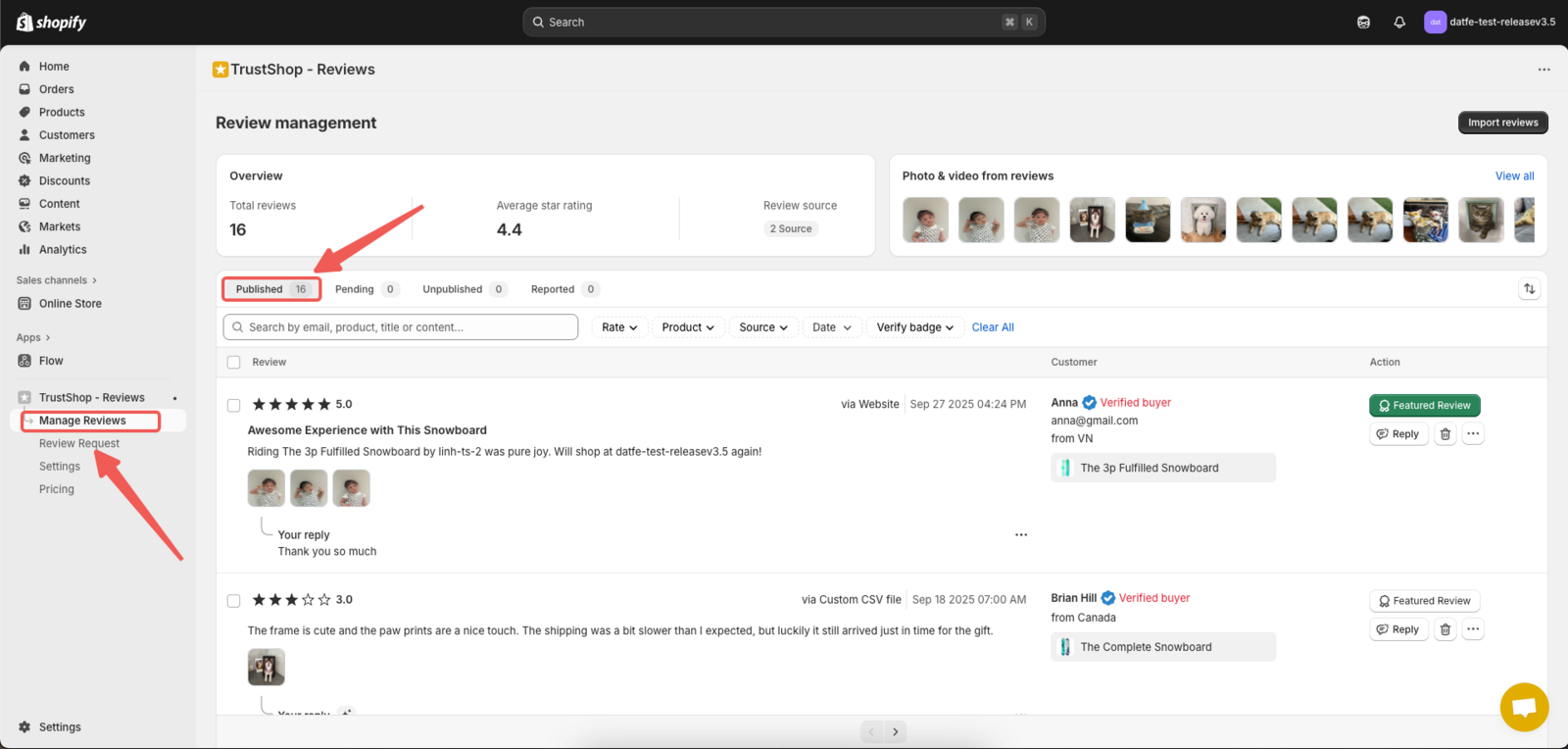
- Reviews with ratings of 4 stars or above will be automatically published and appear in the Published tab on the Review Management page.
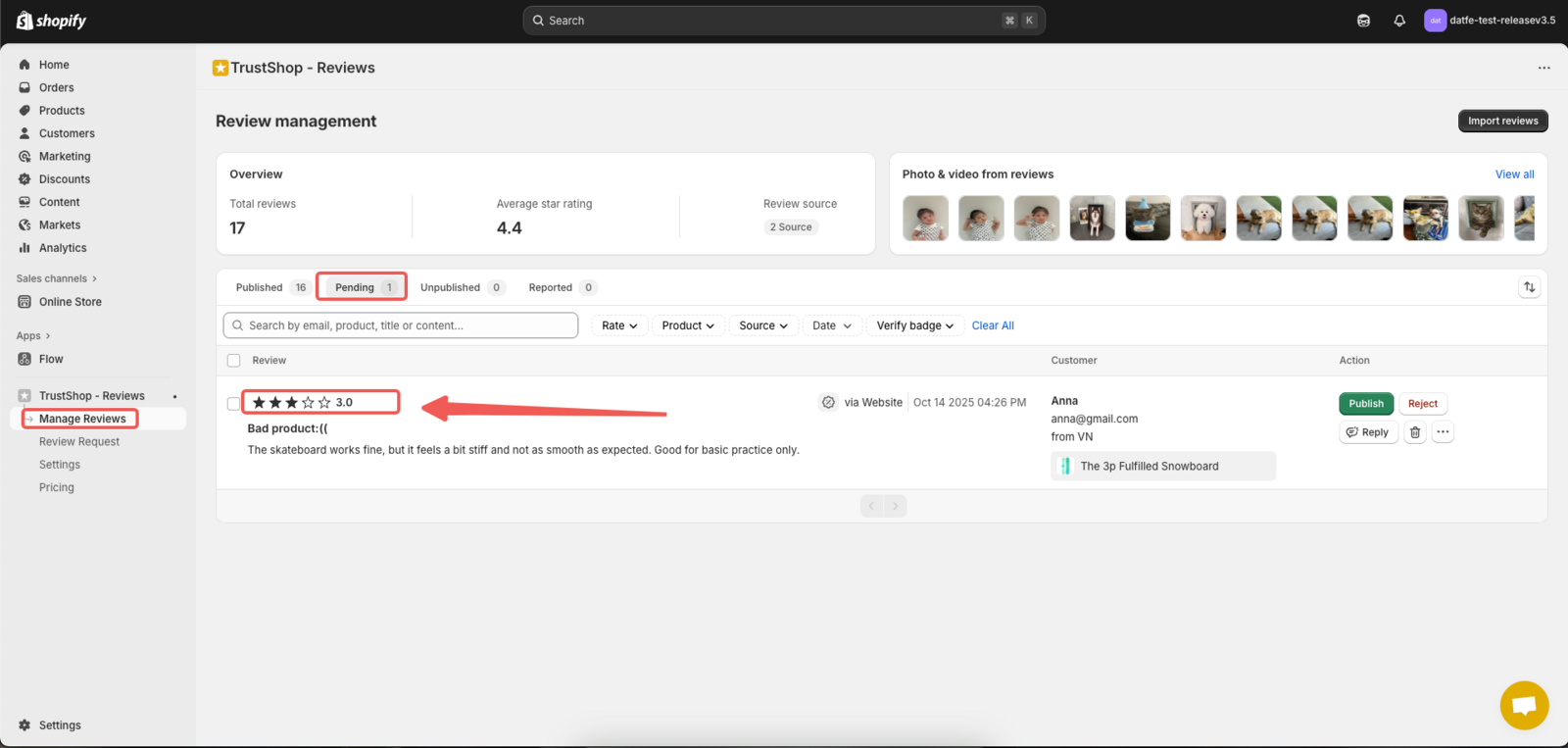
- Reviews with ratings of 3 stars or below will remain in the Pending tab for further action.
Updated on: 14/10/2025