
Create group product in review section
Greetings, Valued Customers!
We at TrustShop are excited to introduce our latest feature: Group Product !
Typically, you have a product available in various sizes and colors. Instead of keeping all the variants under a single product listing, you choose to separate them into distinct products. With the Group Product feature, these products can now share reviews with each other. Specifically, all related or similar reviews from one product will be shared among other products within the group. This ensures that all related items in a group benefit from customer feedback, enhancing their credibility and making it easier for potential buyers to make informed decisions.
Try it now! Here’s how to create a Group Product in just a few simple steps:Step 1:
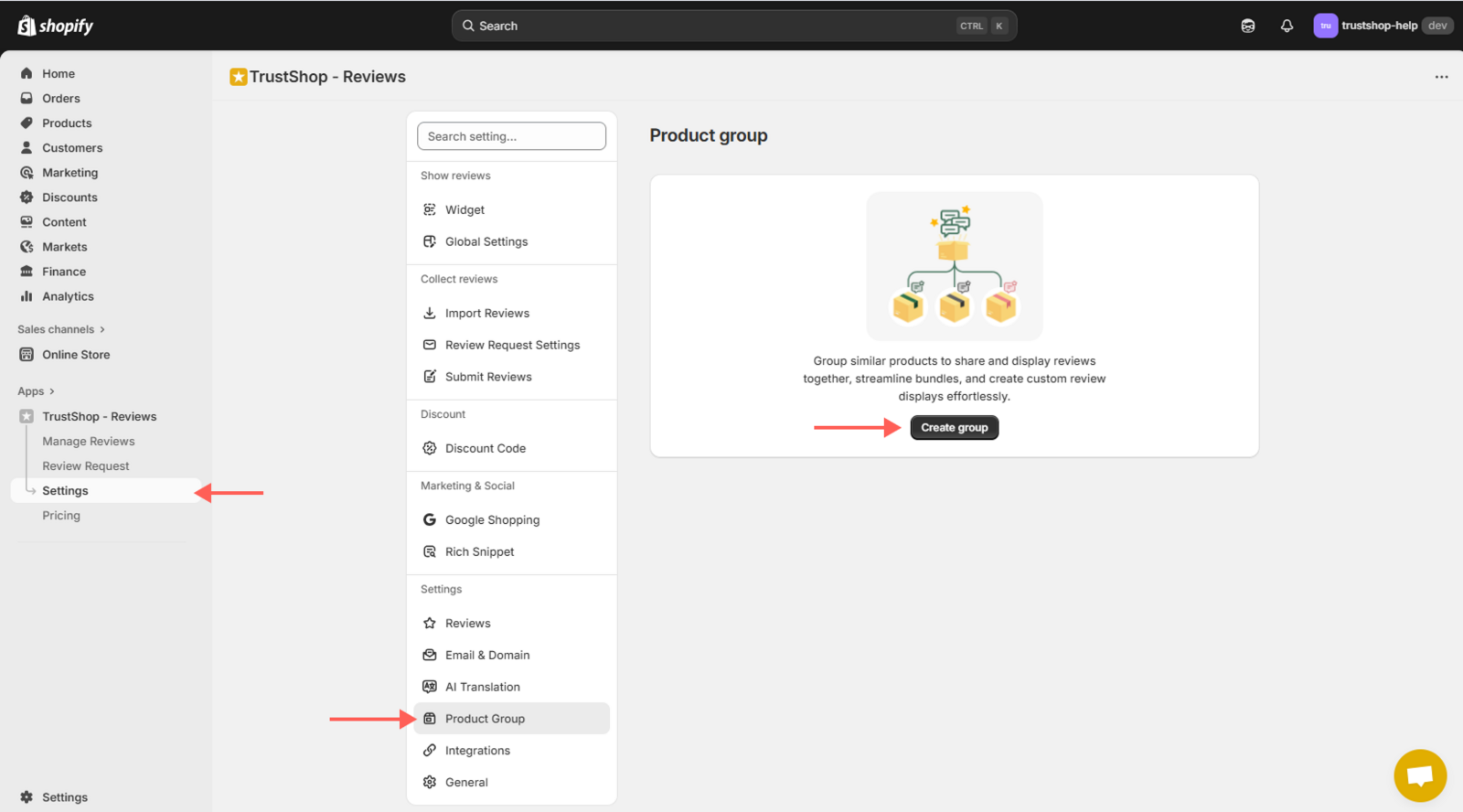
On the Settings page, go to the Settings section and open Product Group. Then click Create group.
Step 2:
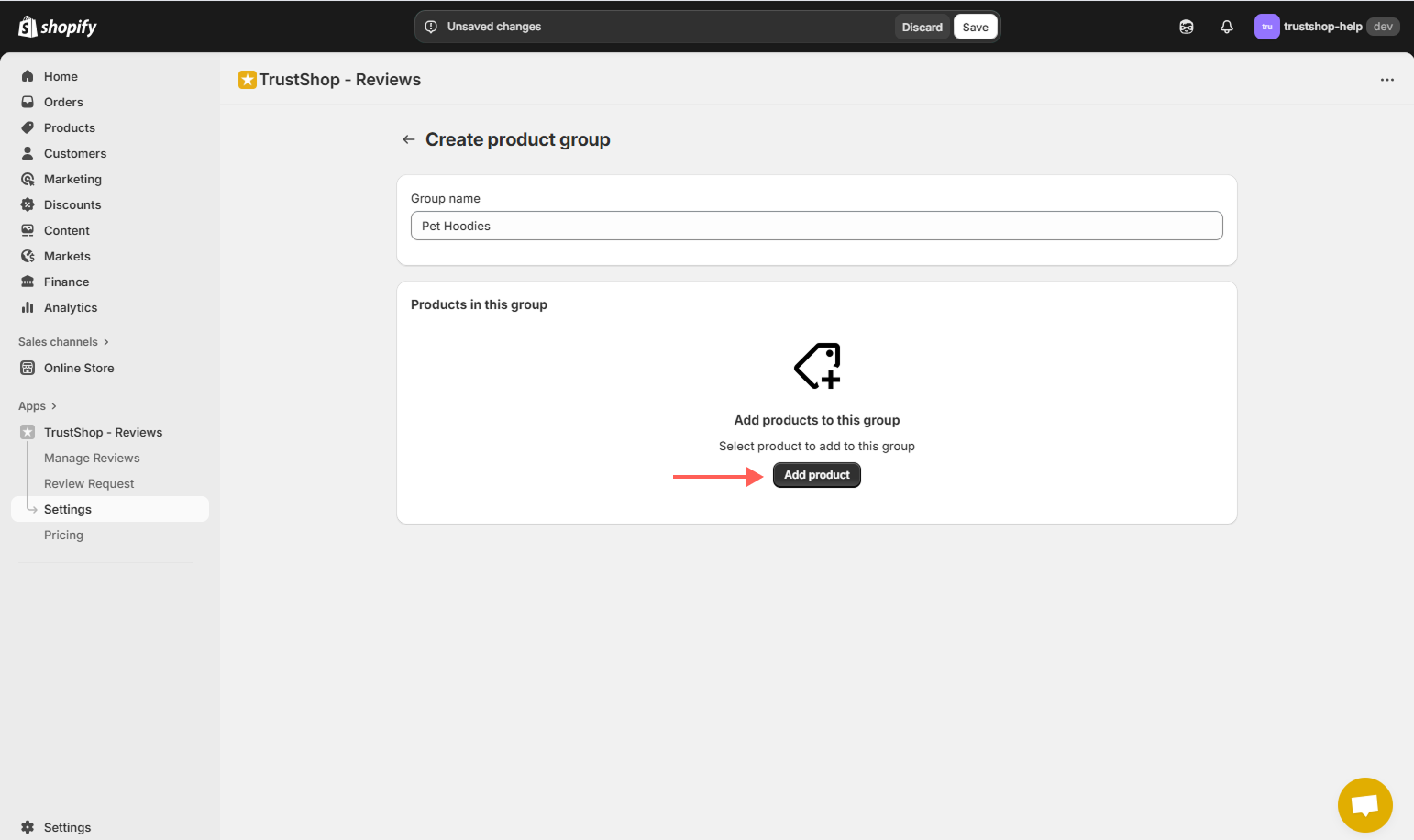
Click on Add product to view a list of available products you can include.
Step 3:
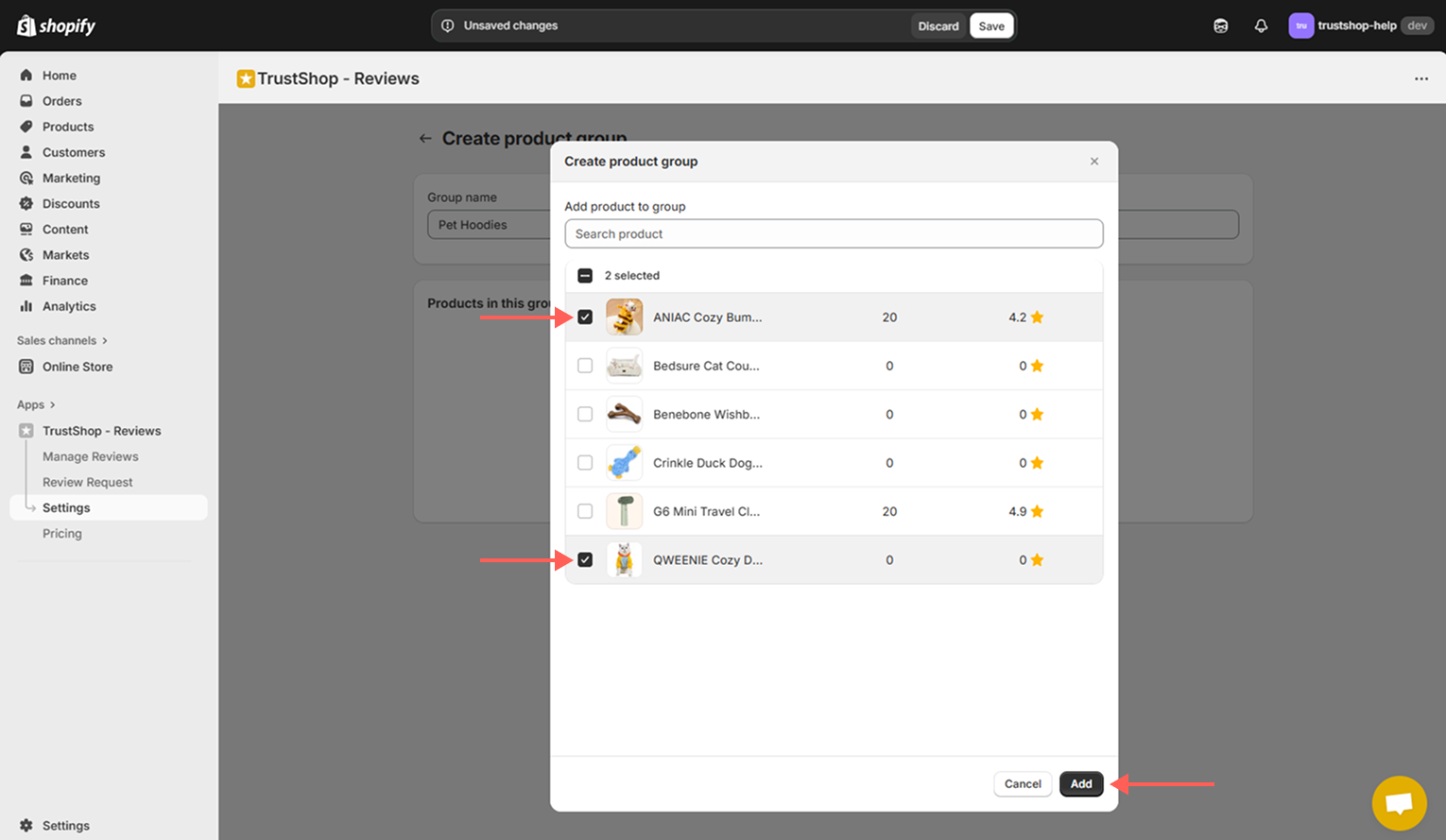
Select the products you want to add to your group and click Add .
Step 4:
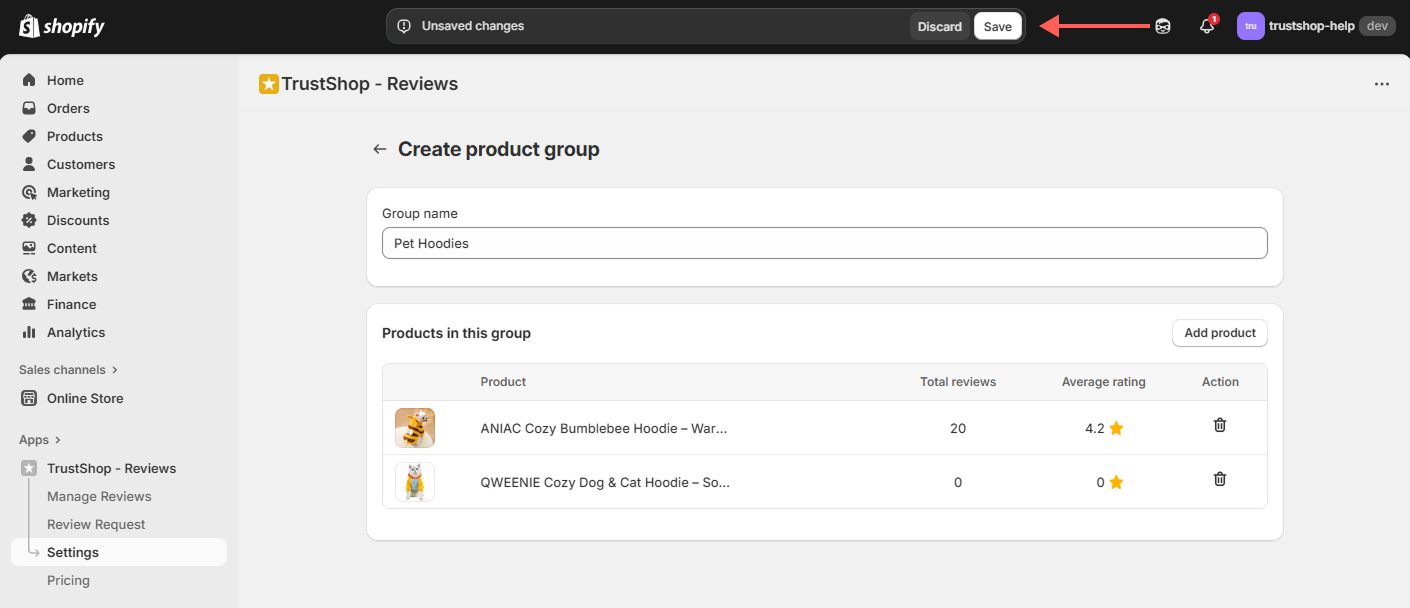
Finally, click Save to finalize your Group Product.
Now, all related or similar reviews from one product will be displayed in the review sections of the other products in the group.
- The group of chosen products will be displayed in the review section as follows:
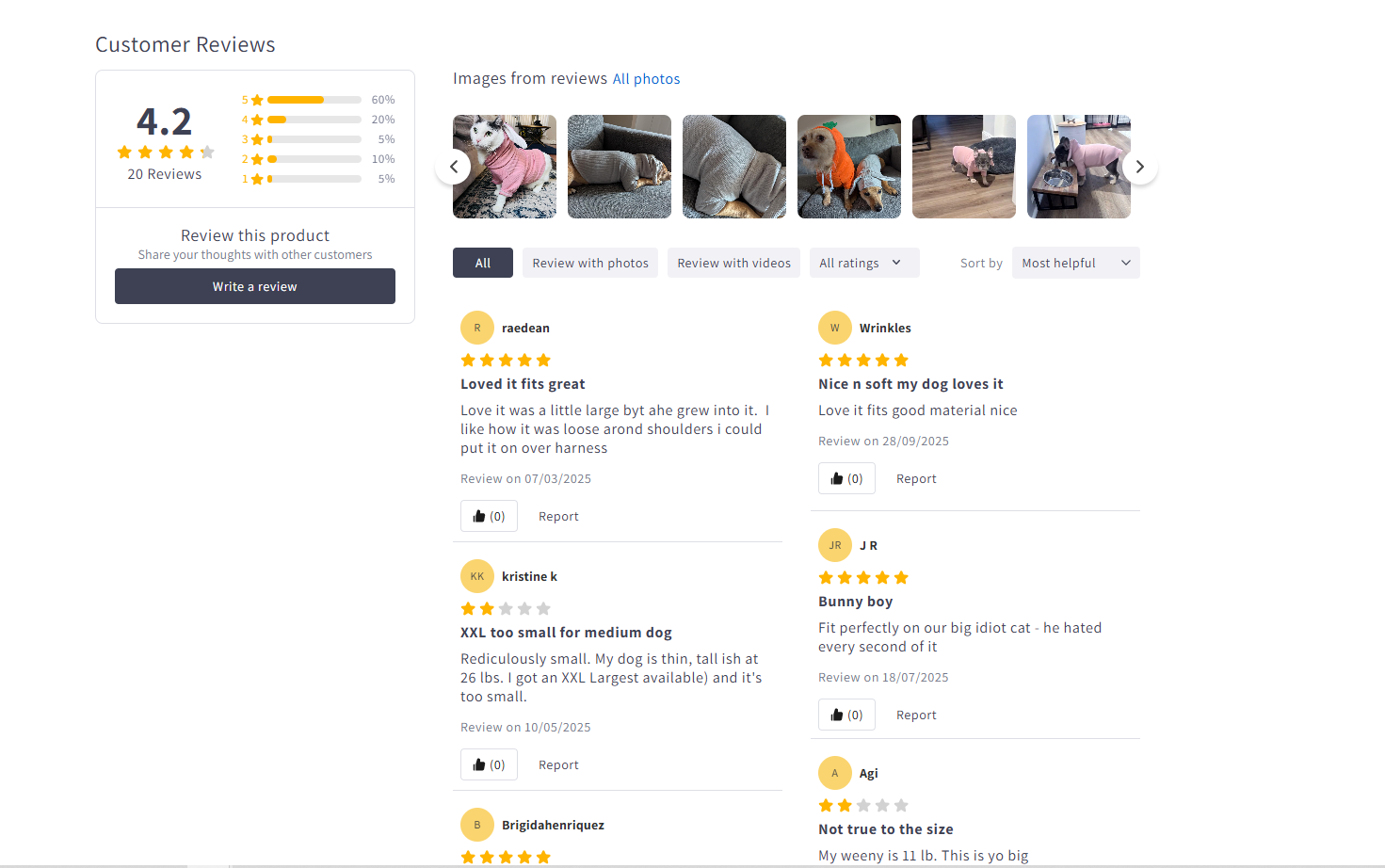
We hope this feature helps you streamline your offerings and improves your business efficiency. Happy selling!
Updated on: 24/10/2025