
Blocking Specific Email Addresses and Products from Review Requests
With TrustShop, you have the ability to block certain email addresses and products from receiving review requests. This feature helps you maintain better control over the review process by excluding specific emails or products that you prefer not to send review requests for.
Here's how you can block email addresses and products:
Blocking Specific Email Addresses
Step 1:
Go to the **Settings **page. In the settings menu, locate the Email & Domain section. You will see a box where you can fill in the email addresses that you want to block.
Step 2:
Click into the box and type in the email address you wish to block from receiving review requests. You can add multiple email addresses by pressing enter after each email.
Step 3:
After entering the email addresses, click Save to confirm your changes.
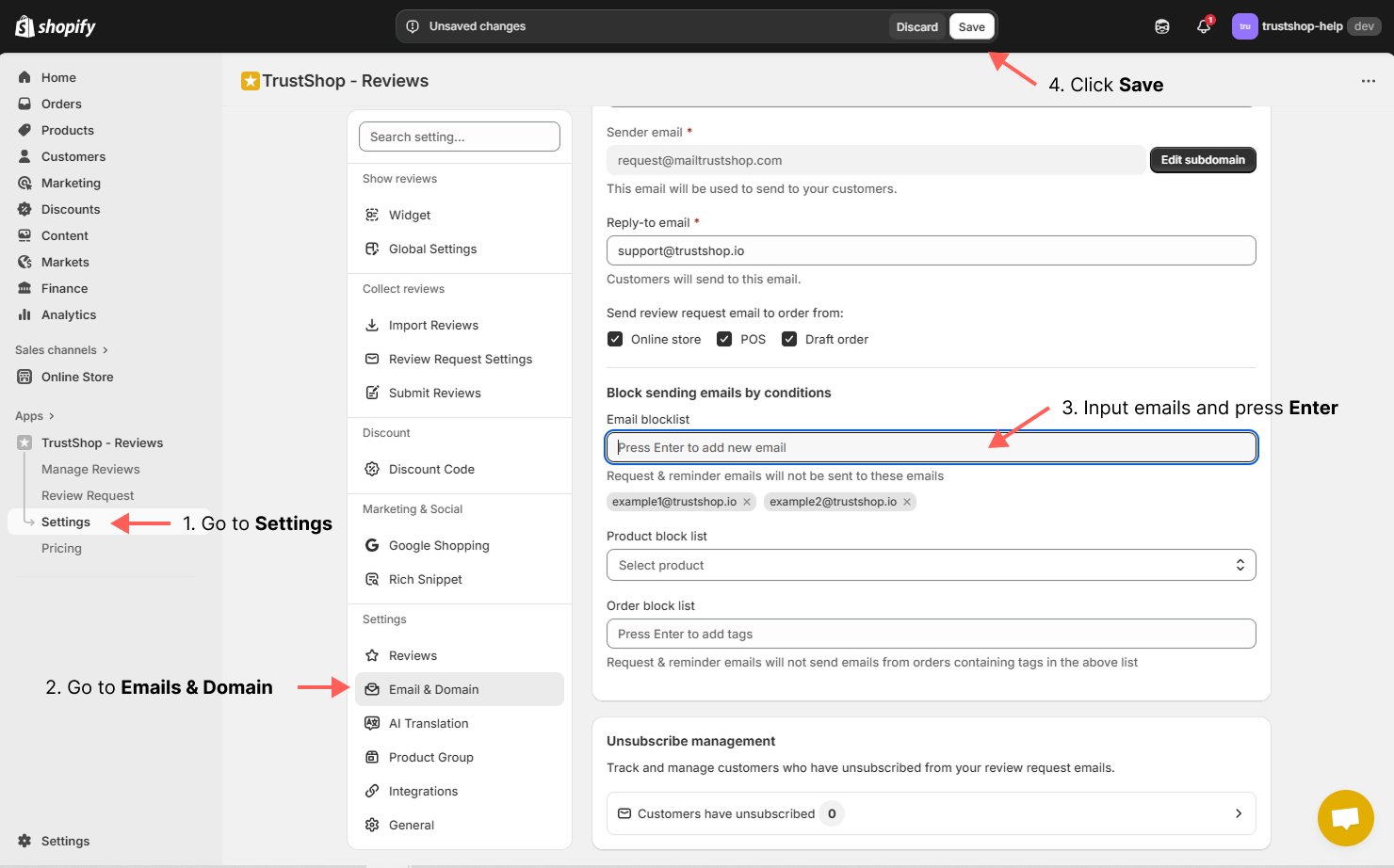
The email addresses you entered will now be blocked from receiving any review requests or reminders.
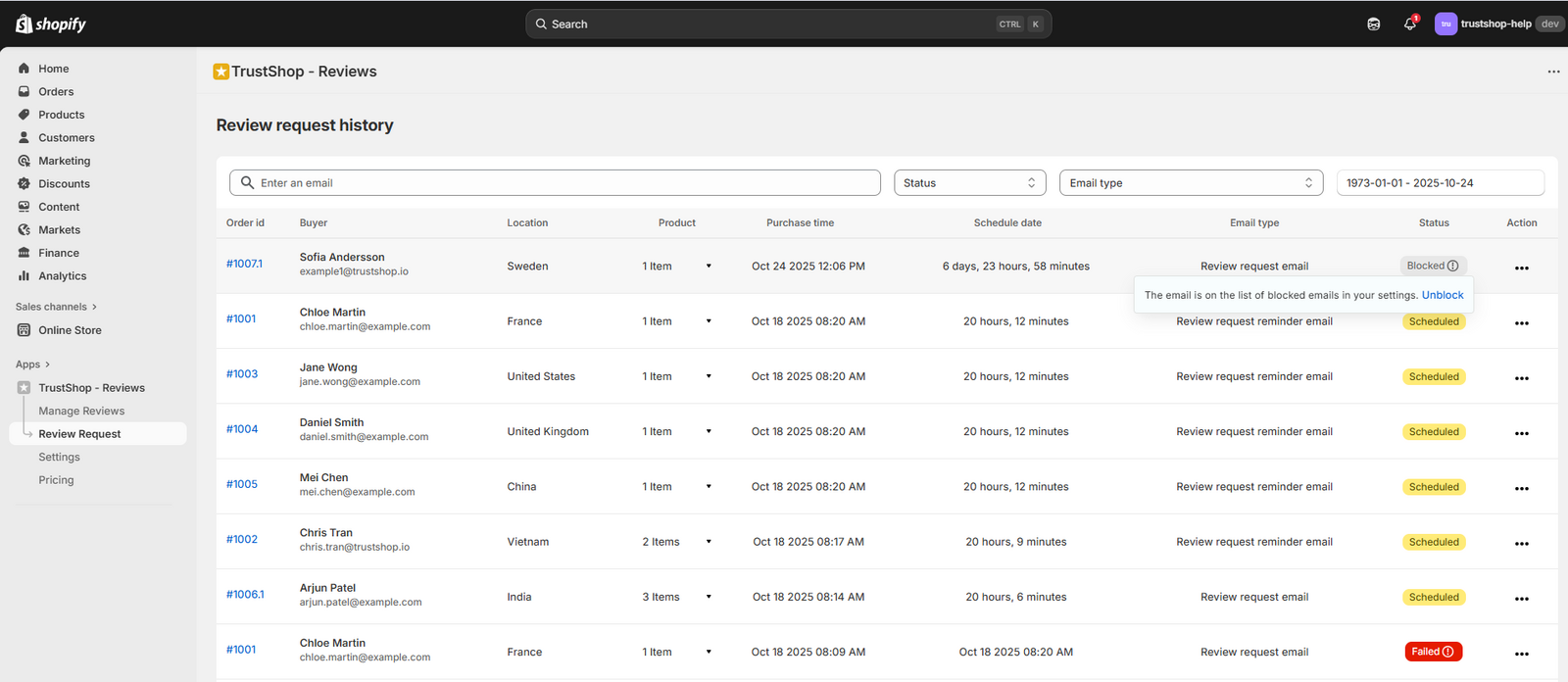
Blocking Specific Products
Step 1:
Go to the **Settings **page. In the settings menu, locate the Email & Domain section. You will find an option to block specific products from receiving review requests and reminders.
Step 2:
Click on the list of products that you want to block, and you can select multiple products as needed
Step 3:
Once you’ve selected the products to block, click Save to confirm your changes.
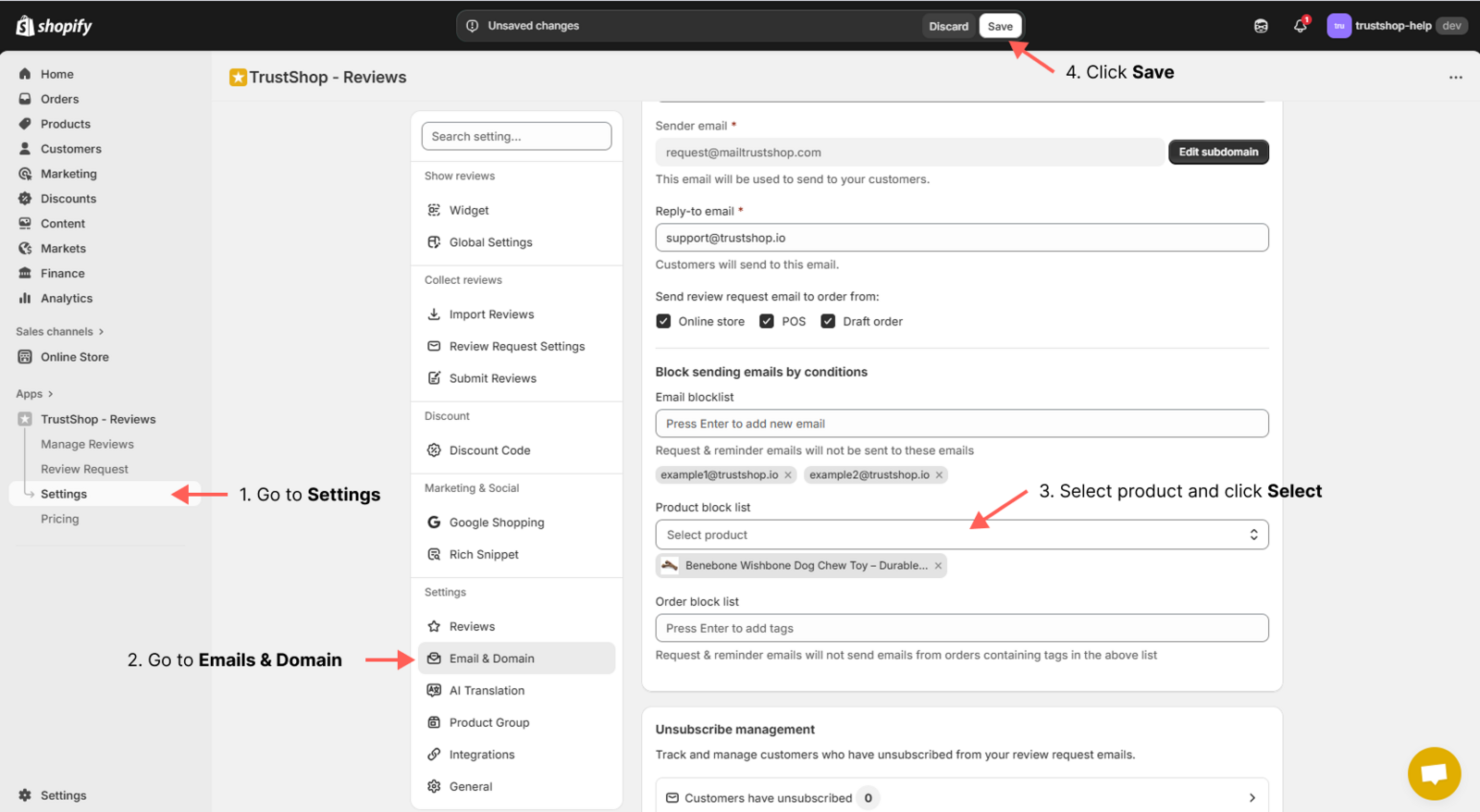
The products you selected will now be excluded from receiving review requests and reminders.
Updated on: 21/03/2026