
Change system language and widget
Change the language in the system settings
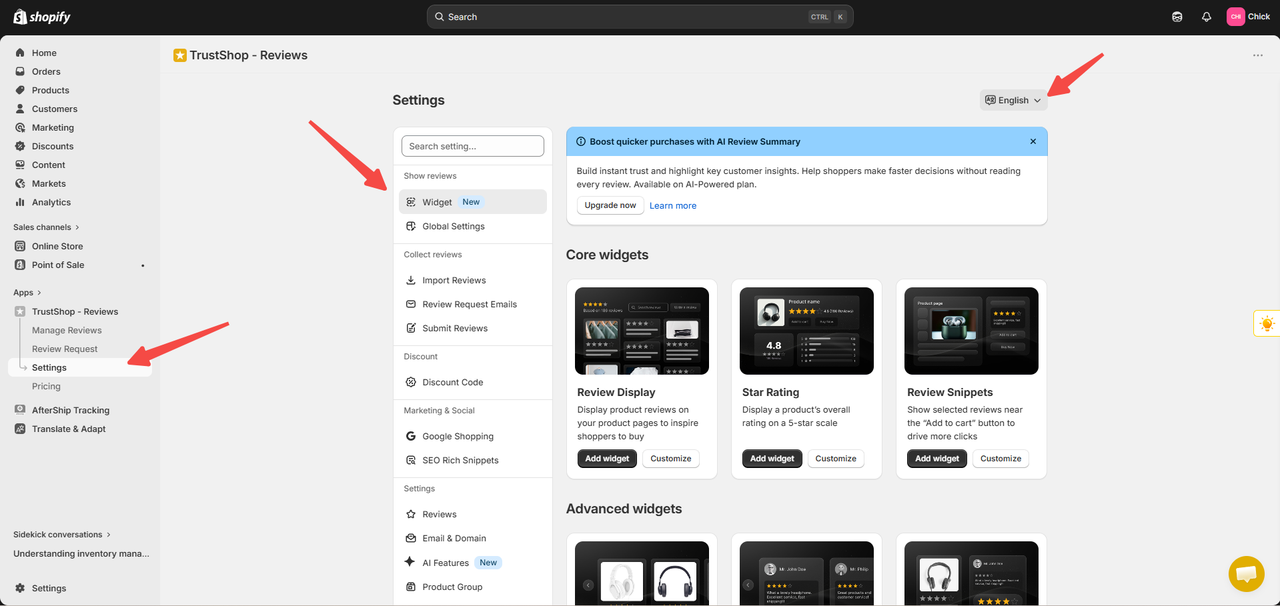
Step 1: Settings- > Widget- > "English"
Step 2: Click the language you want to change.
Change the display language on your storefront.
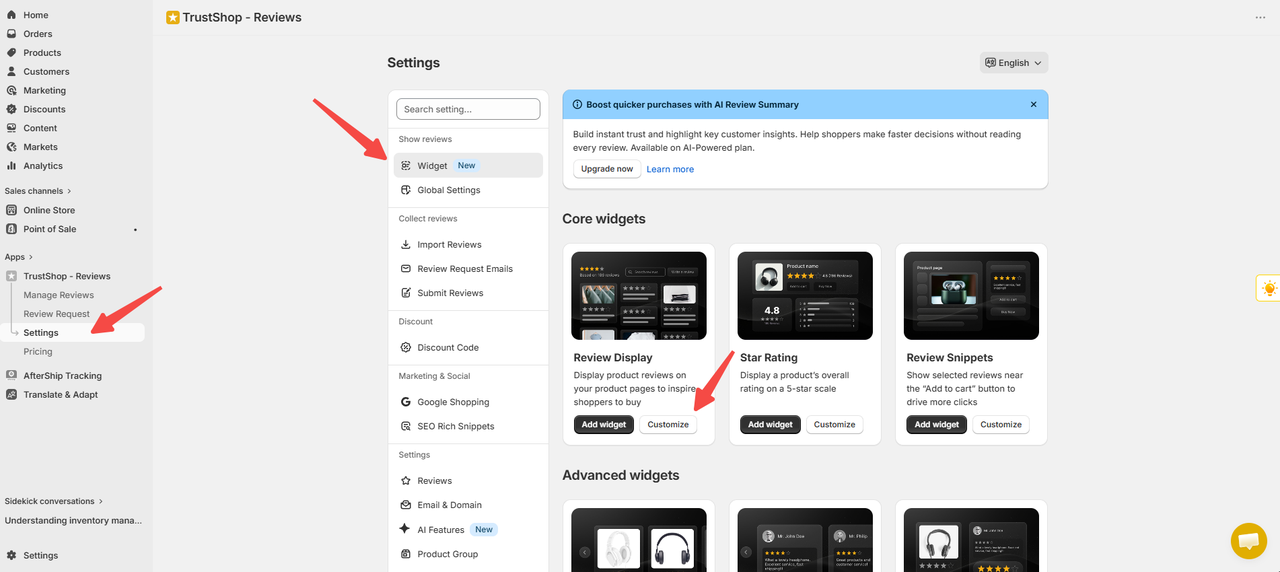
The language change only applies to the Review display and Review page widget.Step 1: Settings-> Widget-> Review display
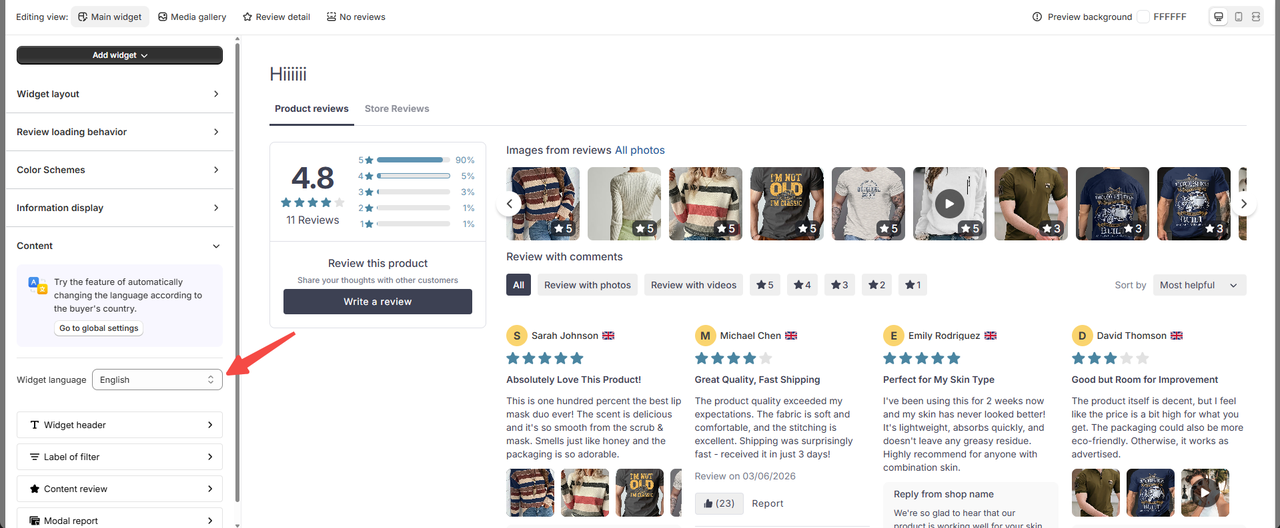
Step 2: Select customize- > Content - > Select the language you want to change- > Update
Updated on: 04/06/2026