
How to Import Reviews from AliExpress, Amazon, eBay, and Temu to TrustShop
TrustShop makes it easy to import reviews from major e-commerce platforms to build credibility for your Shopify store. This guide will walk you through the simple process of importing reviews quickly.
The TrustShop extension lets you collect reviews from marketplace product pages and import them straight into your Shopify products. This guide walks you through connecting your store, scanning reviews and importing them.
Overview
With the extension you can:
Scan reviews on product pages from AliExpress, Amazon, Temu, eBay, Etsy and Walmart
Filter by star rating, photos, text, reviewer country and date
Import the reviews you choose to any product in your store, in one click
Save reviews to a collection and import them later
Import store reviews on sites that have them
Export reviews to a CSV file, even without connecting a store
Prerequisites
Before you start
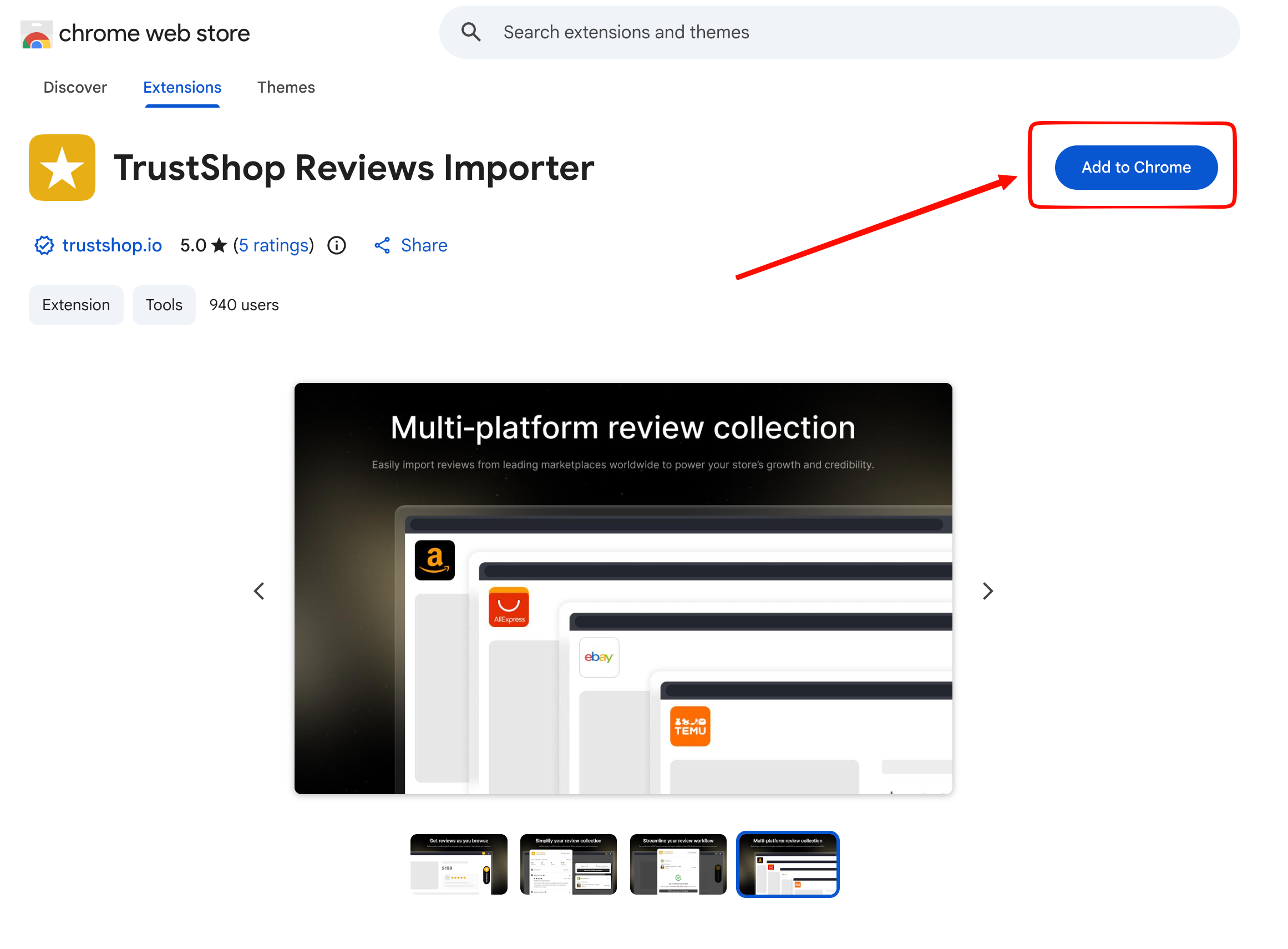
Install the TrustShop extension from the Chrome Web Store. It works on Chrome and Edge.
Pin it to your toolbar: select the puzzle icon in your browser, then the pin next to TrustShop.
Make sure the TrustShop app is installed on the Shopify store you want to import to.
Step 1: Connect your Shopify store
Select the TrustShop icon in your toolbar to open the side panel.
Click Connect Shopify store.
Shopify opens in a new tab. Sign in if asked, then approve access.
Go back to the side panel. When you see “Your store is connected”, you’re ready.
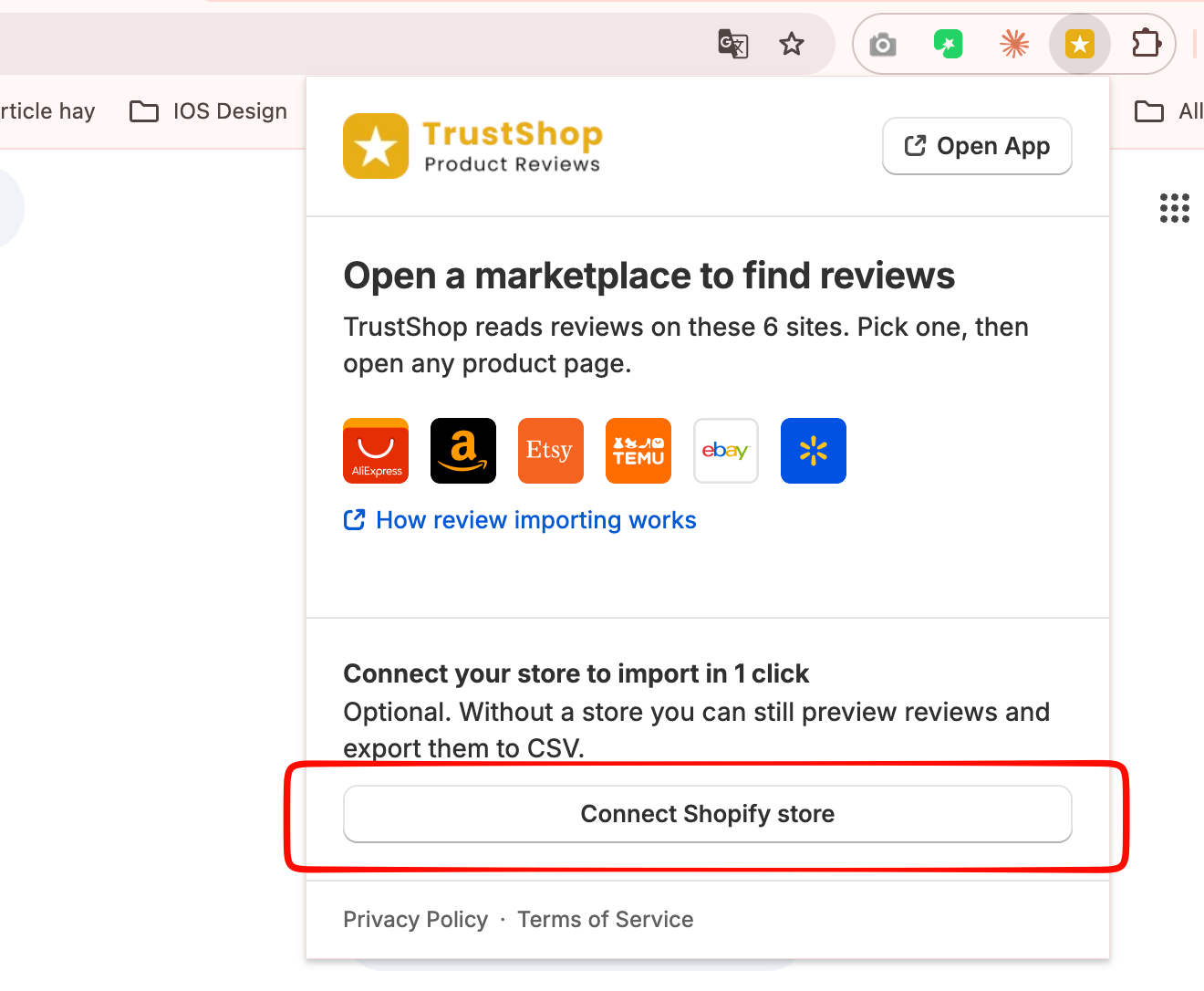
Tip: Connecting is optional. Without a store, you can still scan reviews and export them to CSV. Connecting lets you import in one click.
Step 2: Open the matching product page
On a supported marketplace, find the same product you sell. Pick the listing with the most reviews and customer photos.
Open its product detail page. The extension can only scan reviews there, not on search or category pages.
Select the TrustShop icon to open the side panel. It shows the product and is ready to scan.
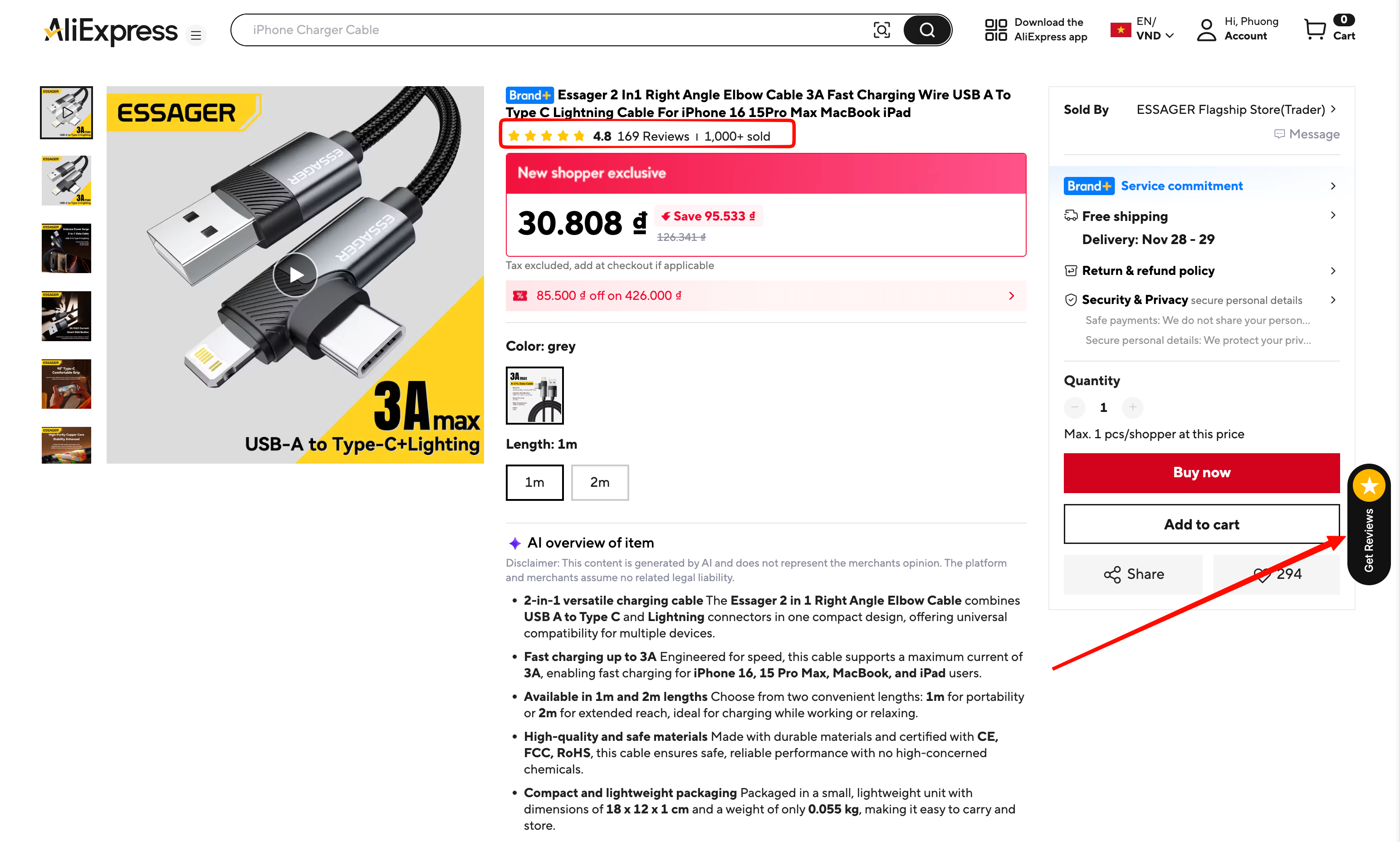
Step 3: Scan reviews
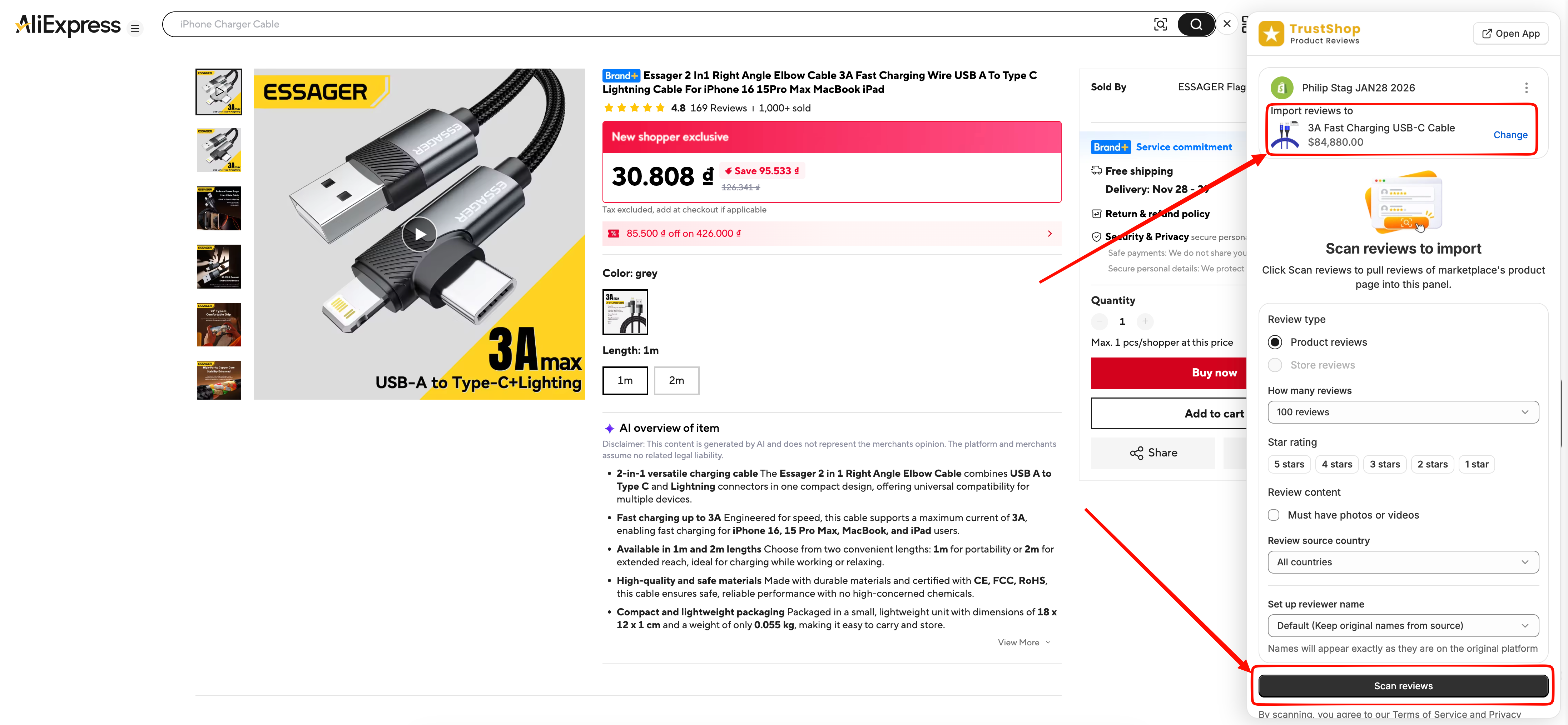
In the side panel, under Import to, choose the product in your store you want to import reviews to.
Under What to scan, set your filters:
How many reviews: all matching reviews, or up to a number you choose
Star rating: for example, 5 stars and 4
Must have photos or videos
Reviewer country
Select Scan reviews. Keep the tab open until the scan finishes. This usually takes under a minute.
Step 4: Choose reviews and import
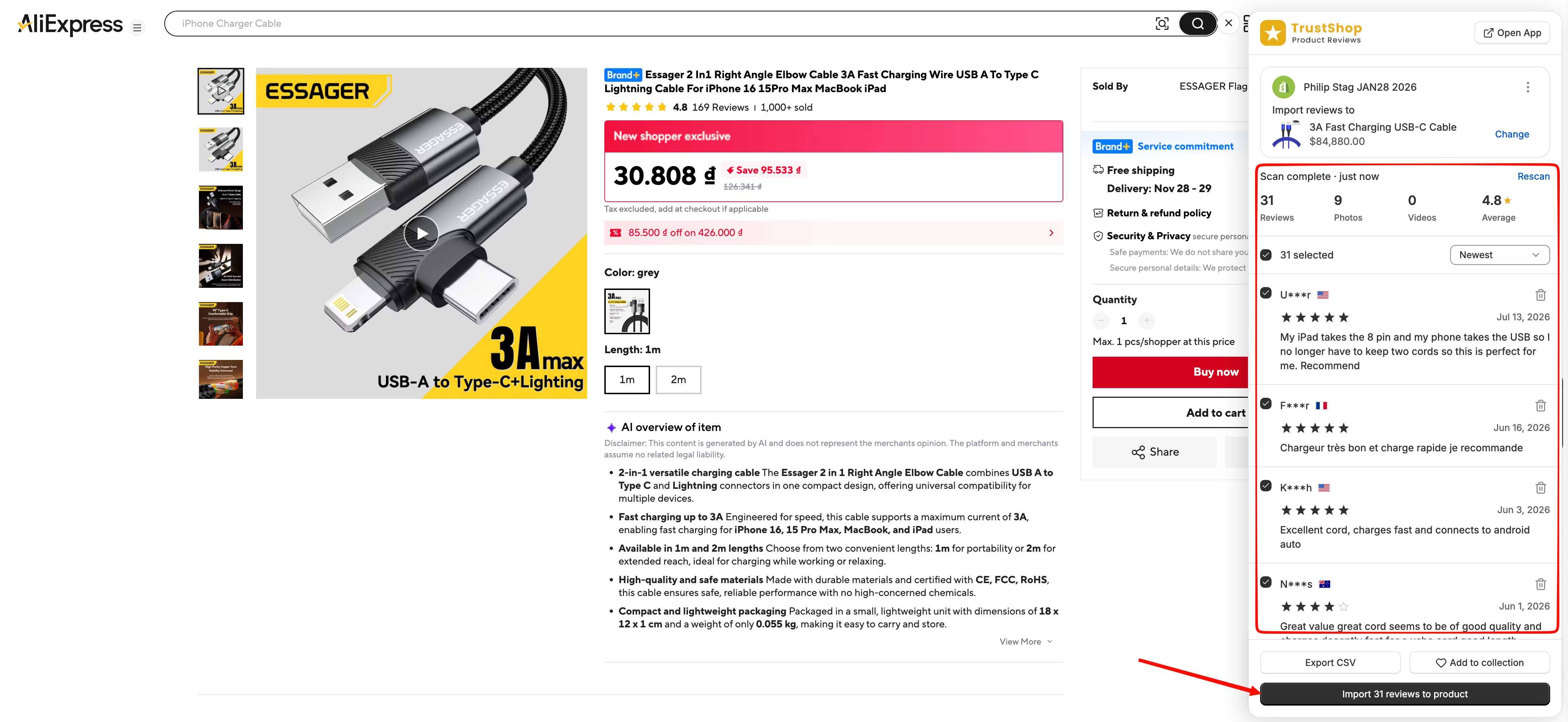
When the scan finishes, a summary at the top shows the number of reviews, photos and videos found, plus the average rating.
Tick the reviews you want, or select Select all matching. Use the filter chips and search to narrow the list.
Select Import [X] reviews.
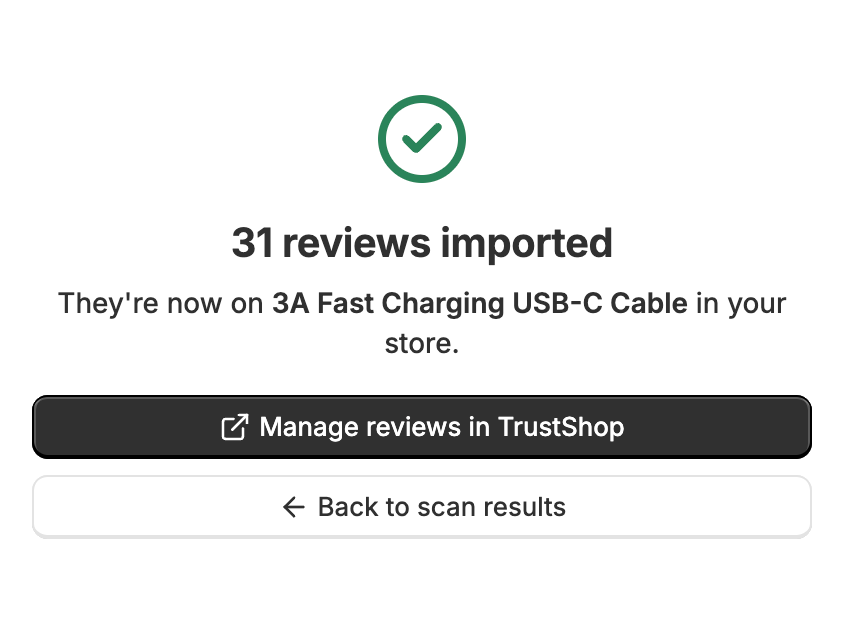
When you see “[X] reviews imported”, select Manage reviews in TrustShop to see them in the app.
Import success:
Other ways to collect reviews
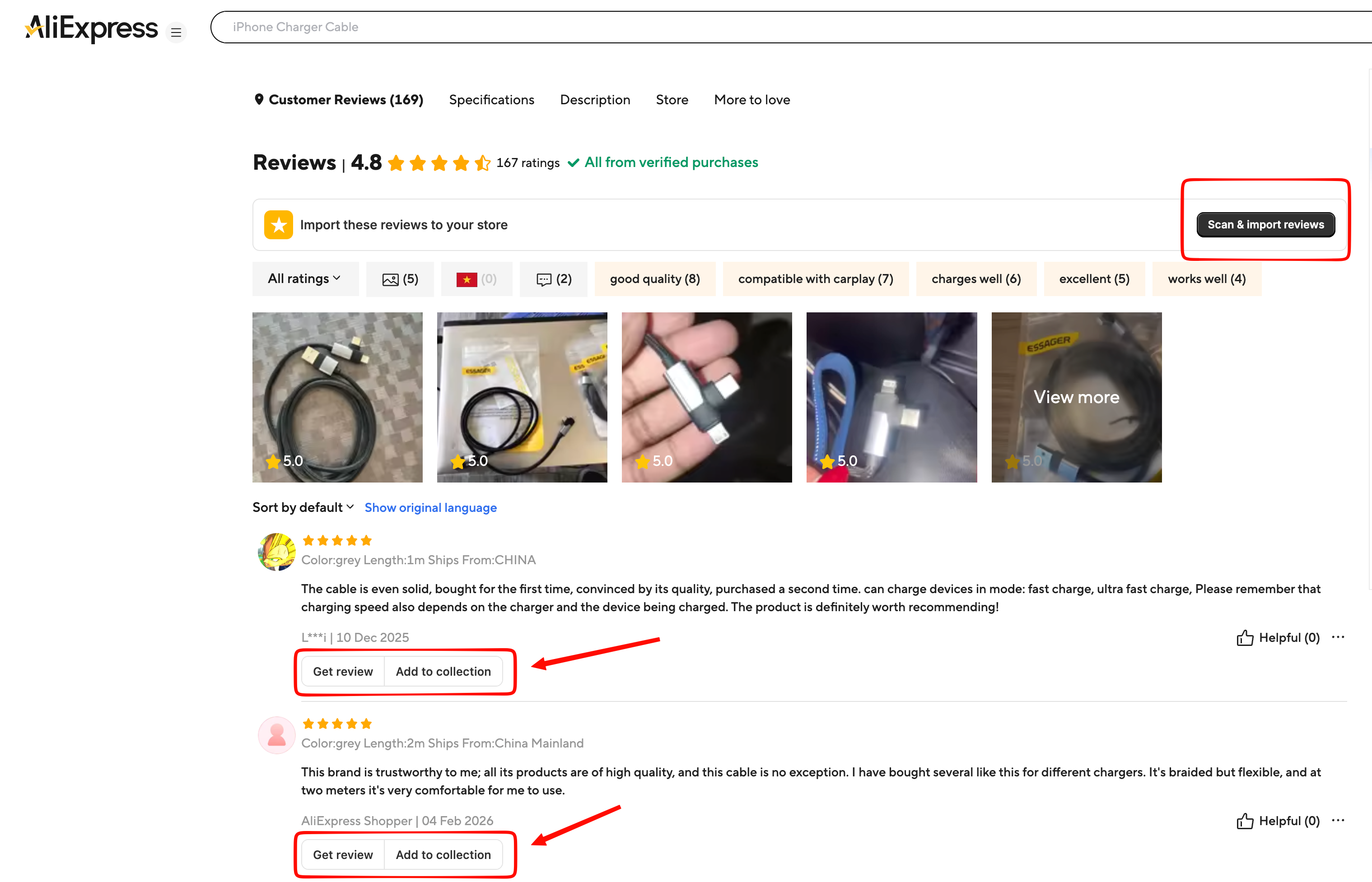
Get one review right from the page
Each review on a supported marketplace has a small TrustShop button group. Select Get review to import that review to your selected product, or Add to collection to save it for later.
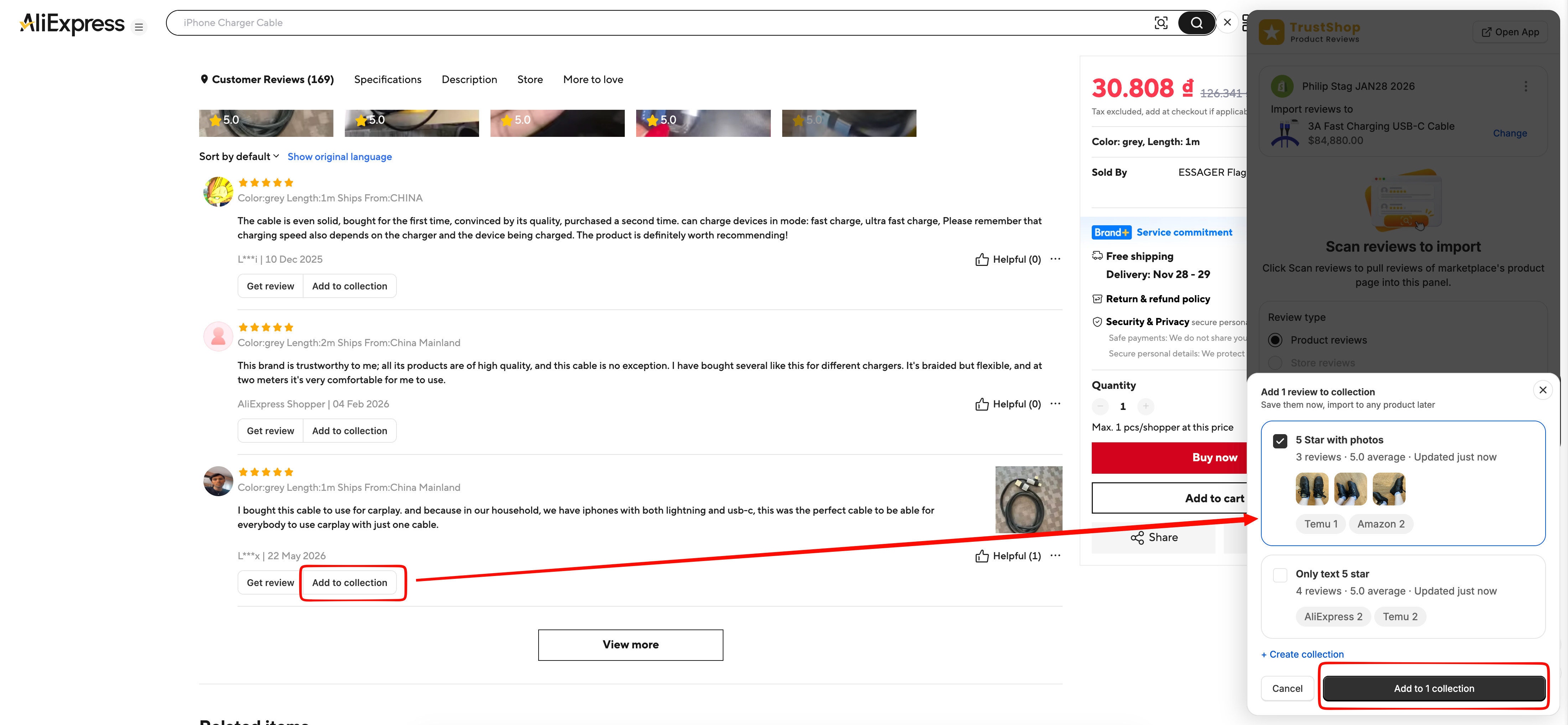
Save reviews to a collection
Collections let you gather reviews from different listings and marketplaces, then import them to a product when you’re ready.
Select reviews in the side panel, then Add to collection.
Choose an existing collection, or create a new one.
To import, open the Collections tab, open the collection, and select Import to a product.
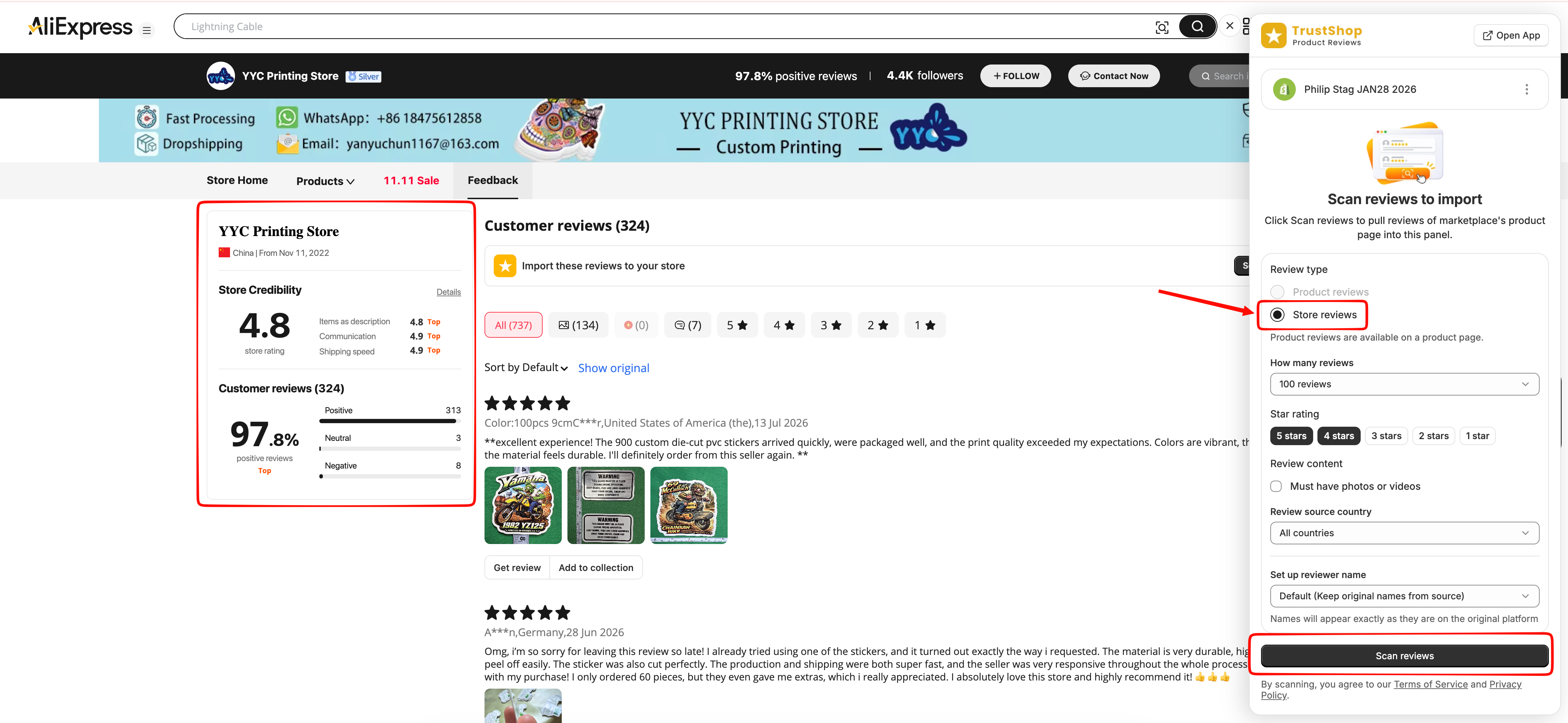
Import store reviews
On a marketplace that shows shop or seller reviews, open the seller or store page, not a product page.
Open the side panel. It detects the store and shows its reviews, ready to scan.
Select Scan reviews, choose the reviews you want, and import them.
Export to CSV
After a scan, select reviews and choose Export CSV.
Choose the file format and columns, then select Export [number] reviews.
Select Download file.
To import the file, go to TrustShop Settings > Import Reviews > Import Product review > Upload CSV file, then select Import Reviews.
Troubleshooting
Problem | What to do |
|---|---|
No reviews found | Loosen your filters, reload the page and make sure the reviews section has loaded, sign in to the marketplace, or try another seller’s listing of the same product. |
Only a few reviews on Amazon | Amazon limits how many reviews each visitor can load, especially on amazon.com. Open the same product on another Amazon region, such as amazon.co.uk, amazon.ca, amazon.com.au or amazon.de, and scan again. |
“TrustShop isn’t installed on this store” | Install the TrustShop app on that store from the Shopify App Store, open it once, then select Try again. |
“Reconnect your store” | Your connection has expired. Select Reconnect and approve access in Shopify again. Your scan results and collections are kept. |
Some reviews are saved as Pending | On the Free plan, stores installed after March 26, 2026 show up to 5 published reviews per product. Extra reviews are kept as Pending, and you can publish them anytime by upgrading your plan. |
Using imported reviews responsibly
Marketplaces have their own terms. Please follow them, and only show imported reviews on the product they describe. Learn more in our Terms of Service and Privacy Policy.
Thanks for using TrustShop! If you need help, chat with our Support Team anytime.
Updated on: Nov 18, 2026