
Store reviews
Goals and Outcomes
Store reviews capture how shoppers feel about your brand as a whole — customer support, shipping, packaging, and overall buying experience — not just individual products. Showcasing them alongside product reviews gives new visitors a fuller picture of your business and builds trust faster.
In this article, you'll learn how to collect store reviews, customize the submission form, import existing reviews, and display them on your storefront.
Feature Overview
Store reviews are brand-level reviews where shoppers rate their overall experience with your store rather than a specific product.
With TrustShop, you can:
- Collect store reviews automatically after a shopper submits a product review via email or storefront, or when they click the "Write a store review" button on your storefront.
- Import existing store reviews via CSV.
- Display store reviews on your storefront alongside product reviews using the Review Display, Review Page, and Review Sidebar widgets.
- Customize the submission form, including photo and video uploads.
Step-by-Step Guide
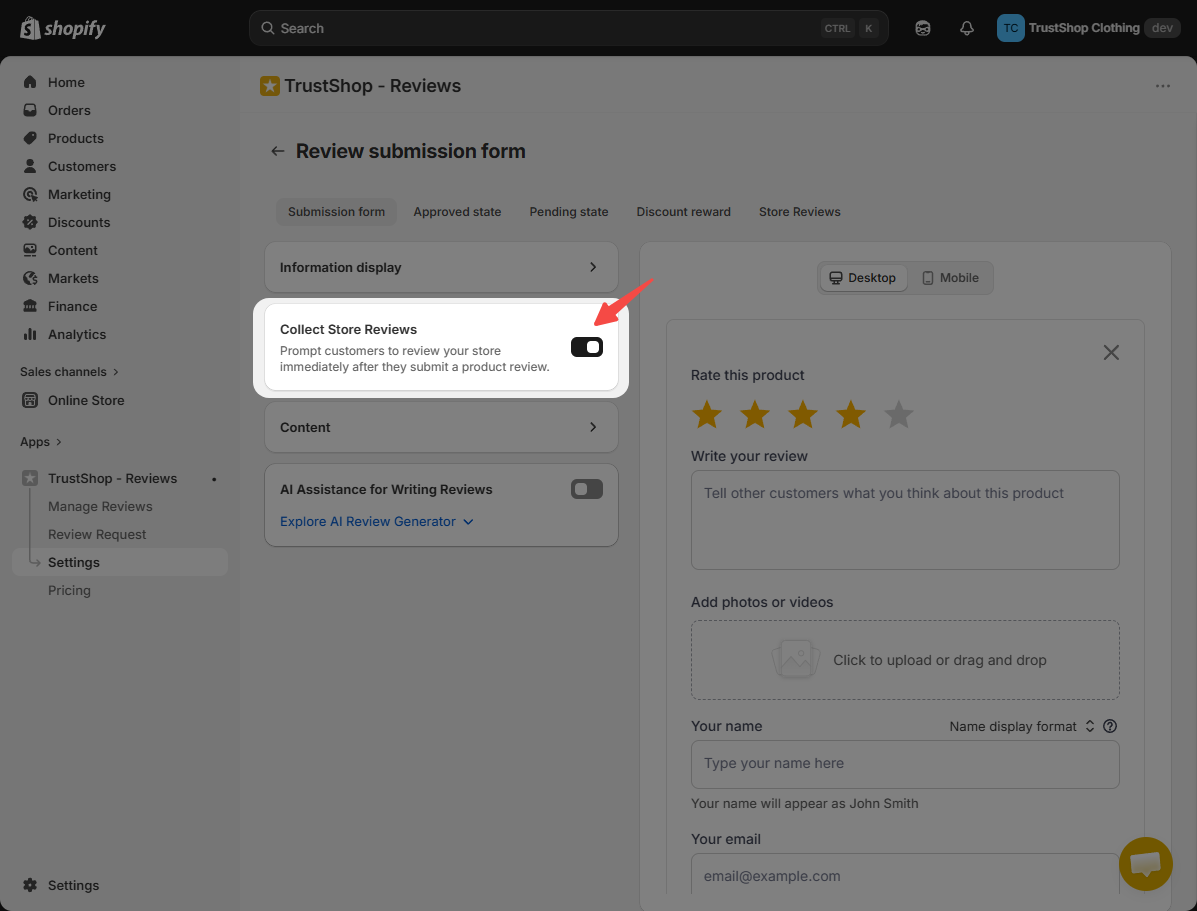
Enable store reviews after product review submission
Once enabled, shoppers who submit a product review (through the storefront widget or a review request email) will see a prompt inviting them to leave a store review.
- In TrustShop admin, go to Settings → Submit Reviews → Review submission form.
- In the Review submission form tab, enable Collect Store reviews.
- Click Save.
Customize the store review form
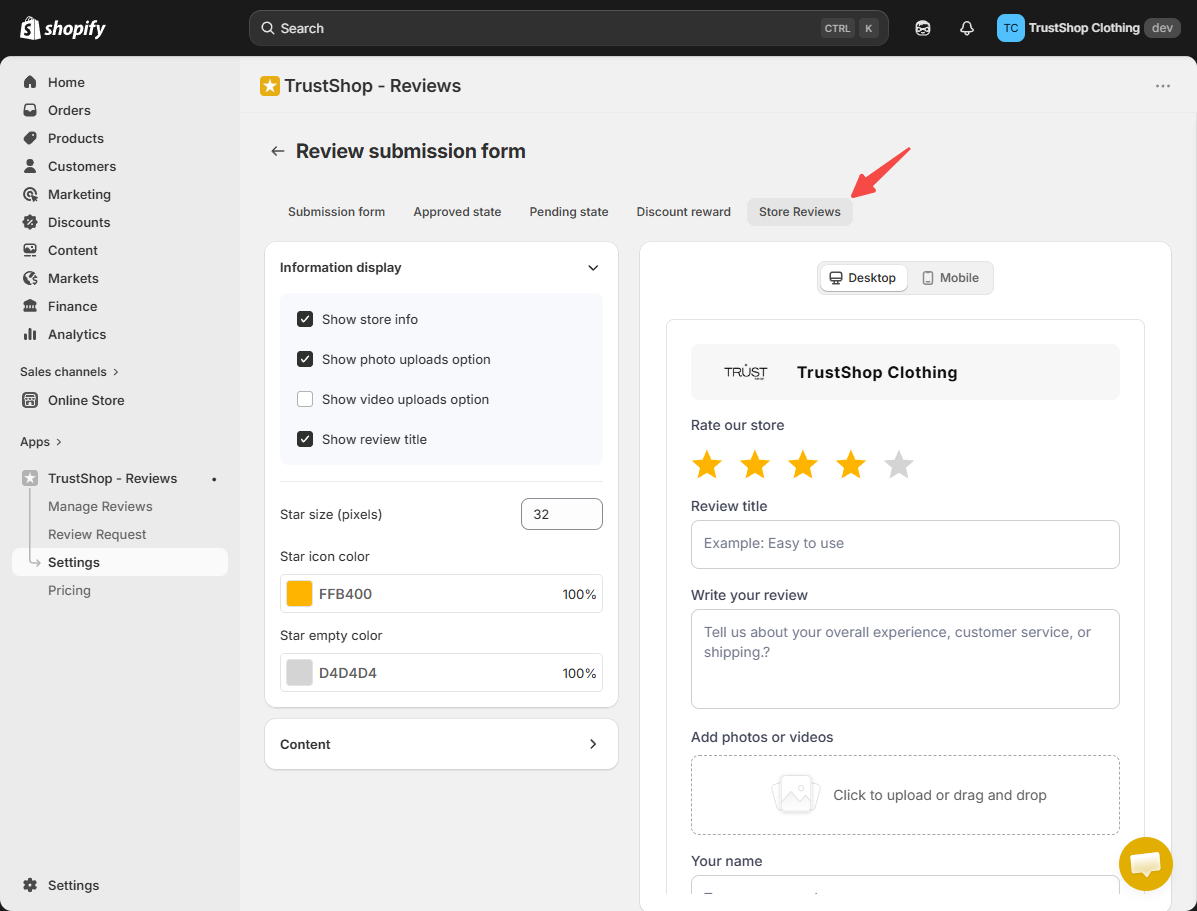
You can adjust which information shoppers see, toggle photo and video uploads, and edit the form's content and styling.
- In the Review submission form, make sure Collect Store reviews is enabled.
- Open the Store Reviews tab.
- Edit the form fields, enable or disable media uploads, and adjust the copy and styling as needed.
- Click Save.
Import store reviews via CSV
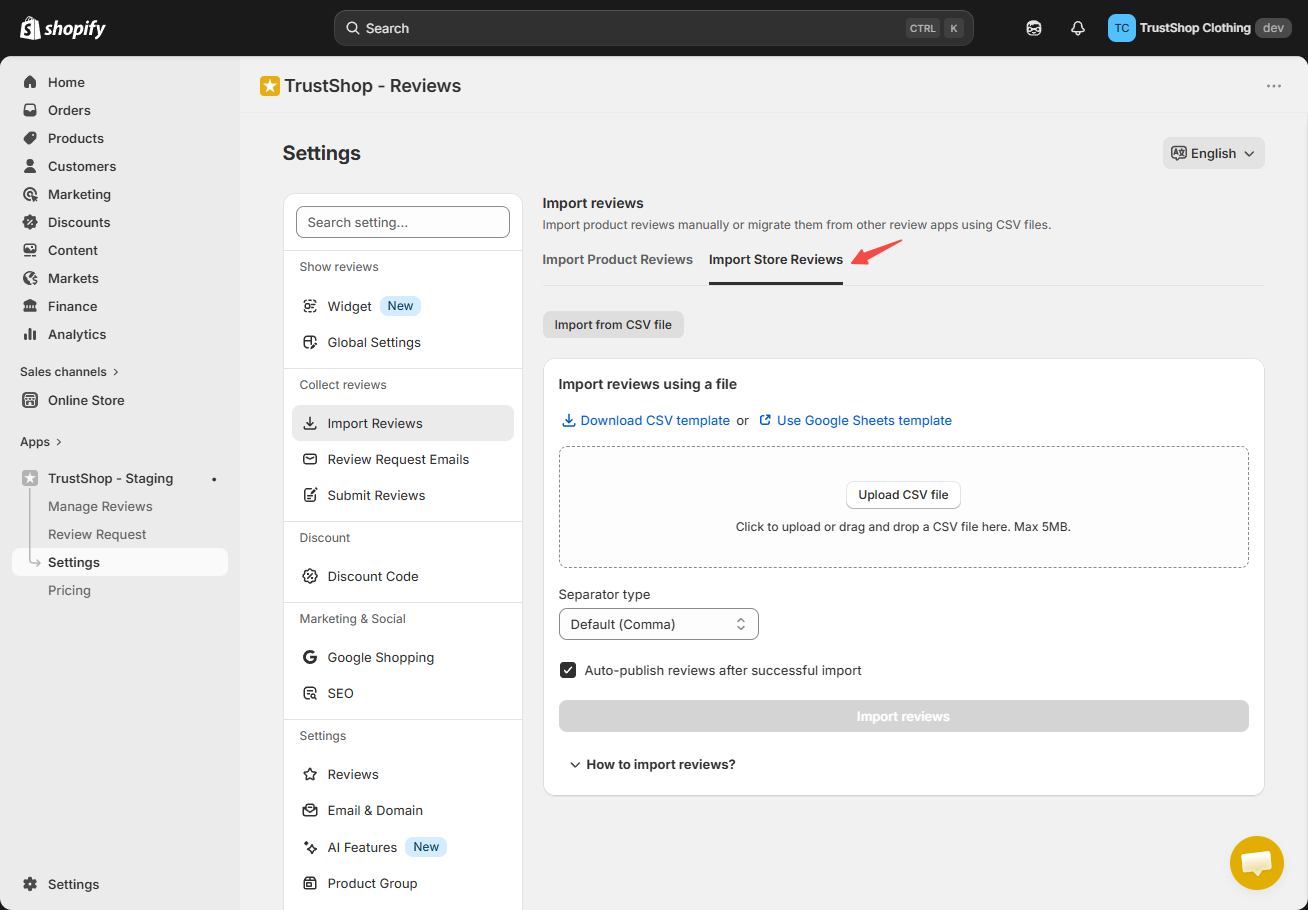
Bring in store reviews you've collected elsewhere by uploading a CSV file.
- In TrustShop admin, go to Settings → Collect reviews → Import reviews.
- Open Import Store Reviews.
- Download the TrustShop CSV template or use the Google Sheets template.
- Fill in your store review content using the template.
- Upload the file and click Import reviews.
To manage imported reviews, see Manage store reviews below.
Manage store reviews
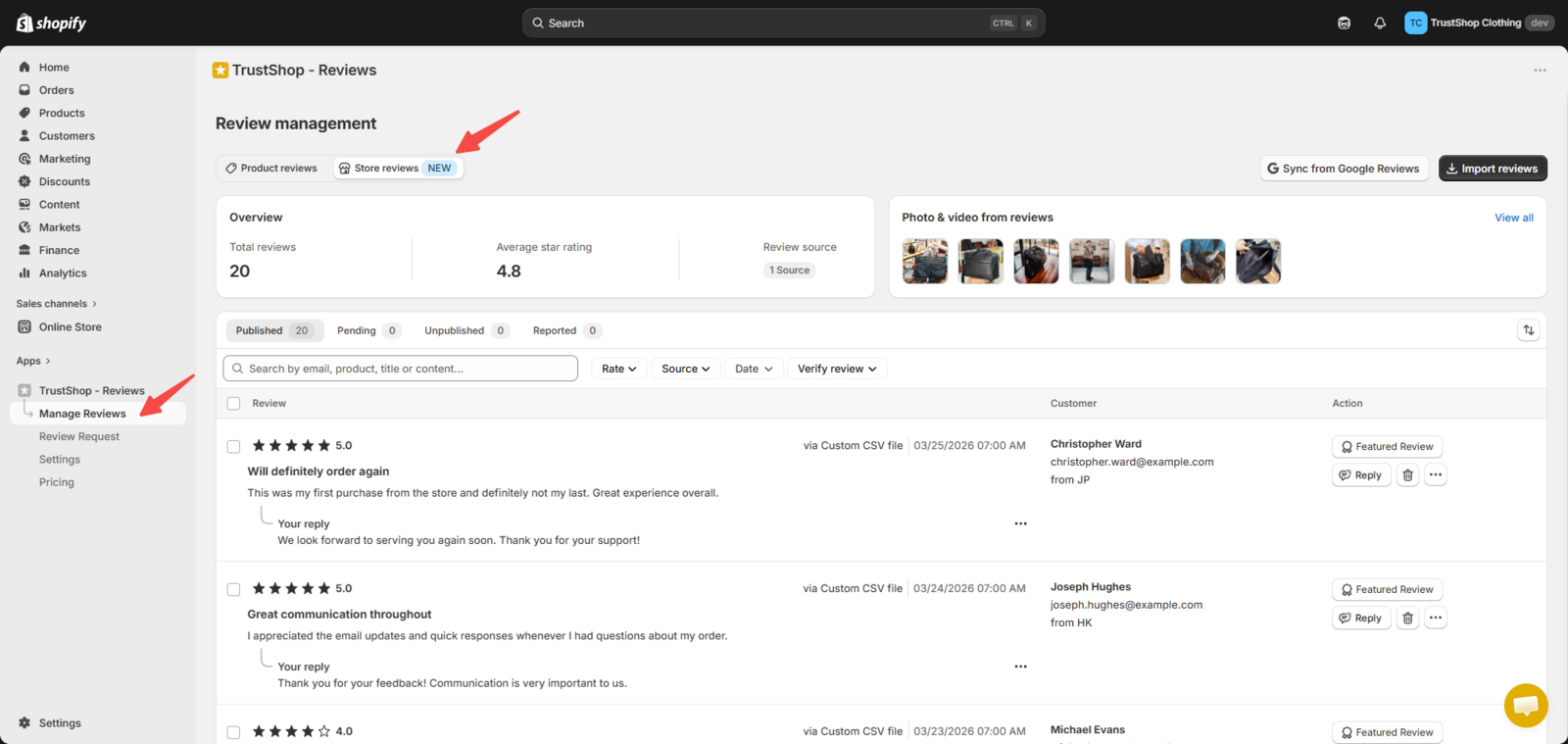
- In TrustShop admin, go to Manage Reviews.
- Open the Store reviews tab.
From here, the controls work the same as product reviews — you can:
- View details, search, and filter store reviews.
- Publish, unpublish, or feature reviews.
- Reply to reviews.
Display store reviews on your storefront
Store reviews appear in the Review Display, Review Page and Review Sidebar widgets.
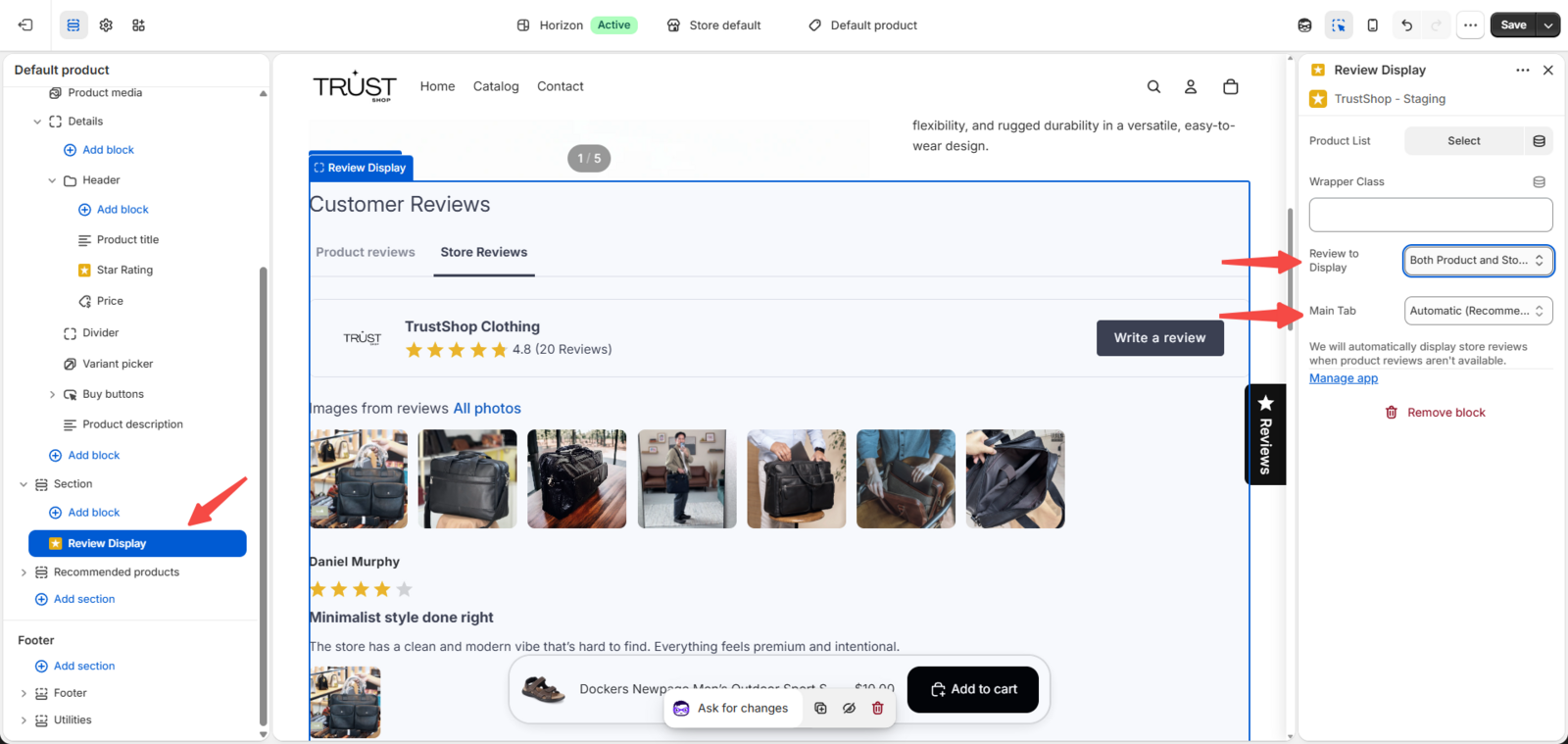
To show the Store reviews tab and configure how the tabs appear :
- In the Shopify theme editor, open the Review Display or Review Page block.
- Under Reviews to display, choose one:
- Both Product and Store reviews — shows both tabs side by side
- Product reviews only — hides the Store reviews tab
- Store reviews only — hides the Product reviews tab
- If you selected Both, set the Main tab (the one shown first):
- Product Reviews first
- Store Reviews first
- Automatic (recommended) — whichever tab has reviews is prioritized
Read More
Updated on: 21/05/2026