
How to Create a Review Link for a Product
Overview
Sometimes, you may want to collect more reviews for a specific product — for example, a new launch or a best-seller. In that case, you can create a direct review link for that product and share it via chat, email, or any marketing channel.
This guide will show you how to create and use a product-specific review link.
Create a Review Link for a Product
Step 1: Go to Settings → Submit Reviews → Review Link & QR Code
Step 2: Click Manage
Step 3: Turn on the toggle for No verification
Note: Product-specific review links are not available for Require-verification review links.Step 4: Under the No verification section, click Copy link.
Your base review link will look like this: https://customer.trustshop.io/**shop_id**/guest
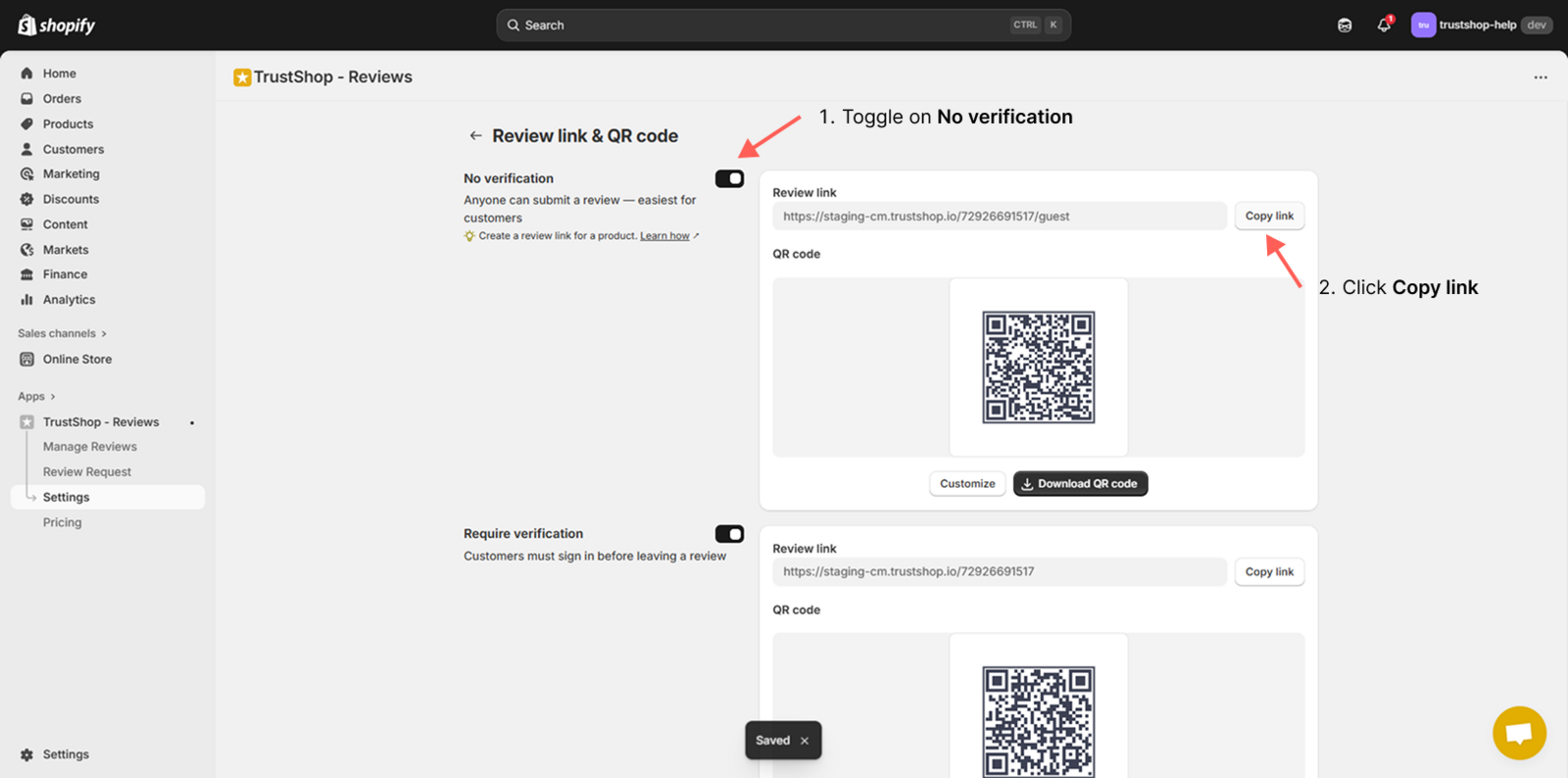
Step 5: Add the product_id at the end of your review link using this format: https://customer.trustshop.io/**shop_id**/guest/**product_id**
Example:
- My base review link: https://customer.trustshop.io/**11111111111**/guest
- My product ID: 123456789
- My product-specific review link: https://customer.trustshop.io/**11111111111**/guest/**123456789**
If you don’t know how to find your product ID, read the next section.
How to Find Your Product ID
Step 1: In your Shopify Admin, go to Products.
Step 2: Click the product you want.
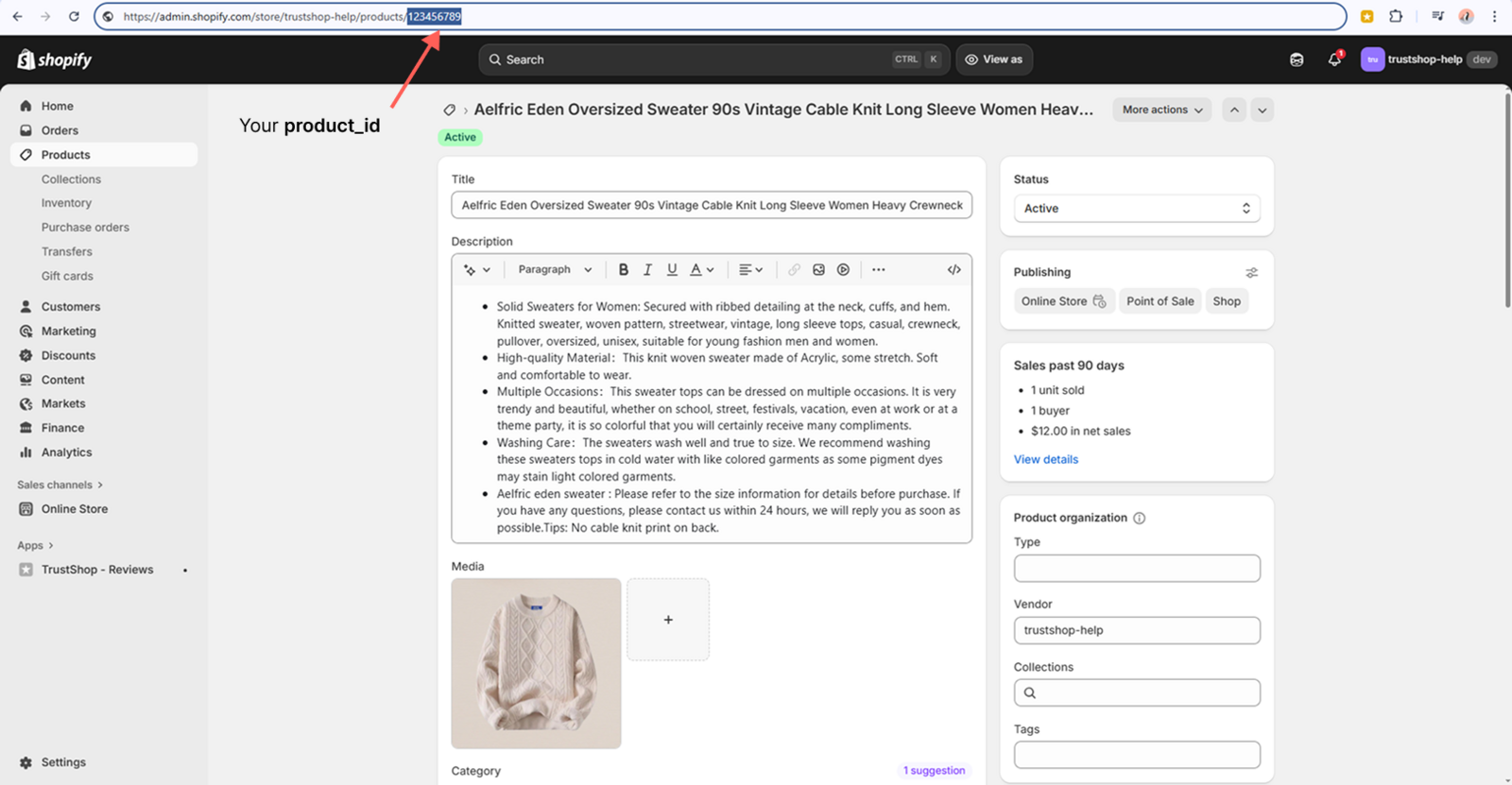
Step 3: Look at your browser’s address bar — the number at the end of the URL (after /products/) is your product_id.
Example: https://yourstore.myshopify.com/admin/products/**123456789** → Your product_id is 123456789.
Need Help?
If you need support, contact us via chat or email at [email protected].
Updated on: 14/11/2025