
Import reviews by a CSV file
How to import a CSV file
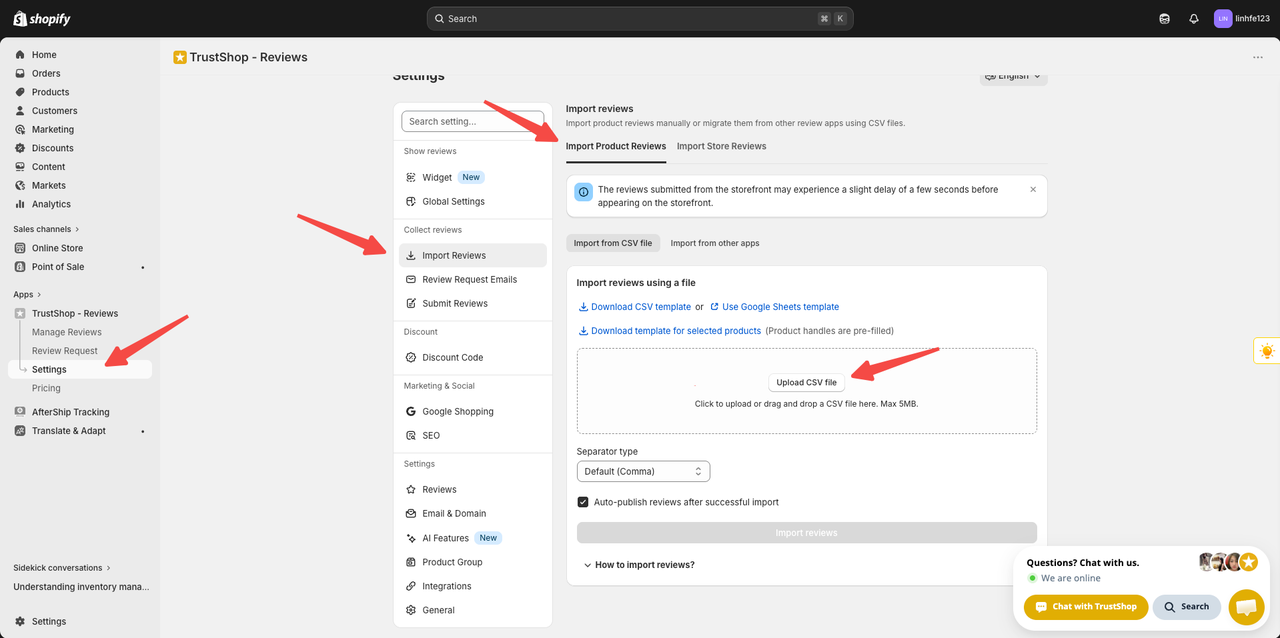
Steps:
- Go to Settings -> Import Reviews -> Import Product Reviews
- Download the sample file here
- Add reviews with these required fields:
title, body, rating, review_date, reviewer_name, reviewer_email, product_handle
- If you already have a CSV file, you can skip the two steps above.
⚠️ How to import review with images?
Product images must be uploaded to image hosting platforms such as Imgur, Flickr, Google Photos. If your review contains images, please upload them to a suitable platform and copy the link and paste it into the picture_urls column.
How to find product handle
The product handle is a user-friendly, SEO-friendly version of the product name. It’s used in the product URL and helps improve search engine visibility. To find the product handle:
- Visit the live product page on your Shopify store.
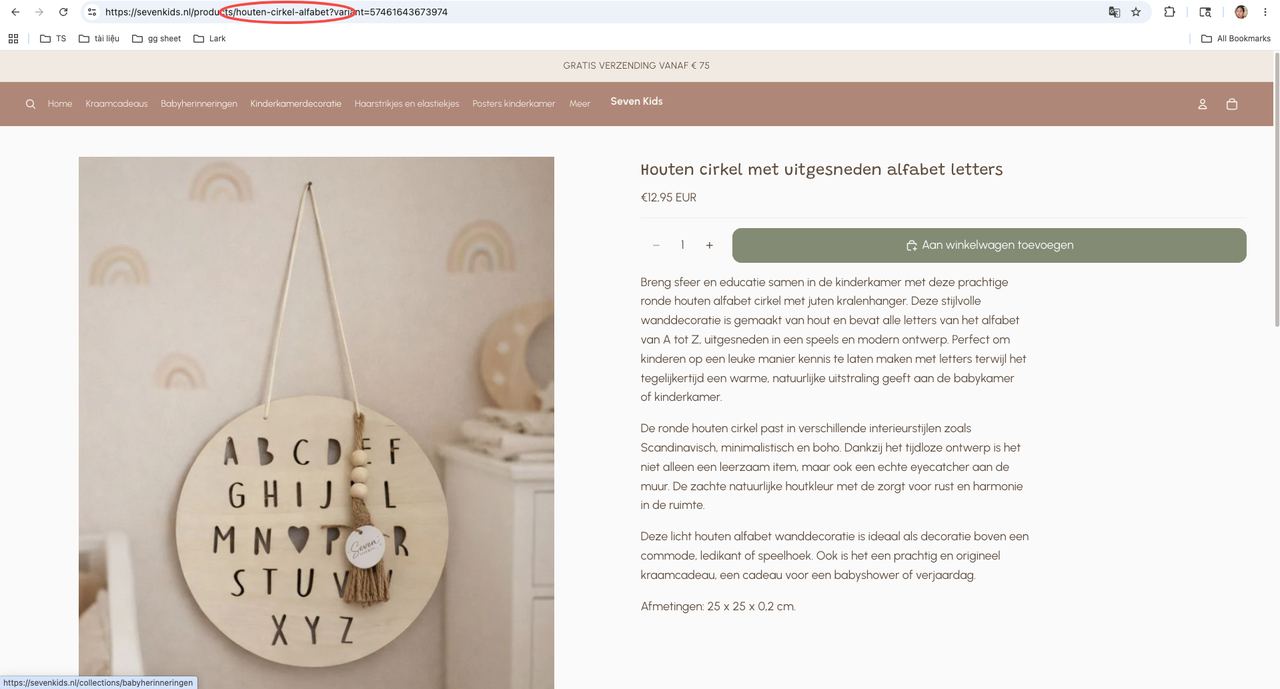
- Examine the URL. The product handle is everything that comes after “
products/”and before“?variant” (if any) in the URL.
For instance:
If your url is https://sevenkid.nl/products/houten-cirkel-alfabet?variant=57461643673974
The product _ handle will be: " houten-cirkel-alfabet "
Updated on: 21/05/2026