
How to Send a Manual Review Request
Overview
By default, TrustShop automatically sends review request emails when an order is fulfilled or paid. However, you may need to send a review request manually in some cases:
- You have older orders placed before installing TrustShop app.
- You have orders created before the Review Request Email feature was activated.
- You prefer to send review requests manually instead of using automation.
How to Send a Manual Review Request
- Go to: Settings → Collect reviews → Review Request Settings
- Scroll to the Manual review requests section.
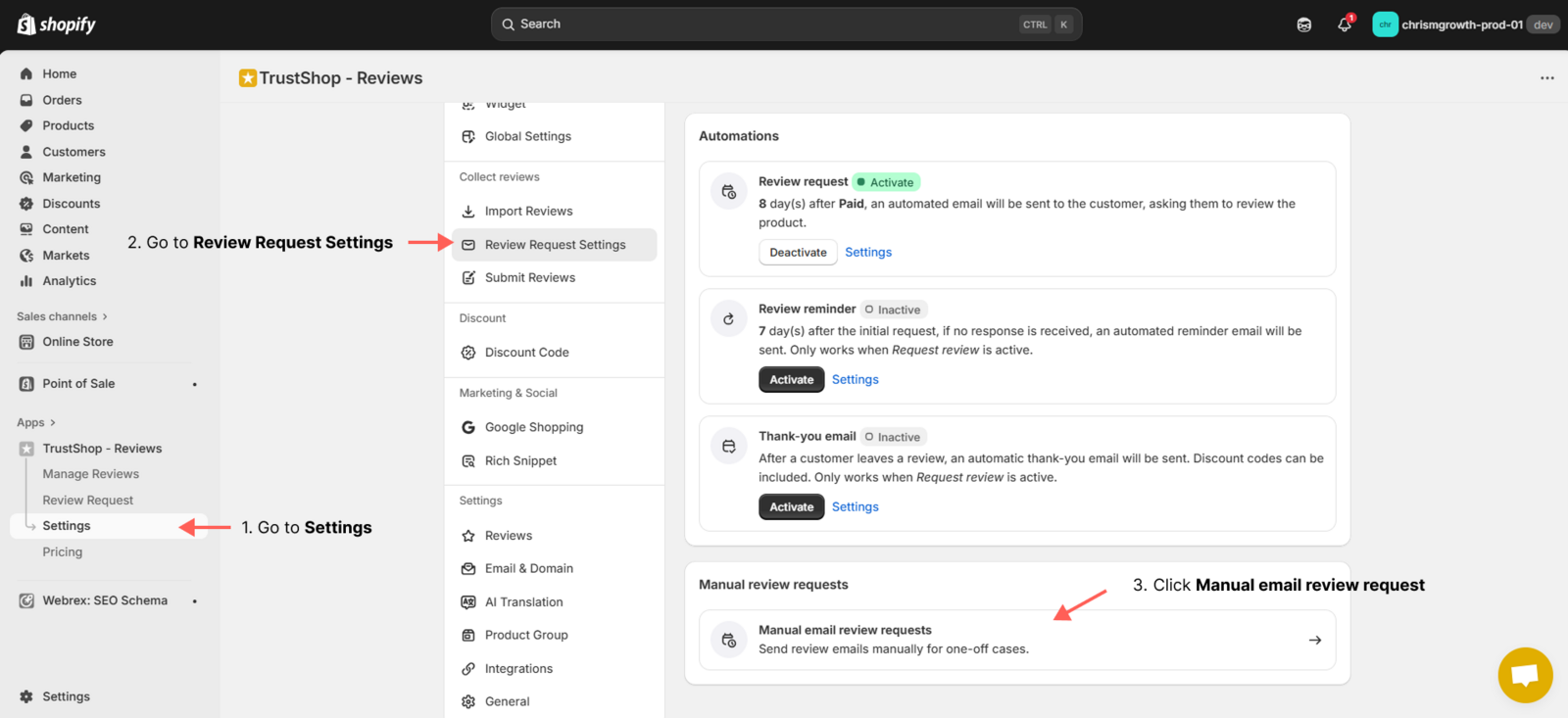
- Click Manual email review requests. Here, you’ll see a list of orders eligible for manual review requests.
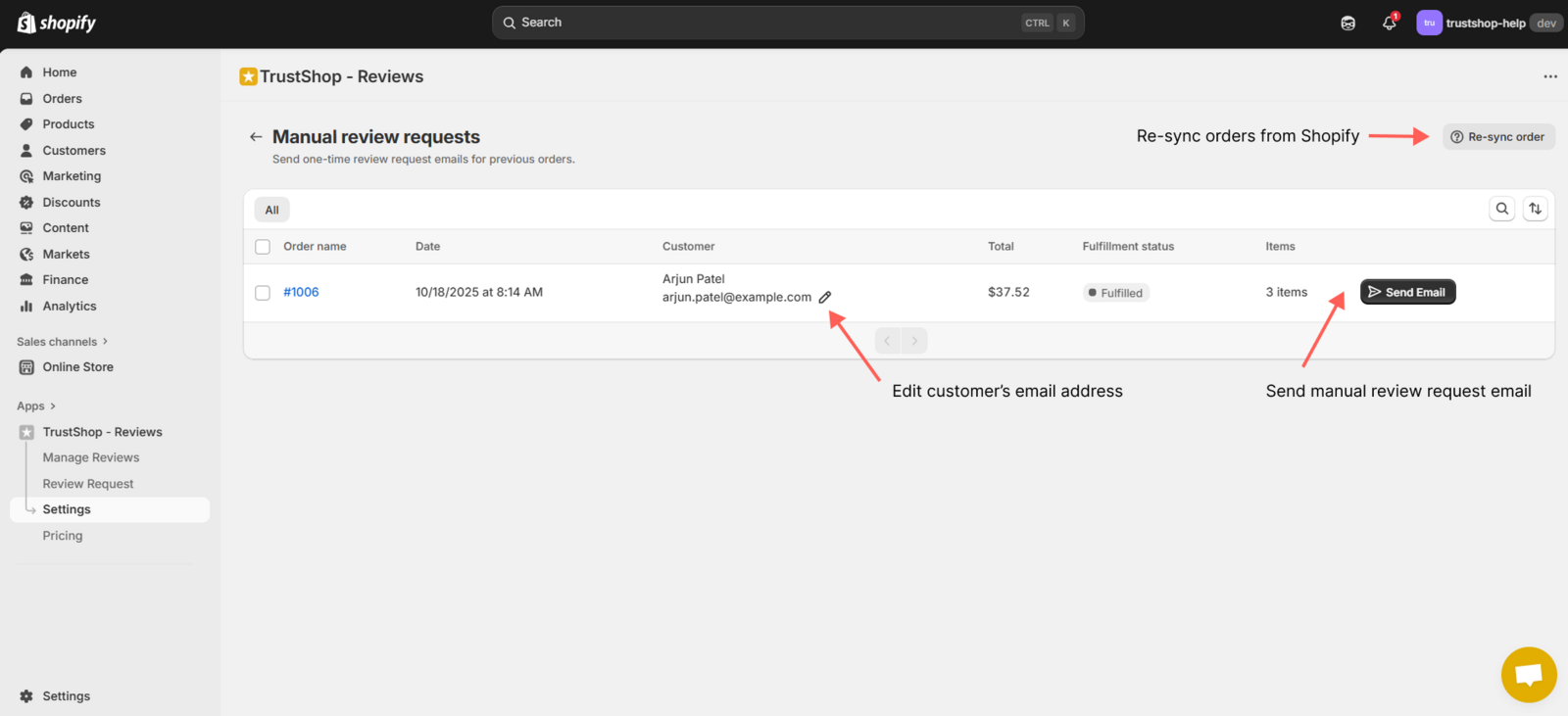
- If you cannot find the order you want, click Re-sync orders. This will synchronize your latest orders from Shopify.
- To edit the customer’s email address, click the Edit button beside the email field.
- Select the order you want to send the request for, then click Send email.
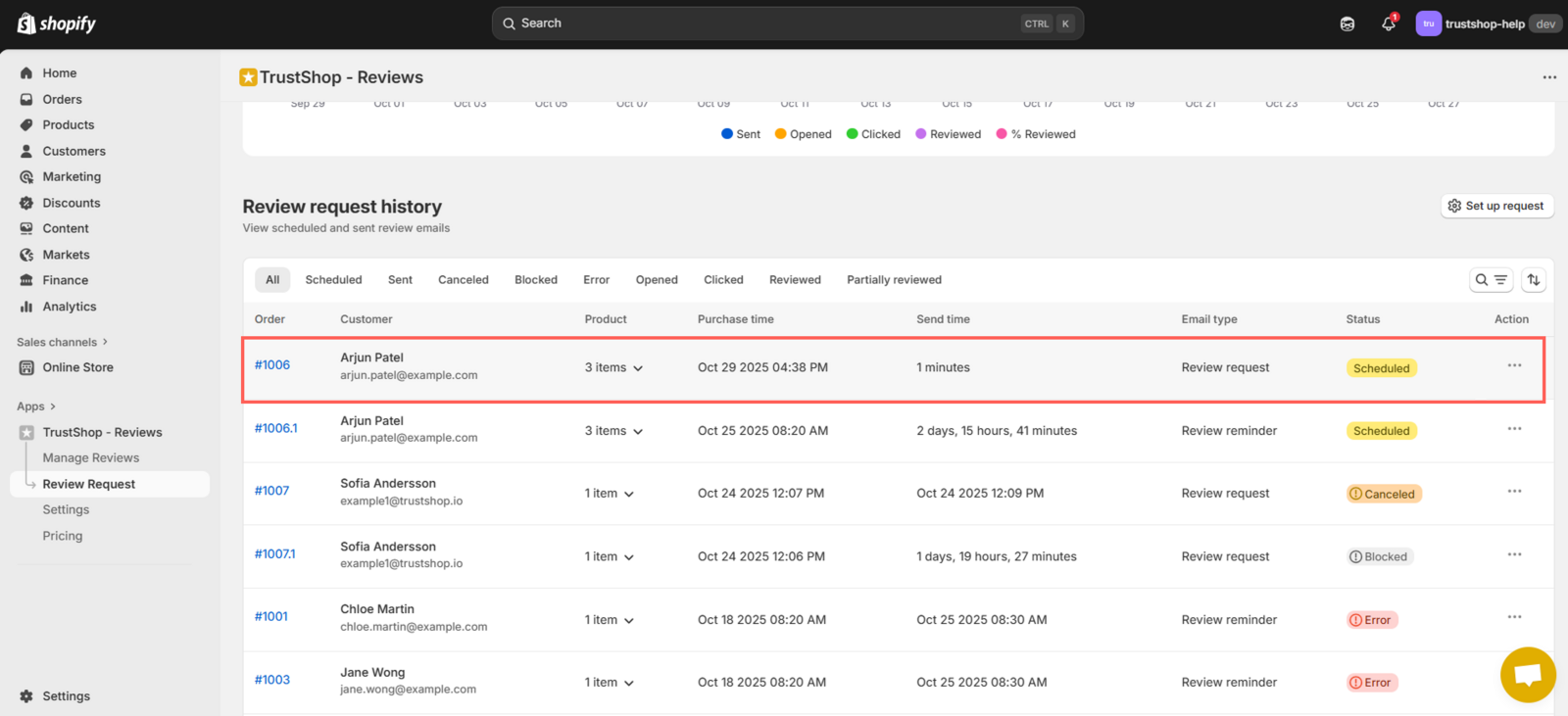
- Once sent, you can track your request and email status in the Review request history section.
Related Articles
Updated on: 21/03/2026